
How to buy second-hand PC hardware without getting scammed — essential rules of engagement for finding used parts and machines in an inflated market
In one year, the entire market for owning or building a PC has changed considerably. The AI boom has caused prices for brand-new GPUs, SSDs, and RAM to skyrocket. The demand by consumers, however, hasn’t just disappeared overnight, but in a market where even entry-level products are no longer budget-friendly, buying second-hand may suddenly be your only or best option.
That’s not to say that second-hand pricing is always the better value, but if you’re savvy, you can find diamonds in the rough. Unfortunately, buying anything online can be a minefield. From a misleading description to a full-blown scam in progress, online marketplaces provide plenty of opportunities to lose your cash on parts that aren’t suitable. To stay ahead of the risk, you’ll want to keep these key points in mind when you’re shopping online for second-hand PCs, laptops, or parts.
Understand the rules and protection offered by online marketplaces

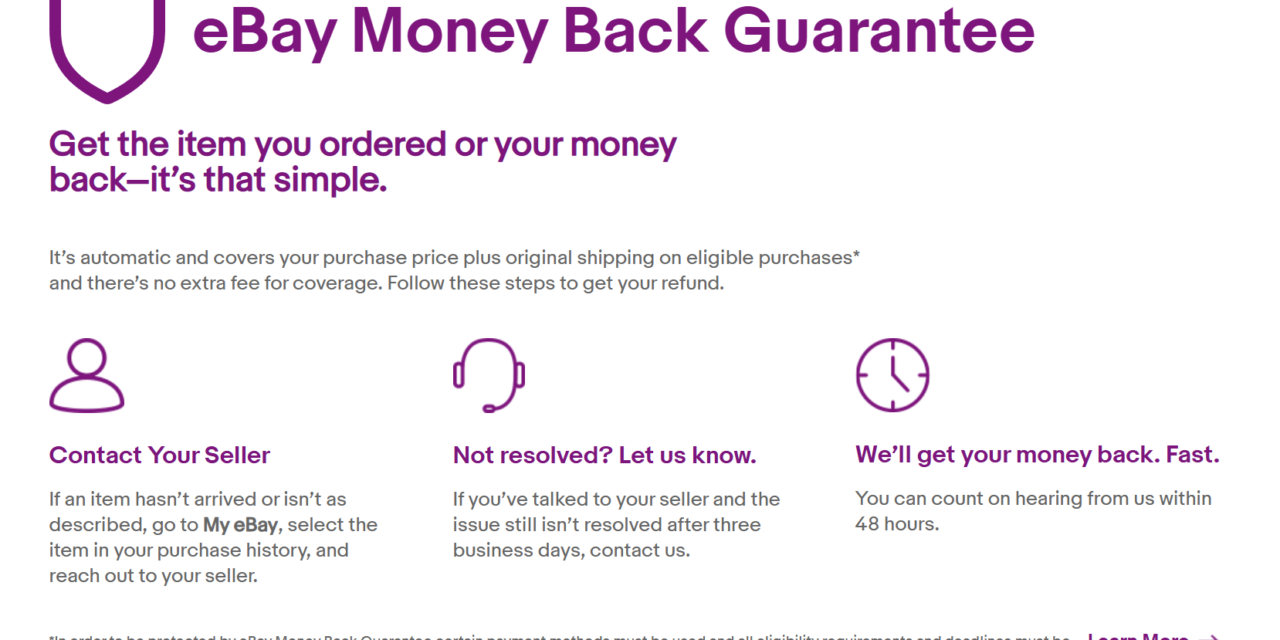
Nobody sets out to be scammed, but it doesn’t mean it won’t happen. If you’re using online marketplaces like eBay or Facebook Marketplace, you’ll want to understand what (if any) protection exists to try to prevent that from happening. Likewise, understanding the rules of engagement on a platform can help you to fight back if you think there’s a bad ad in place.
eBay’s Money Back Guarantee, for example, protects a buyer if the item they’ve bought doesn’t arrive. It also protects you if it arrives broken, damaged in some way, or faulty. More importantly, from a scam-avoidance point of view, however, is that eBay will also refund the buyer if it doesn’t match the listing.
How you pay is also one of the biggest and weakest links in the chain. It’s up to you if you pay by cash, but if you’re purchasing with a credit card, depending on where you’re from, you may have additional retail protection to fall back on in a crisis. If crypto, bank transfers, or gift cards are mentioned, walk away: fast.
I always like to take a screenshot of the item I’m buying before I make any offers. Listings can easily be removed or edited without warning, so it’s a good way to start a chain of evidence in case you run into issues. The information in the listing, as well as on the user’s profile, can also help you decide how much risk you’re taking, especially if you’re buying from an established seller with a lot of feedback.
Ask for proof of ownership as soon as possible
When you buy from a reputable store, you’re not likely to worry about the provenance of the item you’re buying. That changes when you’re buying second-hand from mysteryseller4201. When a seller offers a shiny bit of kit at a good price, it’s fair to ask for proof of ownership (or proof that it’s even real).
That doesn’t mean the risk is eliminated entirely, but if there’s a backstory, and even a receipt or order confirmation to go with it, you’re walking on steadier ground. A legitimate seller won’t mind you asking these kinds of questions, especially if the item is fairly sought after. You don’t need their personal details, but if you can spot where they bought it from and when, that can help to filter out the problem sellers.
You’ll also need to make sure that any products you buy aren’t still linked to the user’s accounts. This is tricky to verify remotely, but easy to do if you’re picking up an item in-person from a safe location. Apple products, for instance, are typically tied to a person’s Apple ID, and the seller will need to remove it from their account for you to use it.
Treat everything as if it’s broken until you see physical proof to change your mind
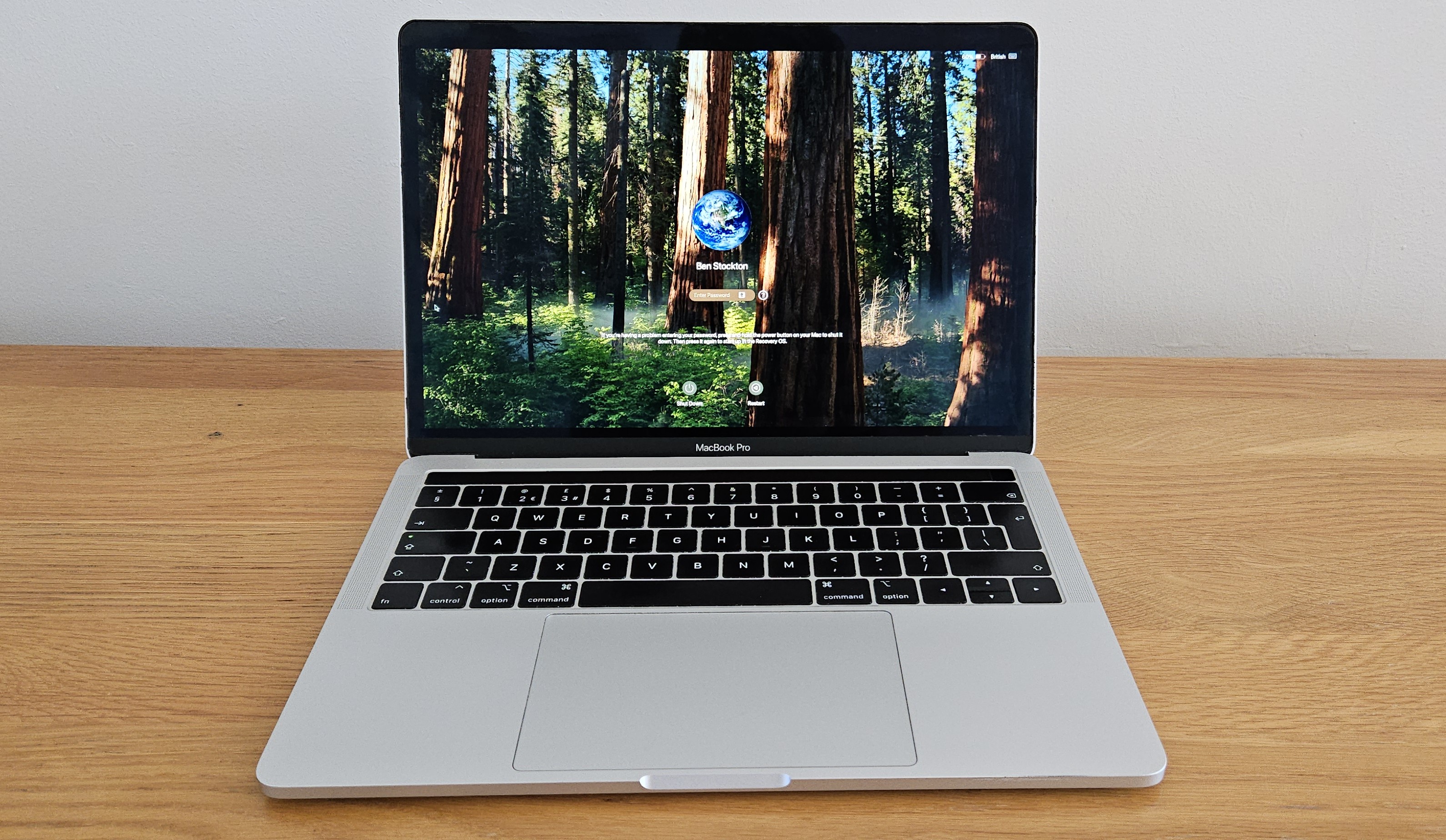
Here’s a picture of my Intel-powered Apple MacBook Pro, which I bought back in 2018. It still works: take my word for it. You can see it; it’s intact, it has a screen, a keyboard, and it has a charger (which you can’t see, but you can trust me). All good, right?
There’s nothing here to prove that the laptop works. It looks intact, but does it boot? Does it work under load without shutting off? Does the keyboard still work? There are an endless number of issues that could be lurking that a picture, or several pictures, wouldn’t prove. When I buy online, I treat everything I buy as if it’s broken unless there’s undeniable proof. Be wary if the description is clear that it’s sold without guarantees, unless you’re happy with that level of risk.
There’s nothing wrong with asking for further proof. A video, with a clear date and time (preferably handwritten), that shows the item in use, or at least fully intact. If you’re buying in-person, you can also ask for a clear demonstration that the item is working before you complete the purchase.
Shop around before you buy and look for the gems
You’re not always going to find the best deal at the top of the search results. The most popular items right now, especially SSDs and RAM, are going to attract more interest. More interest means more buyers, more resellers with inflated prices, and more scammers, all fighting for the top spots in the results.
Look a bit deeper and tailor your search accordingly. You might, for instance, want to look for specific model numbers. A good technique I’ve always liked to try is to use alternative spellings, or plain misspellings, to find the same items hidden from the more common searches.
You could also think about what you’re looking for and how to get it. Do you want some parts to upgrade your PC? You might want to look for a rig being sold that you can scavenge for parts. Given the cost of hardware these days, you might find a capable processor, spare RAM, or an extra SSD or hard drive for cheaper than the individual parts themselves.
Local items, especially on marketplaces like Facebook or Craigslist, will attract a smaller audience, but the risk remains. You may want to set alerts for common keywords and keep tracking newly listed items regularly so you don’t miss out on a bargain. Good deals will sell quickly, but don’t let urgency override your judgment: always think about the price, the quality of the product, and whether the seller is reputable enough before you complete.
Some parts are riskier to buy second-hand than others
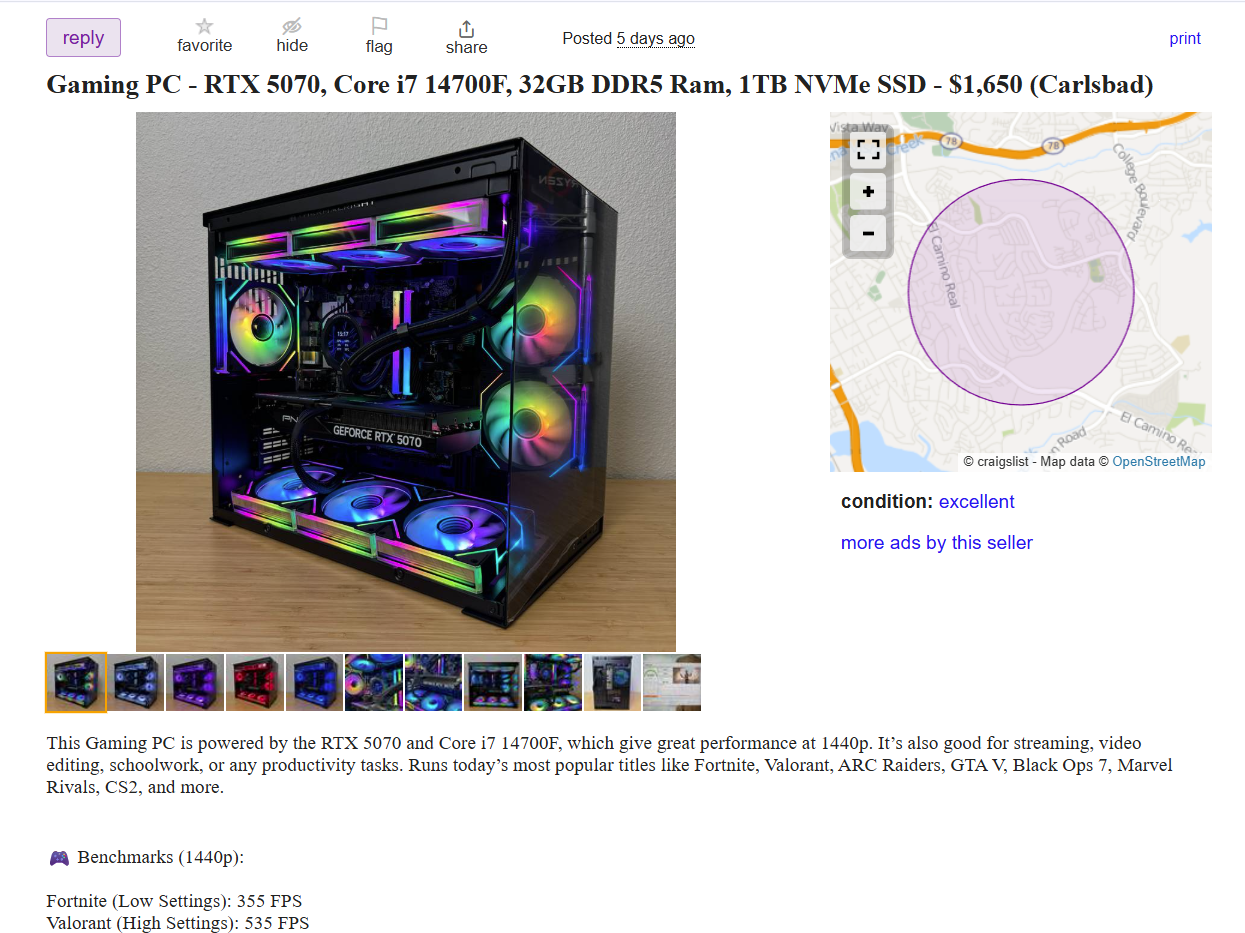
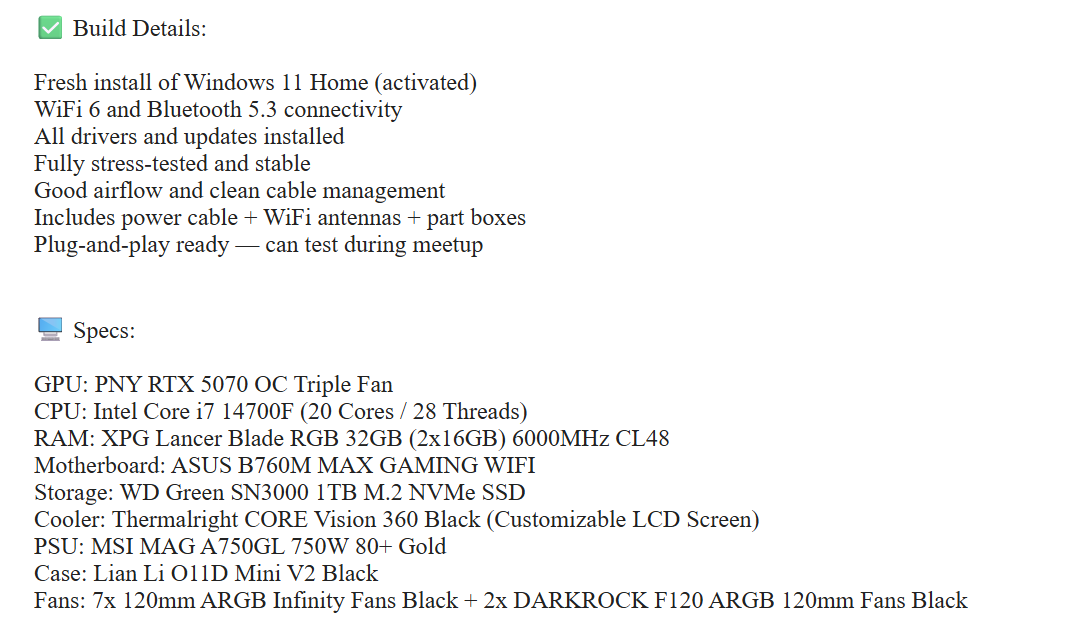
There are some components that are simply harder to buy second-hand. It’s not necessarily because of their size or weight, but their fragility. A CPU or motherboard, for instance, can be pretty robust, and a physical inspection to check for damage or bent pins can be helpful. RAM, too, is pretty easy to transport. You would still need to test these parts thoroughly for stability’s sake, but buying them used isn’t as huge a risk from a degradation point of view.
Graphics cards require a little more caution, especially modern Nvidia GPUs. I like to think of these a bit like a used car. If you buy a car with a full service history, well looked after, and with relatively decent mileage, you’re carrying less risk than a car that’s been run hard, without being serviced, and without being looked after.
GPUs are the same. Heavy gaming, cryptocurrency mining, poor cooling, or just bad maintenance can leave a used GPU feeling a bit like an old banger. That’s before we consider bad power pins, which, in the worst case, could lead to power connectors melting. A physical inspection is always a good idea, but a stability test is important here, too. If you can, ask for benchmark proof, or run the benchmark yourself as soon as you buy it (as long as you’re able to return it, that is).
Storage devices are another high-risk purchase, because flash memory and mechanical hard drives have a finite lifespan. Cheap SSDs might have already been heavily used, with only limited write endurance left. Checking the SMART data for drives can help here, using tools like PassMark to give you a clear idea of the health of a drive.
There are some items I’d nearly always avoid buying second-hand. Power supplies are one of them, unless they’re very new or come from a reputable, trusted source. Given that a bad power supply can destroy your entire PC, it’s not worth the risk. The same is true for old, modular power cables, especially those you use with high-power components like GPUs, because each time you plug and unplug them, you’re adding wear to the pins, which could cause an unexpected failure.
Understand the risks and advantages of buying in-person and prepare accordingly
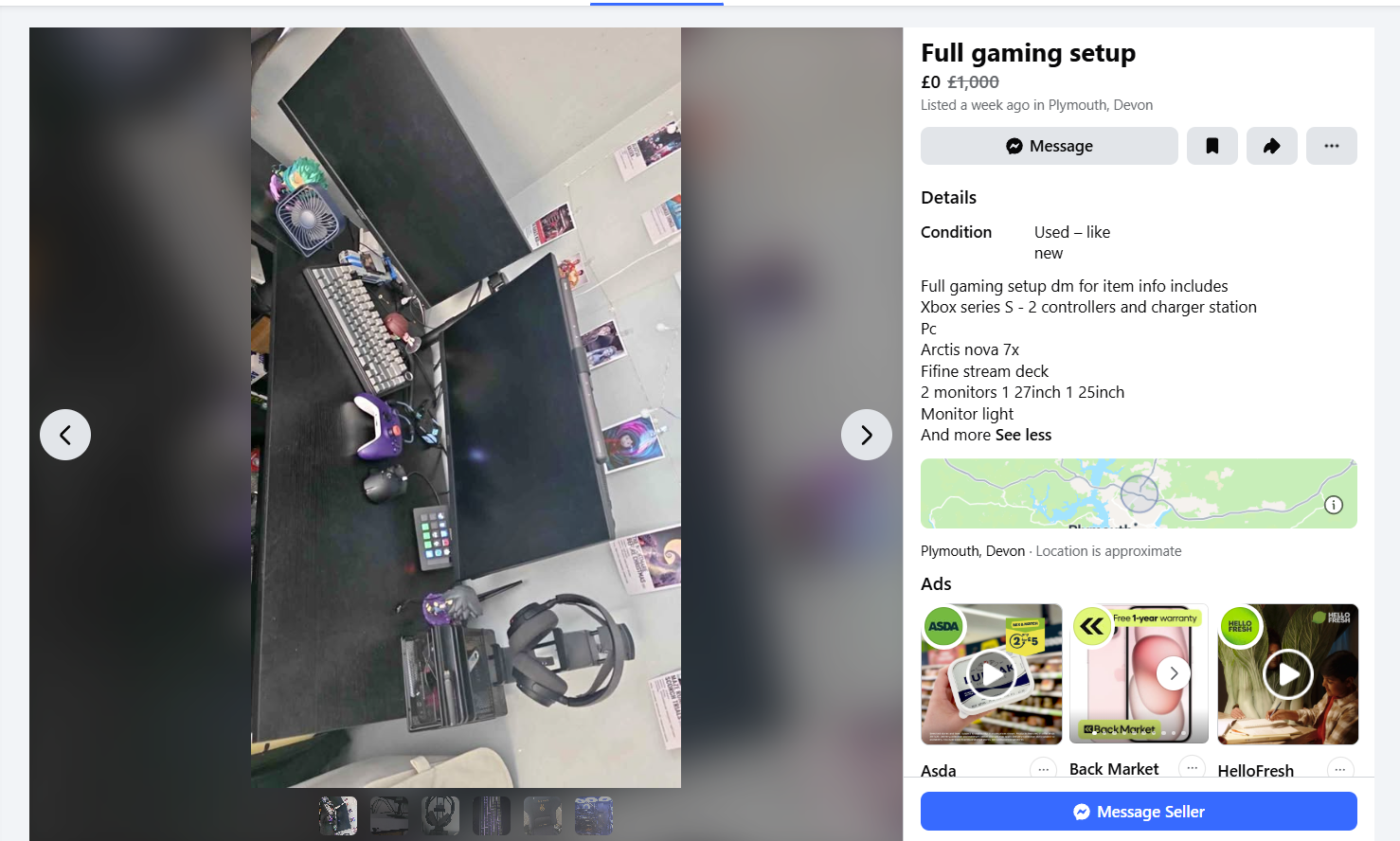
If you decide to buy in person, there are a whole series of additional risks to factor in, but also one or two advantages. Before anything, however, is the risk: you’re going to need to be savvy with your personal safety and not get sucked into too big a bargain.
Fancy 64GB of DDR5 for $100 in 2026? All you need is your wallet and to meet me in that sketchy dark spot that no camera is focused on. There are two things wrong with that sentence. The obvious point is that it’s never a good idea to complete a purchase in person, in an area that is unlit and unsafe. The less obvious point, however, is the price.
If you’re not an enthusiast, you might not know the best price for RAM these days. The AI boom has happened around you, but you might not realize just how badly it’s affected the PC hardware market. That RAM or GPU you’re looking for, well, that price might seem fine for you if you’re used to 2025, 2024, or earlier pricing.
The perennial advice here is to always be a little suspicious and to complete the right due diligence. Check those prices, check your surroundings, and don’t go alone.
Aside from the risk, however, you do have a few opportunities that buying remotely won’t offer you. The biggest one is that an in-person purchase lets you judge the seller. You can look at their actions, their surroundings, and make a judgement. Gut instinct isn’t a strict science, but if something feels sketchy, it probably is.
You can also use it as an opportunity for a clear inspection of the product. Look closely at those CPU pins, check for damage, and look for cleanliness. Has it been opened up or repaired? Does it look legitimate, or is it a fake? You might want to think about taking a checklist that you can check off in real time while you’re there. Being thorough isn’t a bad thing, and a legitimate seller shouldn’t be put off by careful due diligence before a purchase.
There’s also a big, obvious advantage: you can see whether the item actually works. Hitting that power button and seeing everything light up, with no error codes or issues, physically in front of you, is a strong selling point. While a seller probably won’t let you run a long benchmark test, a legitimate seller shouldn’t object to you turning a laptop or PC on and checking it works as described. If you’ve got your own tools, like a laptop with an SSD enclosure, you can even test components quickly to see if they’re working (so long as the seller doesn’t mind).
You probably won’t have a lot of time for this, so you’ll need to make it count by knowing how you want to test the item in the time you do have, and to make it clear before arrival that you’d like to see it working. That said, don’t feel rushed to complete the transaction: it’s always better to walk away if you’re unsure.
Take a video when you open a high-value parcel for proof
I’ve seen far too many reports in recent years of high-value items being swapped out before delivery. You buy a new laptop or GPU, and all you get is a brick or several bags of sugar, and no refund forthcoming from the seller, who supposedly sent it as-is.
When you receive a parcel, video it. Video it as soon as you get your eyes on it, and keep videoing it until you open it. Make sure the video has a clear, defined shot of the packaging label. That provides you with undeniable proof of the parcel upon arrival and as it’s been opened.
This is not a get out of jail free card, but it does give you a much stronger chain of evidence to complain if you’re scammed. You’ll need that evidence, too, as retailers will resist refunding you if there isn’t enough proof.
Think about certified refurbished items instead
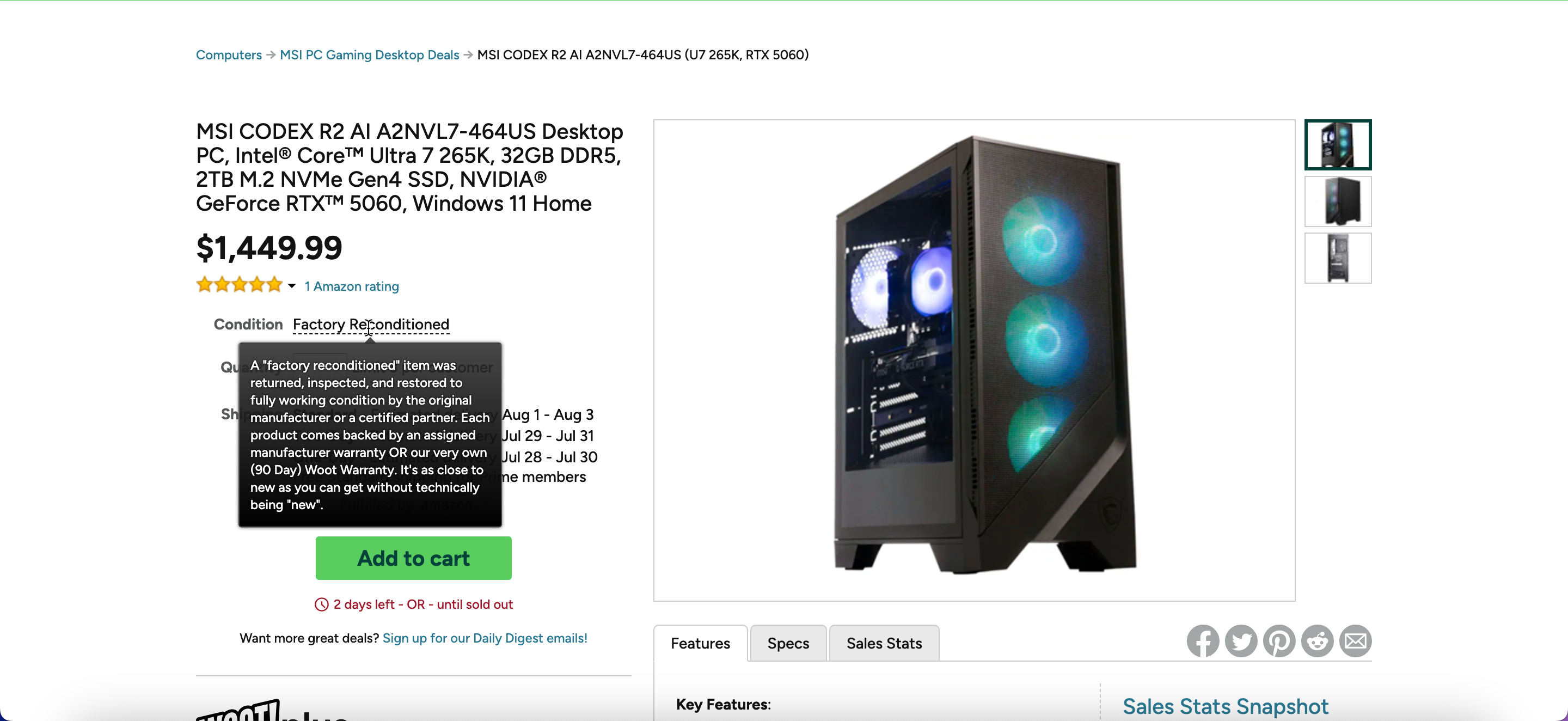
Buying secondhand doesn’t always have to mean buying from a seller on eBay or Facebook Marketplace. Certified refurbished items are items that have been professionally restored, often by the manufacturer, and sold at a discount. These can also be called factory reconditioned, but they mean the same thing.
These items often come with new packaging and have been fully tested. I’ve been seeing a lot of certified refurbished items appear for sale on Woot, Amazon’s separate website for bargain products, from Dell workstations to MSI gaming PCs. In MSI’s case, these factory reconditioned PCs have been returned, inspected, and restored, and come with a warranty, with Woot claiming that they are “as close to new as you can get without technically being new.”
Apple has also run a long-standing store for certified refurbished products. I’ve taken advantage of this in the past, several times, buying iPod Touches and iPads using its program for second-hand products, with up to 15% off the original price. Apple guarantees that all its certified refurbished items are cleaned, inspected, and tested, and are sent out in fresh packaging with a new one-year warranty.
Retailers like Newegg will often sell refurbished items in the same way. You’re getting the benefit of a price reduction for a second-hand product, with almost-new quality, but with fewer risks than buying from an unknown seller.
The exception to this, however, is from retailers’ third-party sellers. Amazon, Newegg, and Walmart all allow third-party listings that could come from less-than-reputable sources. In those cases, make sure to thoroughly investigate the source, including reviews and how recently they began selling, to make sure you’re not facing greater risk.
Finding the right bargains in the second-hand hardware world
Just because it’s used doesn’t mean it’s broken or bad, but the used PC hardware market is murky. The rules above aren’t foolproof, and they aren’t exhaustive, but they’re a good reminder of some of the do’s and don’ts to follow if you’re thinking about buying your kit second-hand.
Of course, once you get your hands on the goods, give it a test. Test it hard. Benchmark tools, like the ones we conduct in our reviews, can give you an idea of the stability of that CPU, GPU, or RAM, or the health of that SSD. It can also test some of the other components in your machine, too, from the power supply to the cooling.
Vigilance is your biggest defense if you’re trying to avoid being scammed. You’ll want to avoid jumping in with the first listing you see. Slow and steady, combined with a bit of luck, can sometimes win you the bargain of the day.

