

PC building is more fun when you have no idea what you’re doing
I don’t know about you, but the whole reason I got into upgrading and building PCs is because I wanted to play Doom II.
My age hadn’t hit double digits by the time the game shipped on DOS in ’94, but a year or two later I got my hands on a copy and realized our old family PC didn’t have the chops to run id’s latest. Thus began my 30+ years of PC enthusiasm, starting with me getting frustrated by memory management (death to HIMEM) and leading me here as a PCWorld veteran who can work a screwdriver and a solder gun almost as well as anyone.
And hey, I only nearly electrocuted a coworker with a badly soldered power cable once.
Welcome to The Full Nerd newsletter—your weekly dose of hardware talk from the enthusiasts at PCWorld. Missed the surprising topics on our YouTube show or the latest news from across the web? You’re in the right place.
Want this newsletter to come directly to your inbox? Sign up on our website!
In those decades I’ve learned that while I love PC gaming and will always believe the PC is the best place to play, games aren’t actually why I care about PCs these days. Sure, it’s sweet to benchmark a new gaming rig or marvel over the capabilities of Nvidia’s latest GPUs.
But really, what I love about building PCs and what keeps me coming back to this community is the constant learning experience that’s available to you if you’re open to it. When I began trying to fish busted desktops and laptops out of trash bins in the ’90s so I could try to rebuild them, my attempts never worked—I just didn’t know enough, as a teenager, to figure out a faulty display connector in a laptop or sort out how to fix a bunch of bent pins on the motherboard.
Eventually, with the help of some friends and the internet, I (barely) figured out how a PC works and how you can build one. That felt good, but even after I built a PC I wanted more. I wanted to figure out how these magical machines worked, and while I still don’t really understand the full truth of it, I’m at least past the point where I’m worried about the magic smoke in my computer slipping out.
Over the years I’ve come to appreciate that taking joy in the pursuit of knowledge and mastery is something lots of us do, including myself. It makes not just PC building but gaming, journalism, and life in general more rewarding, and lately I’ve been getting a lot of satisfaction from learning my way around the Flipper Zero.
PCWorld
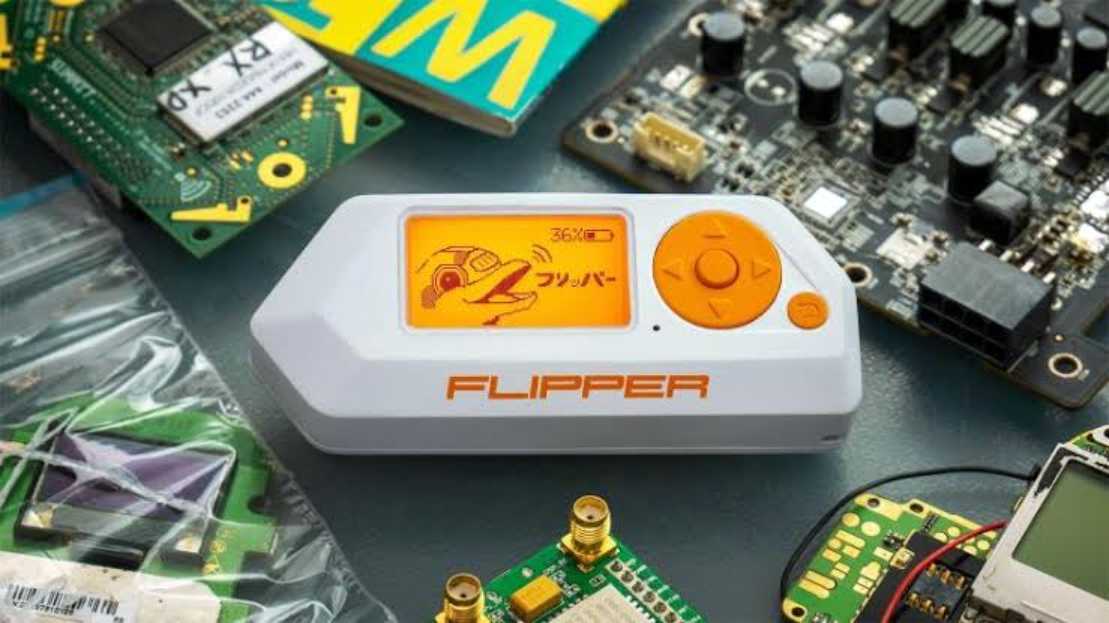
If you’re not familiar, the Flipper Zero is a handheld gadget that costs roughly $219 and sports a bunch of sensors, including an NFC reader, a sub-1GHz radio, an infrared scanner, and an RFID reader. By interacting with the little cartoon dolphin mascot displayed on the Flipper Zero’s ‘lil LCD screen you can load programs to the Zero and execute them, allowing you to run all sorts of little utilities right from your palm.
The Flipper Zero is sold as a multi-tool for geeks and pentesters (penetration testers working in security), so there’s loads of functionality built into it if you’re willing to invest the time to learn how it works. And along the way, I’ve discovered that learning—about everything from how NFC radios work to local laws concerning digital mischief—is the best part about owning a cool gadget like the Flipper Zero.
Well, that and the fact that I can program my garage door code into and use the Flipper as a backup any time I can’t find my usual clicker.
Sadly, I haven’t found a lot of practical uses for the Flipper Zero when actually building or modifying a PC. Perhaps I just haven’t stumbled upon the right blog or GitHub repo just yet, but regardless I’m so, so glad I acquired a Flipper because it’s taught me so much about the world around me and how it works—in the same way that building PCs taught me so much about their inner workings and to make them work for you.
In this episode of The Full Nerd
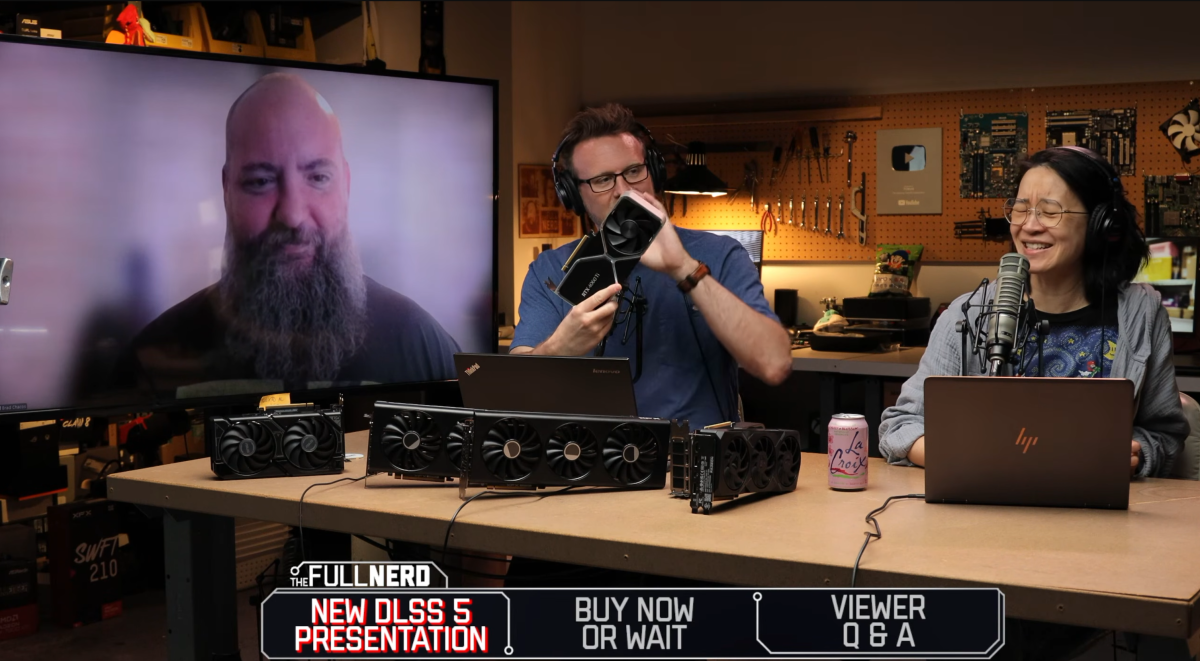
This week on The Full Nerd regular cohosts Alaina Yee and Adam Patrick Murray are joined by PCWorld’s Brad Chacos to talk through what we learned about DLSS 5 from a recent Siggraph presentation, then they have a frank discussion on what PC hardware is worth buying right now (vs. waiting) and why.
PCWorld
Of course, they also leave lots of room for fun tangents and, of course, answering your questions about everything from gyroscopic aiming to keyboard and mouse vs. gamepad when PC gaming!
Nerd news of the week
Not only is there new DLSS coming down the pike, there’s all sorts of intriguing developments happening nerd news around the web.
- Engineer identifies and explains every ’90s computer seen in Jurassic Park: Come for the joyous rundown of the classic PCs and programs you see in Jurassic Park, stay for the fun trivia about things like how hard the film crew worked to synchronize the cameras with every screen appearing in the shot so that there were no graphical artifacts or flickering on the old CRTs.
- Arctic announces price rollback thanks to a U.S. gov tariff refund: Shout out to a real one. PC cooler vendor Arctic has gotten a refund for some of the heightened tariffs it paid over the last year and change, so the company has committed to giving back by lowering prices on some of its products and “investing in community initiatives that support technology education and grassroots PC communities in the United States through hardware donations and technical support.”
- Crazed modder turns NAS into a gaming PC with RTX 5060 hanging from the side, boosts frame rate by 828%: If you’re tearing out your hair about the high prices of modern gaming PC hardware, why not mod your NAS to game? That’s what YouTuber TrashBench did recently, tricking out a ZimaCube 2 NAS with an Nvidia GeForce RTX 5060, a 750W power supply, and a 3D-printed frame zip-tied to the PC. The results are inspiring, if not exactly practical.
- Der8auer built a CPU cooler chimney to prove vertical cooling makes sense: …and he proved that it does! If…you’re willing to have a foot or three of chimney sticking up out of your PC.
That’s your Full Nerd for this week. For more, be sure to bookmark PCWorld and subscribe to the PCWorld YouTube channel! Want this newsletter to come directly to your inbox? Sign up on our website!
This newsletter is dedicated to the memory of Gordon Mah Ung, founder and host of The Full Nerd, and executive editor of hardware at PCWorld.

