
Macrium Reflect 8 Free review: Fantastic image backup and recovery at no-cost

At a Glance
Expert’s Rating
Pros
- Absolutely free for private use
- Reliable image backup
- Disaster recovery and backup boot media
- Clones disks
Cons
- No incremental backup
- No longer supported by Macrium
Our Verdict
This venerable free drive and partition imaging program covers all the basics including disaster recovery and disk cloning. A gem of a freebie that works in the modern environment as well as it did a decade ago.
Price When Reviewed
This value will show the geolocated pricing text for product undefined
Best Pricing Today
To the benefit of starving PC users everywhere, Macrium Reflect Free remains a stable, reliable way to quickly image and restore your system — despite no longer being offered or supported by the company. Thankfully, it is still available from various download repositories. Just search if that link dies.
Truth be known, there’s simply not that much in Reflect 8 Free that could be meaningfully improved — which is true for just about all backup software. There are no major new tricks, or recent partition or file types in the Windows universe that require updating methodologies. Backup programs, even from 10 years ago, are generally more the up to the tasks of today.
Don’t believe me? Guess what I use for PCWorld’s Windows 11 test beds and my friend’s PCs? Yup, the free version of Macrium Reflect 8.
Read on to learn more, then see our roundup of the best Windows backup software for comparison.
What are Macrium Reflect 8 Free’s features?
Macrium Reflect is an imaging program, meaning it creates files (the images) containing all the data residing on a drive or partition. These files are proprietary so you do need Reflect to restore or browse them. However, you can always create VHDs and transfer the data if you’re worried that Reflect might disappear.
You’d think that the Free version of Macrium Reflect would be missing a ton of features. Surprisingly, it lacks only a few, such as incremental backups, password protection, and email notifications. Actually, they’re there but only to create nags for the full version — which is now subscription-only.
There is also no folder backup with the free version of Reflect, but there’s an easy way around that with Windows’ own File History. Once you figure out how to define folders as libraries at any rate.
You may not be able to back up specific files or folders with Reflect Free, but there are extensive scheduling options and retention rules (how long to keep and what to delete when space is low), and jobs are saved as standard XML files.
Handily, Reflect will also clone disks. Why is this handy? If you want to upgrade the drive that your operating system is currently installed on, simply install the new drive, clone the old one to it, then remove the old one after you’re sure the new one will boot.
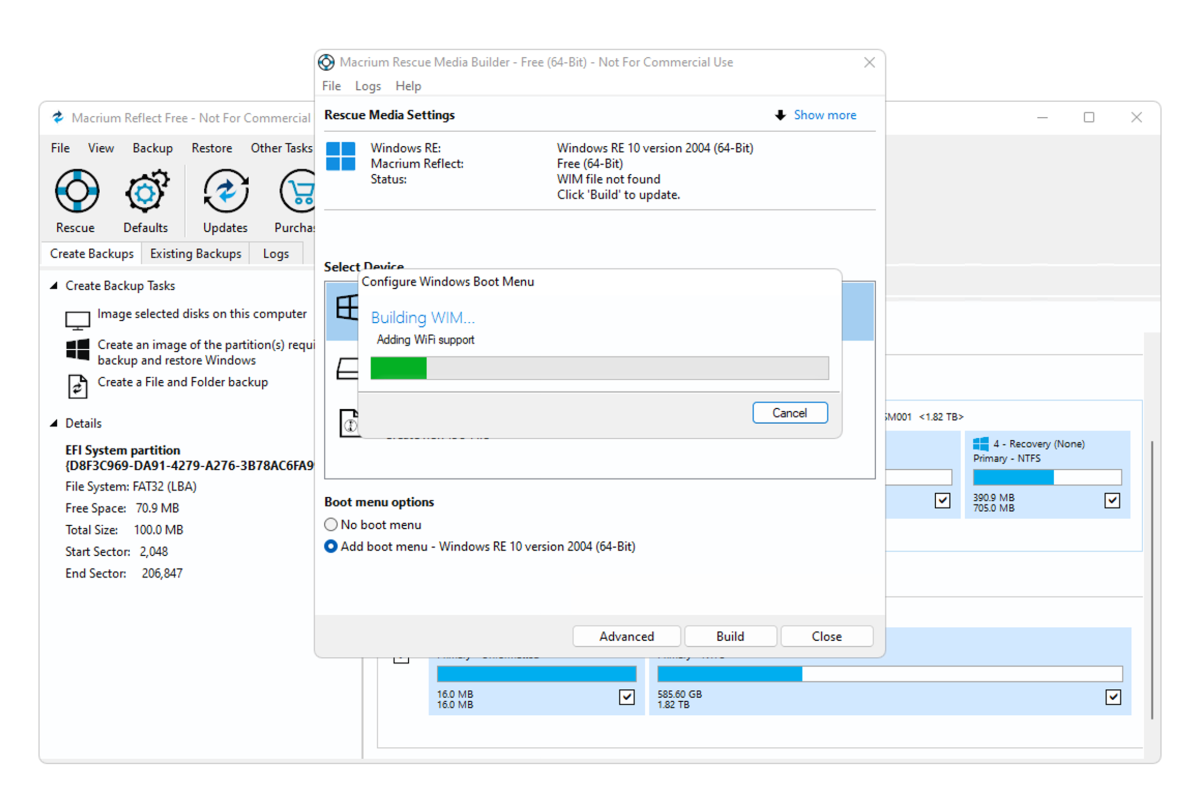
Finally, and quite invaluably for me is that the free version of Reflect also creates Windows PE boot media with the full program on board. I’ve used this Windows-based boot media probably 25 times in the last year alone.
It allows me to make backups of friends’ computers before attempting whatever fix might be required, without risking the installation of the program on their possibly failing drive.
Do I care that it’s Windows 10? Absolutely not. It boots, it works, and honestly, if it didn’t look dated in print, I’d have stuck with Windows 10 until the cows came home.
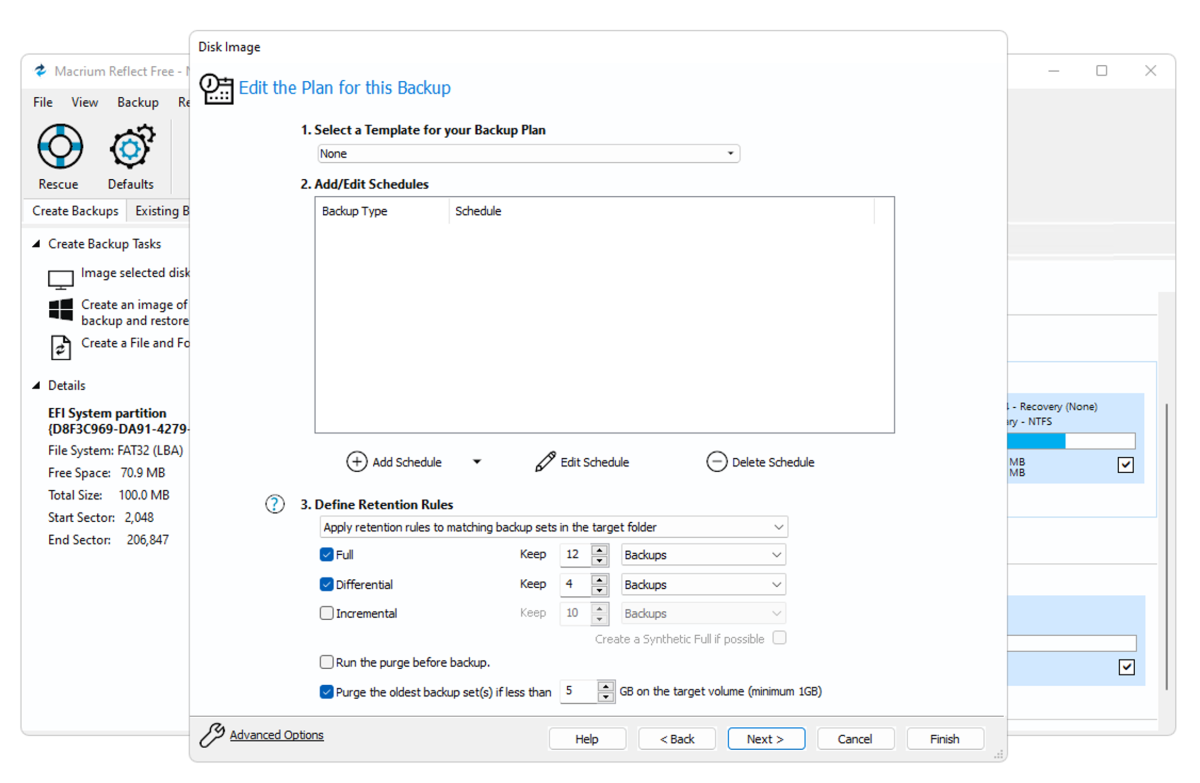
Reflect Free supports both MBR and GPT disks, allows you to create and save multiple jobs, as well as easily create meaningful file names. These can be a little complicated if you allow the program full rein, but once you’re used to it, you see the method to the madness.
Windows has such a vast quantity of generic drivers that restoring a backup to new hardware is no longer the hunt-for-the-correct-driver-that-lets-it-boot mess it once was.
Yes, you’ll still need to get the specific drivers you need after restoring an older installation on a new machine, but you can do that after you boot. If you do have some oddball storage needs, you can inject drivers onto the boot disk.
How easy is Macrium Reflect 8 Free to use?
Short answer: Very. That said, you do need to understand a bit about imaging, as well as look carefully for some options. Once you get a handle on it though, it’s a breeze and the interface uses a friendly “light” color scheme.
How does Macrium Reflect 8 Free perform?
Macrium Reflect Free version 8 is as quick as just about anything I’ve tried, with the possible exception of Easeus ToDo Backup. More than that, it’s very reliable and has been for a very long time. I’ll take that over saving a few seconds any day.
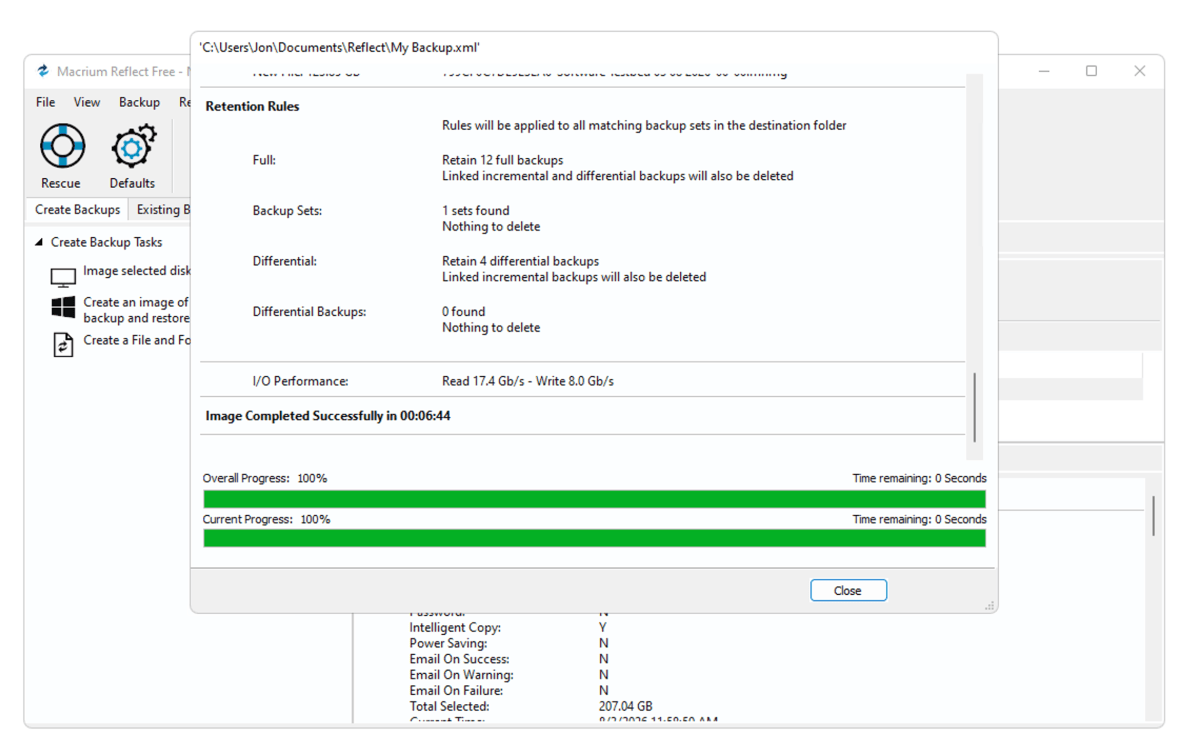
The free version of Reflect spawns only three background processes, which is way better than the 13 processes invoked by Acronis True Image. As to the more capable paid version of Reflect, X, I love the program and hate that it’s only available via subscription.
Should you use Macrium Reflect 8 Free?
There are other free imaging programs out there, but I trust Macrium Reflect — it’s never let me down over the better part of two decades. It’s the imaging solution I now use exclusively.
I heartily recommend that you download Reflect 8 Free, and combine it with Windows File History for a complete and highly competent, low-footprint, file and disaster recovery solution that doesn’t cost you a dime.