Asus Zenbook 14 review: A $799 laptop that feels pricier than it is

At a glance
Expert’s Rating
Pros
- Good office performance
- Lightweight, stylish
- Great OLED screen and good sound
- The price!
Cons
- Modest battery life
- Only available with a 256 GB SSD
Our Verdict
Asus strikes the right balance with the ZenBook 14, delivering a laptop that feels premium without costing a fortune. A small SSD and a small battery bring the rating down slightly. But if you use the laptop wisely, these drawbacks are less of an issue.
Price at time of review
This value will show the geolocated pricing text for product undefined
Best Price Today
Best Prices Today: Asus Zenbook 14 UX3480Q

Price comparison from over 24,000 stores worldwide
Last spring, Asus launched the ZenBook A14, a compact laptop with a stylish design, excellent build quality, a superb OLED screen, good sound, snappy performance, and long battery life. I crowned it the world’s best laptop at 2.20 pounds. There was just one problem with it… it was over a grand at launch.
What if you could get the same experience in a laptop for just half the price? Now you can. Or at least come close. The Zenbook 14 (sans the A) is a new Snapdragon-based laptop with a 14-inch OLED screen and a starting price of $799. It boasts the same sleek design and high build quality as the ZenBook A14, along with many of its best features. Fortunately, the things holding it back are relatively minor.
Asus ZenBook 14: Premium design in new colors
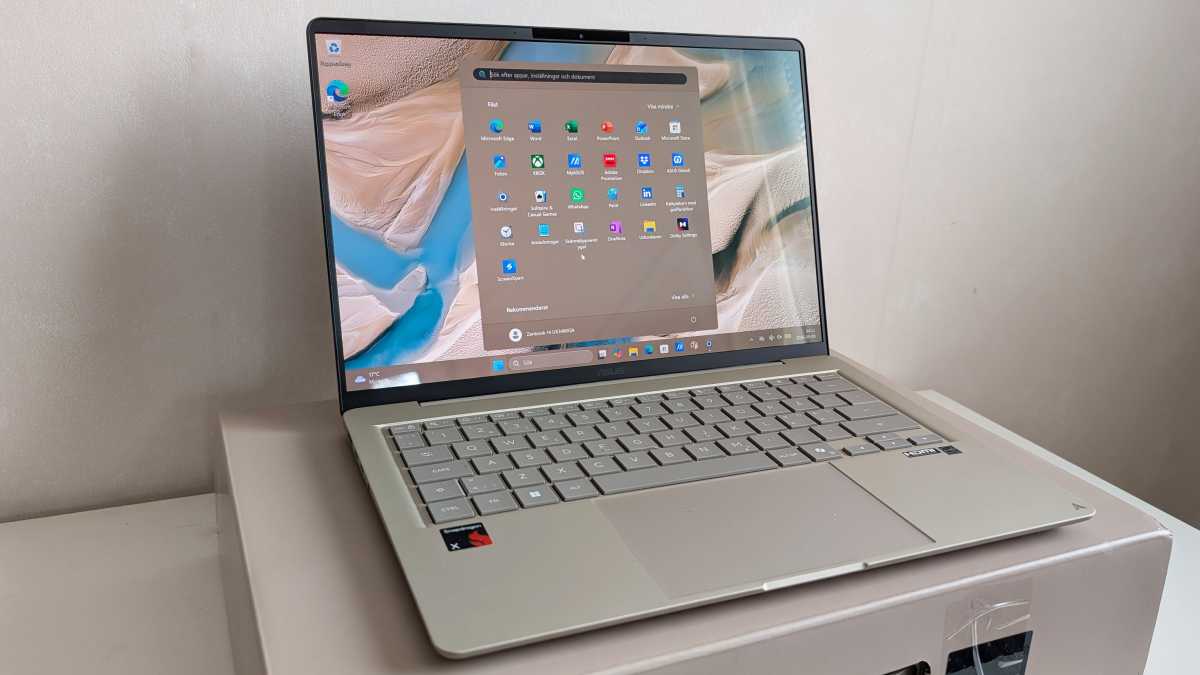
Asus hasn’t compromised on build quality to keep the price down. The chassis is durable and ergonomically designed, with rounded edges, a well-built and thoughtfully designed keyboard with clear backlighting, a smooth-action screen hinge and a large touchpad with precise control.
Asus
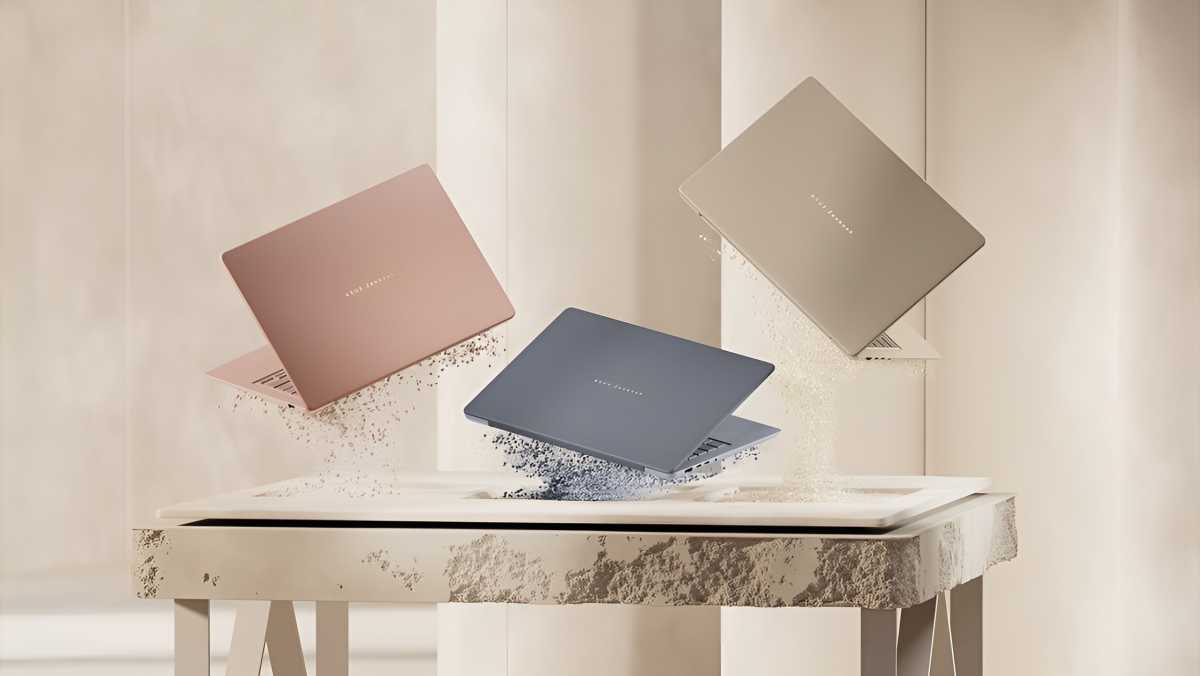
They call the material “Ceraluminium” — aluminum with a ceramic-like finish. Once again, the laptop is available in the sandstone-like color Zabriskie Beige. There are now also two other colors to choose from: a grey-blue and a coral-colored pink variant. All three are really stylish.
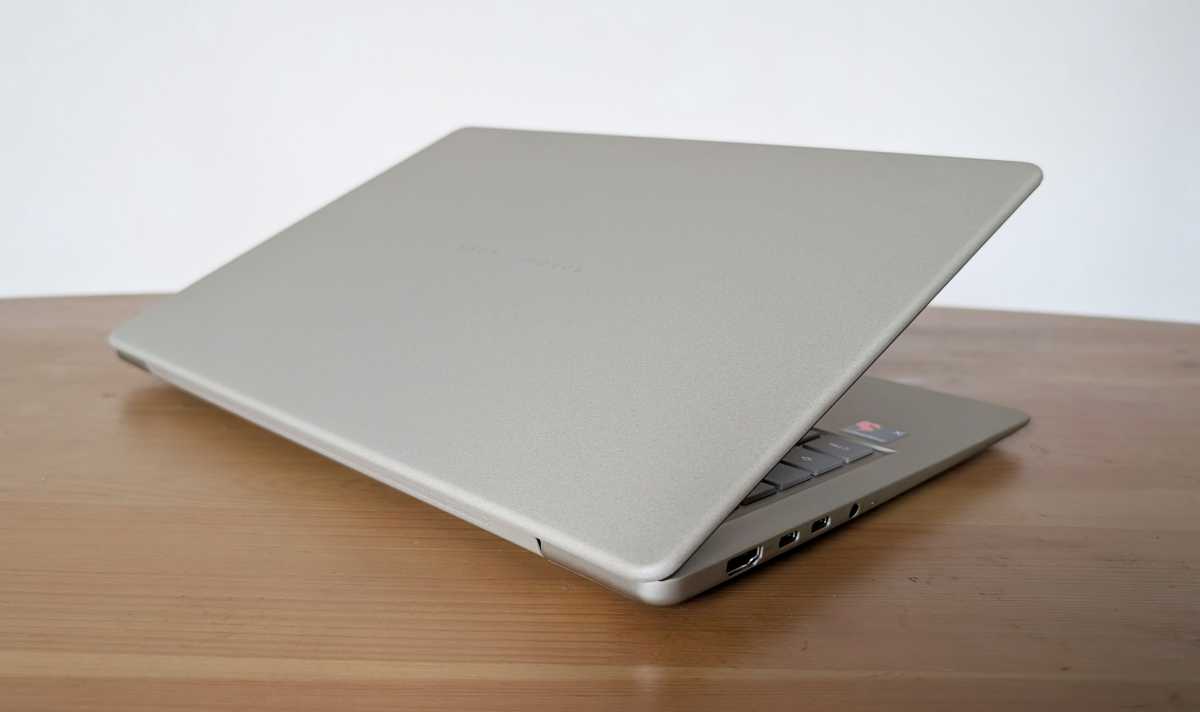
You get the same expected array of external ports on the sides: two USB-C 4 ports with DisplayPort support, one USB-A, one HDMI port and a headphone jack. One area where Asus has cut corners is Wi-Fi. You won’t get Wi-Fi 7 support here, but you do get Wi-Fi 6e, which is good enough in the vast majority of situations.
Asus ZenBook 14: Slower, but still fast
The areas where Asus has cut corners the most to keep the price down are performance and storage capacity. You get the previous-generation Snapdragon X instead of the Snapdragon X2 Elite found in the ZenBook A14; as mentioned, you get 16 GB of RAM instead of 32, and a 256 GB SSD with no option for more – at least at the time of this writing. Memory and storage are expensive, and this is where Asus is saving a lot of money.
Mattias Inghe
The SSD is also of the PCIe 3.0 type rather than PCIe 4.0, which is found in most top-of-the-range models at the moment (including the 512 GB model of this laptop, apparently). This means a read speed of around 3,500 MB/s, whereas the best drives today offer speeds of between 6,000 and 7,000 MB/s.
The performance is still perfectly adequate. Asus markets this as a good student laptop, and I can only agree. It’s more than capable of handling all everyday tasks, such as working in office software, browsing the web, emailing, taking part in webcam meetings, and streaming video.
You can also easily do some basic photo editing and video editing, though not quite at a professional level, and it’s not really a gaming laptop. Simple, light games work fine, but nothing more demanding. The laptop never gets more than marginally warm, and even under heavy CPU load, I’m not particularly bothered by the fan noise.
Asus ZenBook 14: Beautiful screen and great sound
You still get an excellent 1920×1200 OLED screen, with the superb contrast and color reproduction typical of OLED technology. It isn’t quite as bright as the ZenBook A14, with a typical brightness of around 300 cd/m² instead of 400 cd/m², and the HDR effect isn’t quite as intense, even though the display technically supports HDR mode.
Mattias Inghe
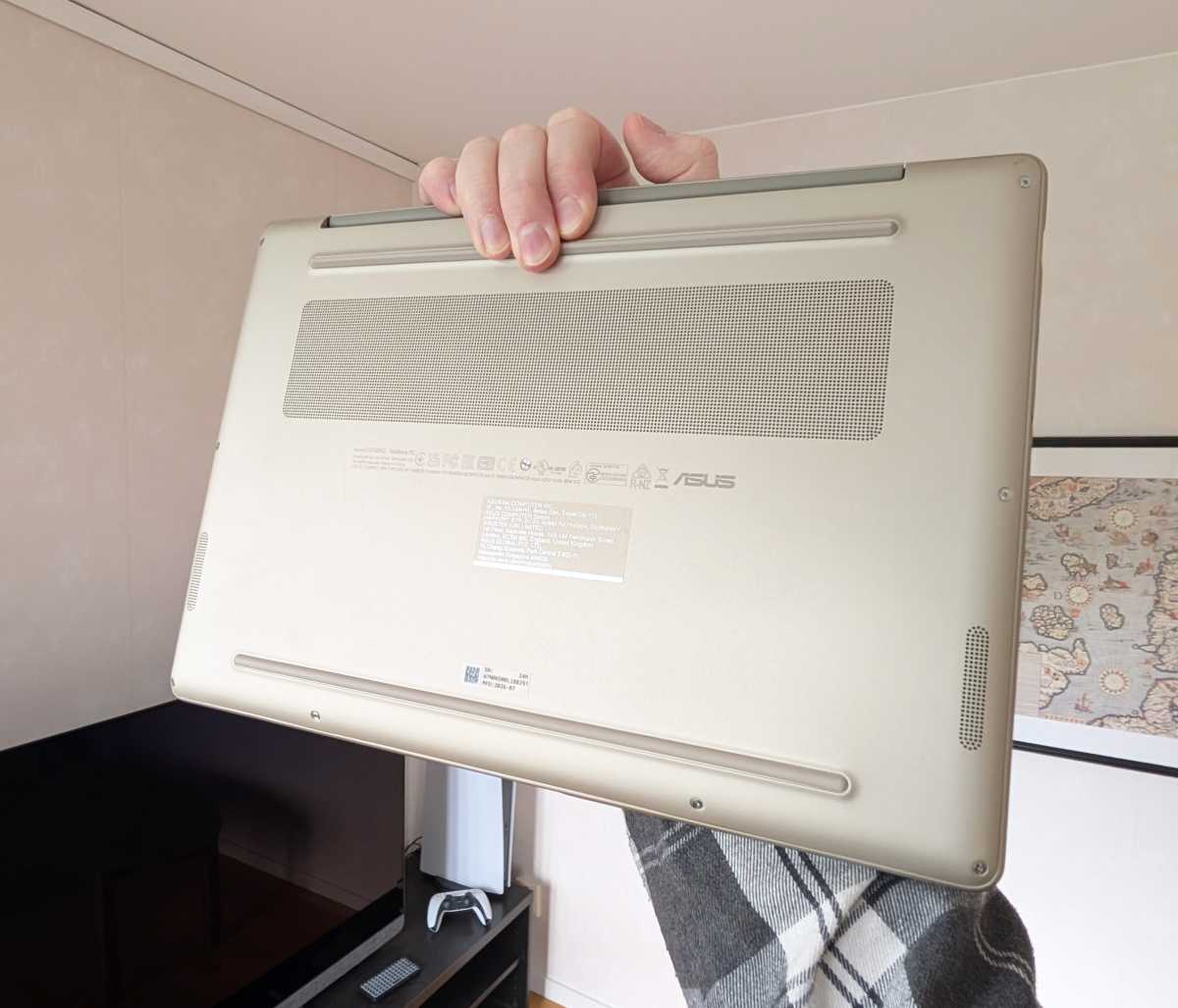
The screen is completely glossy, with a clear mirror image on the surface if you’re viewing a dark image, but this is something it has in common with many more expensive laptops, and it’s hardly a major distraction. On the underside of the chassis are two grilles with speaker units behind them, and they sound surprisingly good. Detailed, well-balanced, and with clear bass.
The webcam and microphone also perform well, though not quite flawlessly. The image is a little washed-out in terms of color reproduction, and the microphone is noisier than expected. But this can be remedied.
In the My Asus app, the manufacturer offers a range of features like controlling fan speed, changing the colors on your screen, and activating an AI noise filter on your microphone.
You can also switch between fan and performance modes using a hotkey on the keyboard, either to maximize performance or efficiency. But even when the fans are spinning away, it remains relatively quiet.
Asus ZenBook 14: Smaller battery, but more energy-efficient
Battery is where the ZenBook 14 suffers (if only slightly). It’s a modest 50 Wh and, unfortunately, it doesn’t last nearly as long as the ZenBook A14, which comes with a 70 Wh battery. What the Snapdragon X excels at, however, is its high efficiency during active use.
Mattias Inghe
Although the maximum battery life under light use isn’t quite as impressive this time round, working under more normal loads yields really good results. I can push the processor to its limits for over five hours, meaning the laptop lasts a full working day without me having to hunt for a power socket. The relatively low screen brightness also helps with this.
Nevertheless, this laptop weighs slightly more than the ZenBook A14. It’s still a very light machine, weighing just 2.43 pounds. But, clearly, Asus has kept costs down in some subtle ways. A simpler internal chassis and perhaps older, bulkier components. Whatever the case, it’s not something you’d notice from the outside.
This is a stylish, well-built, and comfortable quality laptop with almost the same premium feel as its twice-as-expensive sibling, with brisk performance and specifications well-suited to office work. You’ll have to make do without a large SSD, extra RAM, and a more powerful processor, but everything else is almost as good. Which is still very good indeed.

Asus ZenBook 14: Specifications
Product name: Asus ZenBook 14 UX3480QA-U1155W
Tested: September 2026
Manufacturer: Asus
Processor: Qualcomm Snapdragon X1-26-100, 8 Oryon cores at 3 GHz
NPU: Hexagon, 45 tops
Graphics: Adreno X1-45, 1250 MHz
Memory: 16 GB LPDDR5x
Storage: 256 GB SSD
Display: 14-inch glossy OLED, 1920×1200 pixels, 60 Hz, approx. 300 cd/m²
Webcam: 1080p with IR
Ports: 2 x USB-C Gen 3, Port 2 with DisplayPort, USB-A Gen 3, HDMI, headphone jack
Wireless: Wi-Fi 6e, Bluetooth 5.3
Operating system: Windows 11 Home
Other: Backlit keyboard
Noise level: 0–37 dBa
Battery: 50 Wh. 5 hours 10 minutes (heavy use, high brightness), approx. 14 hours (light use, low brightness)
Dimensions: 31.11 x 21.58 x 1.69 cm
Weight: 2.43 lbs
Price: Starting price, $799
Rating: 4 out of 5
Performance
Cinebench 2026, multi-threaded CPU: 2,958 points
Cinebench 2026, single-threaded CPU: 398 points
Geekbench 6, CPU multi-core: 10,662 points
Geekbench 6, single-core CPU: 2,151 points
Geekbench 6, GPU: 13,751 points