eMeet SmartCam C960 Ultra webcam review: Almost perfect

At a glance
Expert’s Rating
Pros
- Great price for a 4K webcam
- 1080p, 60Hz image capture, too
- Excellent image quality, even in low light
- Solid construction
Cons
- Surprisingly poor input mics
Our Verdict
The eMeet C960 Ultra 4K webcam is a well-constructed, affordable, 4K autofocus camera with terrific image quality. However, the input mics are truly bad.
Price When Reviewed
This value will show the geolocated pricing text for product undefined
Best Pricing Today
Best Prices Today: eMeet SmartCam C960 Ultra
Price comparison from over 24,000 stores worldwide
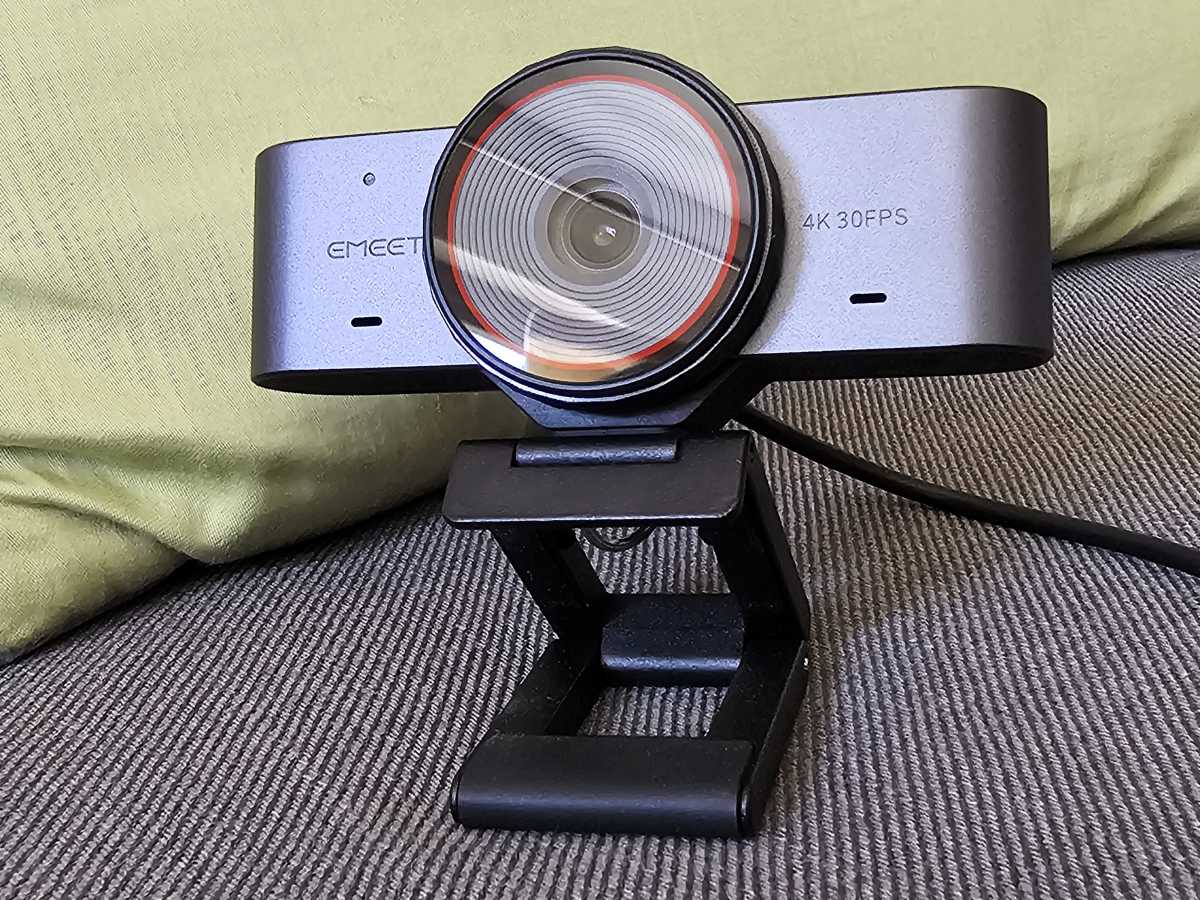
It’s hard to find anything to dislike about the eMeet C960 Ultra 4K autofocus webcam, which continues the industry’s trend to provide 4K resolution at ever-lower prices. The key here is the webcam’s 1/1.5-inch sensor, unusually large for the price range, which helps the camera excel in low-light situations.
I’ve used several eMeet cameras, whose strength has been delivering good to very good capabilities at affordable price points. But they’ve felt cheap, too: lots of plastic, plus flimsy folding webcam shutters that felt more like an afterthought. A metal construction signals quality, and the C960 Ultra’s new, all-metal chassis just feels solid, secure, and upscale. A twist-to-close shutter solves the other problem, too.
eMeet SmartCam C960 Ultra: Excellent low-light performance (with one caveat)
Webcams matter, especially as a work-from-home home productivity tool. You’ll want to look your best under various lighting conditions without spending a bunch on a lighting setup, and the eMeet C960 delivers… with one exception. The C960 Ultra takes its cue from the TVs you see in big-box electronics stores: they’re tuned to deliver over-the-top saturation. The same goes here. In a low-light setting, the C960’s performance is exceptional, rivaling a high-end webcam. However, it gave my slightly ruddy complexion an exaggerated red tinge.
Fortunately, a bit of tweaking in Windows settings solved the problem even before I explored the webcam’s capabilities with the associated eMeet Studio customization software — though that software only runs on x86 PCs, not Arm.
Mark Hachman / Foundry
The webcam captures video at resolutions up to 2160p (4K) at 30Hz, down through various resolutions including 1080p at both 30 and 60Hz, for that “TV-like” appearance. The field of view is 73 degrees, nice and tight for a single subject (you).
The C960 Ultra 4K includes a device-level zoom, essentially interchangeable with the camera settings in the Windows settings (Settings > Bluetooth & Devices > Cameras > EMEET SmartCam C960 Ultra). However, there’s also a 1X-4X digital zoom available within the eMeet Studio software that can be used for recording and streaming.
(This webcam does not include Windows Hello biometric authentication to log you in, however. For a list of those cameras, visit our best picks for the best Windows Hello webcams.)
eMeet C960 Ultra 4K: Setup and construction
The setup is pretty simple. Inside the box, eMeet has placed the webcam, alongside a lengthy 1.5m (4.9 feet) cable that ends in a USB-C plug for the webcam and a legacy USB-A connection for the PC. (The USB-A connector is actually a passive dongle that can be removed to expose a second USB-C connector.) There is no driver software needed, and the eMeet Studio software is optional.
Mark Hachman / Foundry
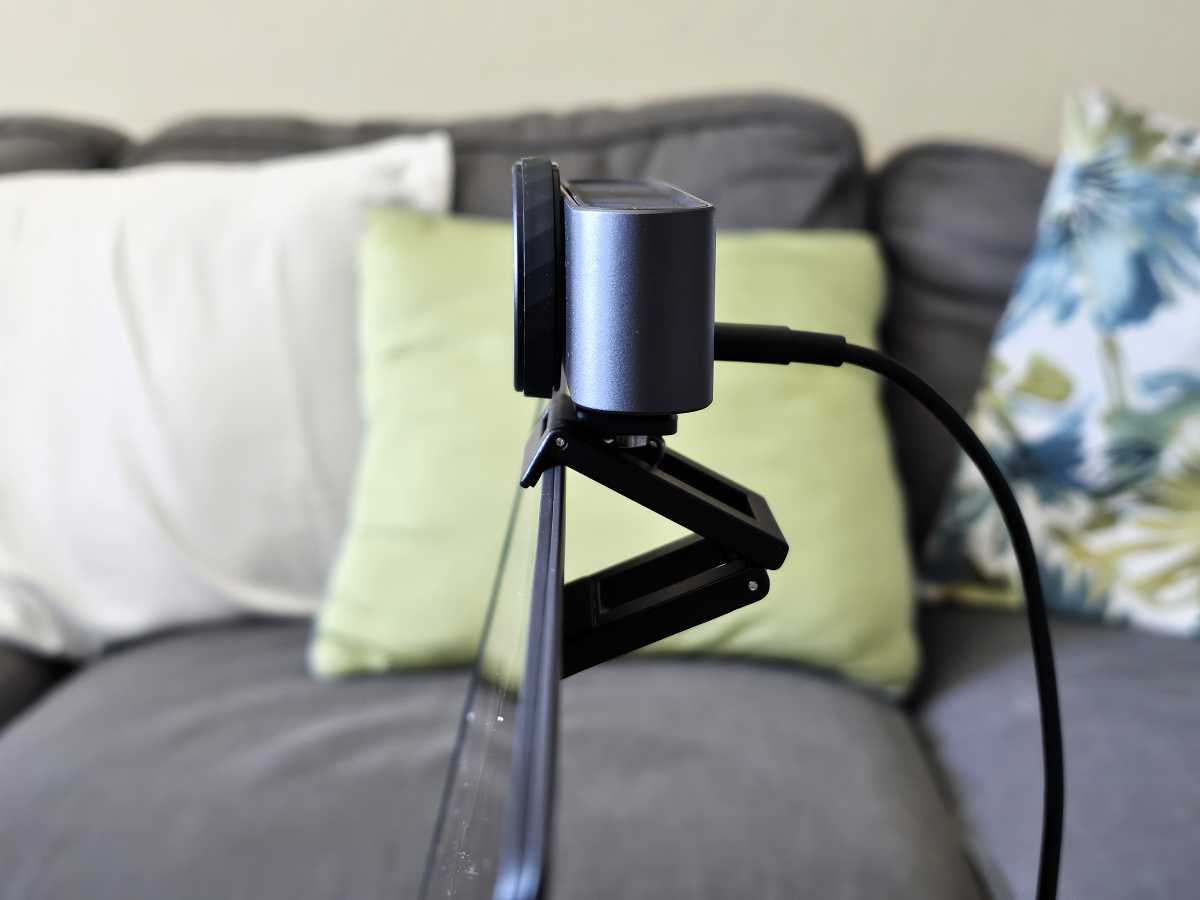
The entire construction is aluminum, and it clamps onto a laptop or external display using a “jaws” configuration, where a small “tooth” hooks over the front of the laptop or monitor. The rest is supported by the lower “jaws,” coated with a rubber-like substance to avoid slippage. Some webcams include an additional “tongue” to provide an extra layer of stability. This doesn’t, but the construction doesn’t require it. It holds well.
eMeet C960 Ultra 4K: Performance
I typically mount a few webcams on the display above my desk for easy comparison between them. That includes the Razer Kiyo Pro Ultra, which I crowned as possibly the best webcam I’d ever seen… in 2023. The world has advanced since then, but physics hasn’t. The Kiyo Pro Ultra includes a 1/1.2″ Sony STARVIS sensor and an f/1.7 aperture, while the C960 Ultra uses a smaller 1/1.5″ Sony CMOS sensor and an f/1.8 aperture.
That still gives the Kiyo Pro a marked advantage in terms of light collection, but in low-light settings the two cameras are surprisingly close in terms of image capture. In bright light, the difference usually goes to how the image is processed.
So let’s take a look. Downstairs, with faint natural light as well as artificial light from the display, I do loom redder than I should. Tweaking the saturation down a few points solved that problem.

Mark Hachman / Foundry
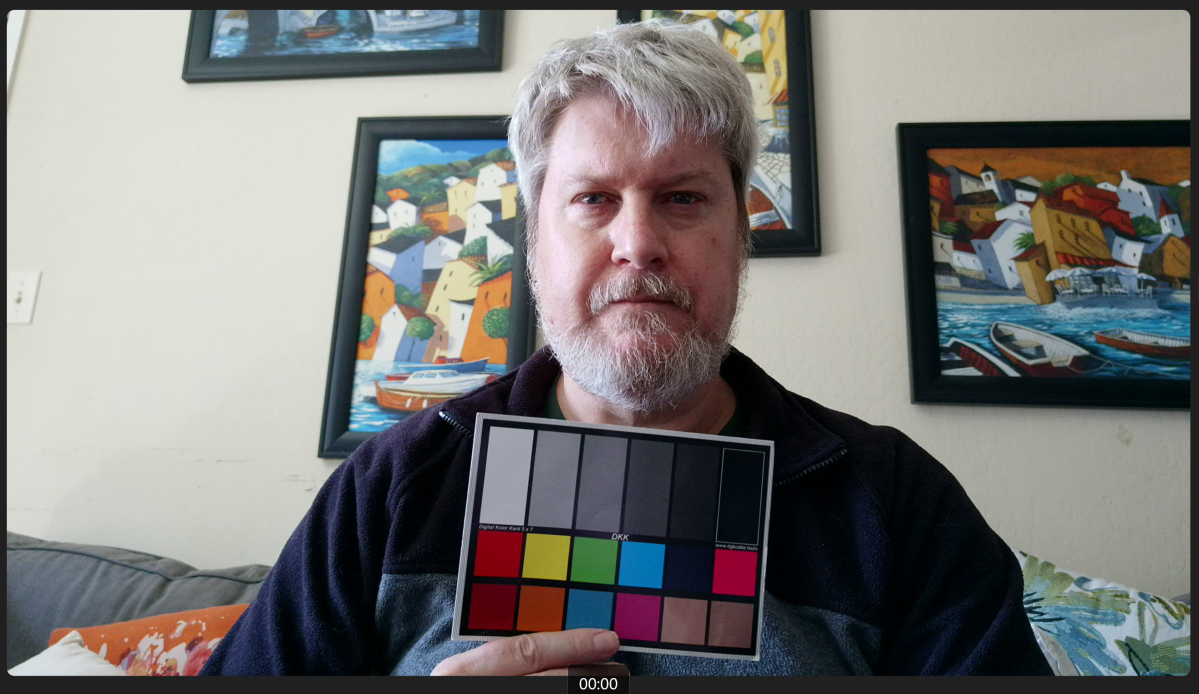
Upstairs, in more natural sunlight entering from the side, the C960 Ultra 4K isn’t too shabby, either. The focus looks a little soft to my eyes, but the colors are more natural.
Again, both photos are at default settings, so by playing around with the settings you might be able to tweak and tune a bit.
The other feature that I haven’t mentioned is this webcam’s PDAF, or phase-detection autofocus, which mirrors (little camera joke there, sorry) how DSLRs split light into incoming rays using photodiodes. That means autofocus is quick, accurate, and doesn’t need to reorient itself every second or two. It’s how it should work.
Mark Hachman / Foundry
The eMeet Studio app isn’t as robust as what Obsbot offers, say, with its Meet 2 webcam, another excellent 4K webcam (but priced somewhat higher). That’s not necessarily a bad thing, as the selection of features is tight and well organized. I’d resist the temptation to manually adjust the webcam’s settings, however, as the “auto” settings actually seemed to be optimal in most cases.
The eMeet Studio app can also be used for recording yourself, with some nice features for reducing the bitrate and resolution to manage the resulting file size.
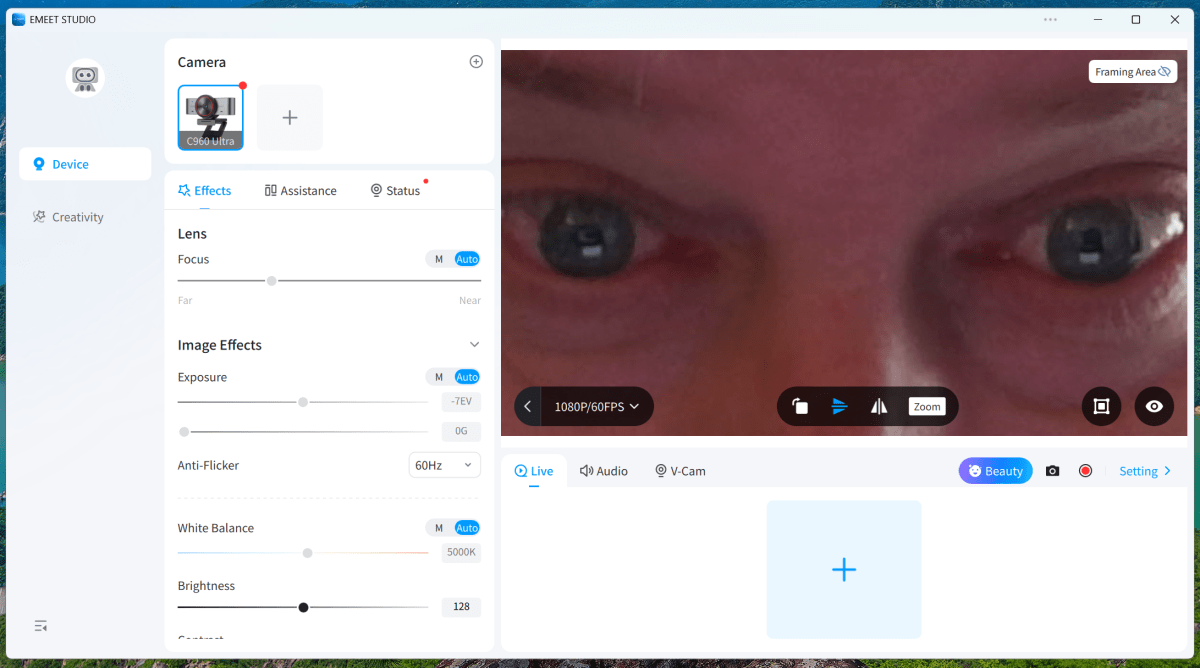
There are some optional “beauty” settings, which can use an AI filter to slim your face or adjust your eye width, though the latter setting didn’t do much.
You can also set the aspect ratio at either a standard 16:9 or a vertical 9:16 setting. I was a little surprised that I couldn’t find an option to record a true vertical video, as the 16:9 setting preserves the landscape orientation of the captured video. eMeet showed a tripod with a mount angled horizontally (with the video then captured vertically) as a solution to this problem.
Remember how I said that it was hard to find something to dislike about this webcam? It was.
eMeet delivers an almost perfect 4K webcam with the eMeet C960 Ultra 4K, with just a couple of blemishes. The value makes it a solid choice nevertheless.
I was all set to declare this webcam almost perfect until I began testing the mics, which I think most people ignore. They stink. If you own a modern laptop, I suspect that the onboard mic array will be better than what eMeet offers, which sounds like it’s from 1995 or something. They’re simply awful, and you’ll want to use earbuds or an external mic instead.
Should you buy the eMeet C960 Ultra 4K webcam?
Absolutely. I really liked it, save for the surprisingly bad mics. The saving grace is that both the oversaturated video and the subpar mics can be corrected, either in Windows or by selecting another audio source.
For the price and quality, though, I’d recommend it. I have to knock down the rating by an entire point because of the mic quality, but otherwise the eMeet C960 Ultra 4K earns my recommendation and an Editor’s Choice award. If you’re still in doubt, check our list of the best webcams for our other recommendations.