
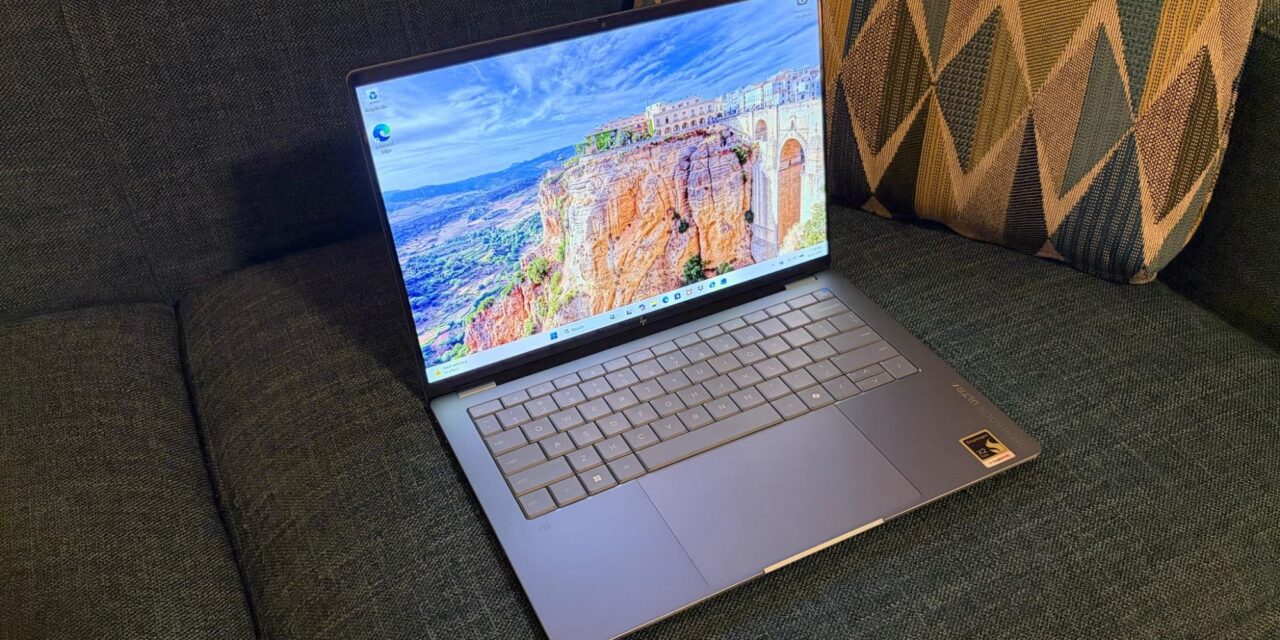
HP OmniBook Ultra 14 review: Potent Snapdragon performance, great endurance, premium pricing
Qualcomm has steadily iterated on its Arm SoC efforts in the Windows space and made further gains with the launch of the Snapdragon X platform.
Now we’re seeing a wave of new systems using Qualcomm’s Snapdragon X2 series of Arm processors, and the HP OmniBook Ultra is the latest to take a bow. Our review unit is powered by a new flagship Snapdragon X2 Elite (X2E-90-100) SoC, paired with a generous 64GB of memory and a capacious 2TB SSD, and features an all-new chassis design.
The OmniBook Ultra proved to be a top contender in performance benchmarks and is a great all-around system, but about that price…
Design of the HP OmniBook Ultra 14
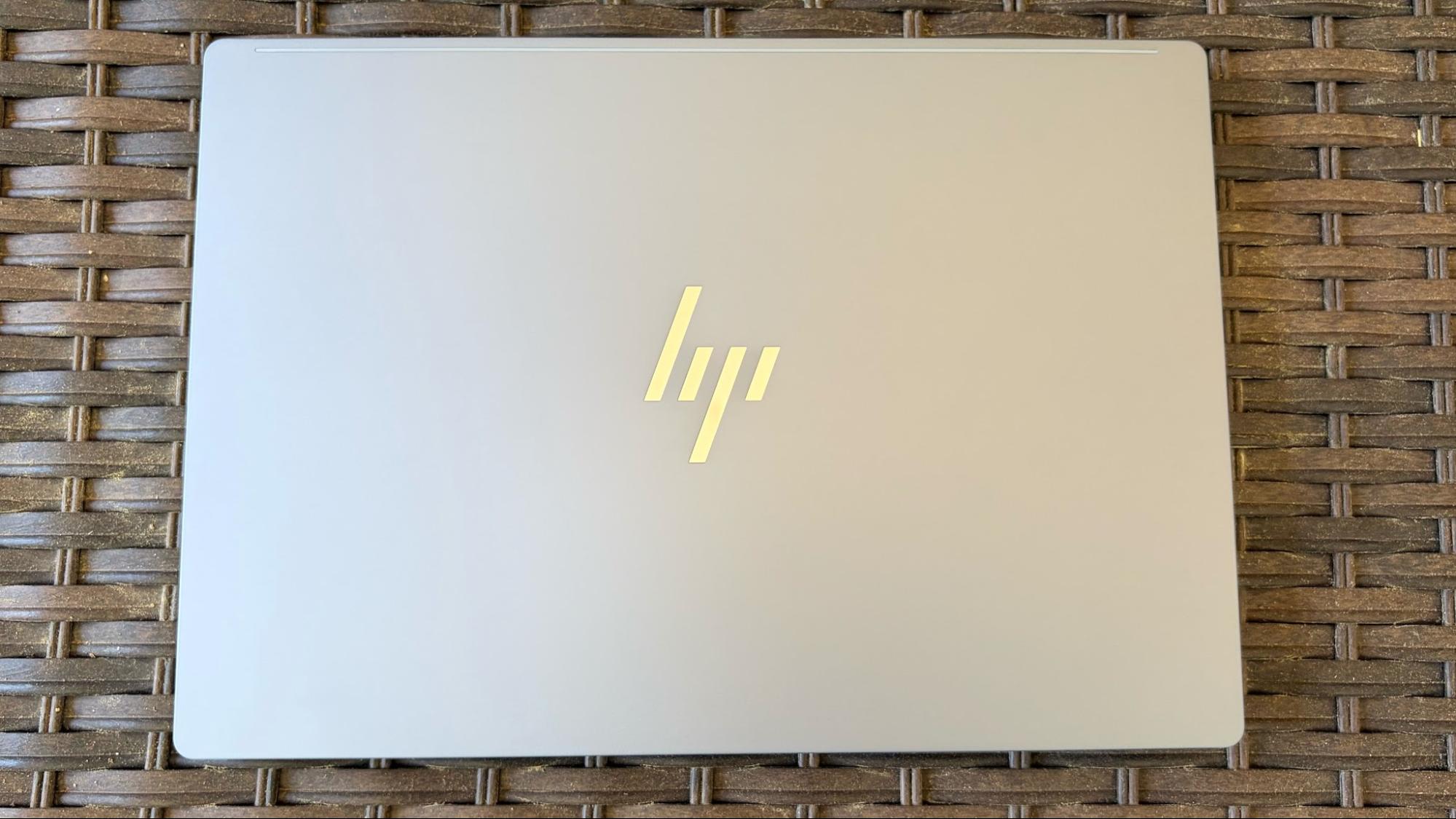
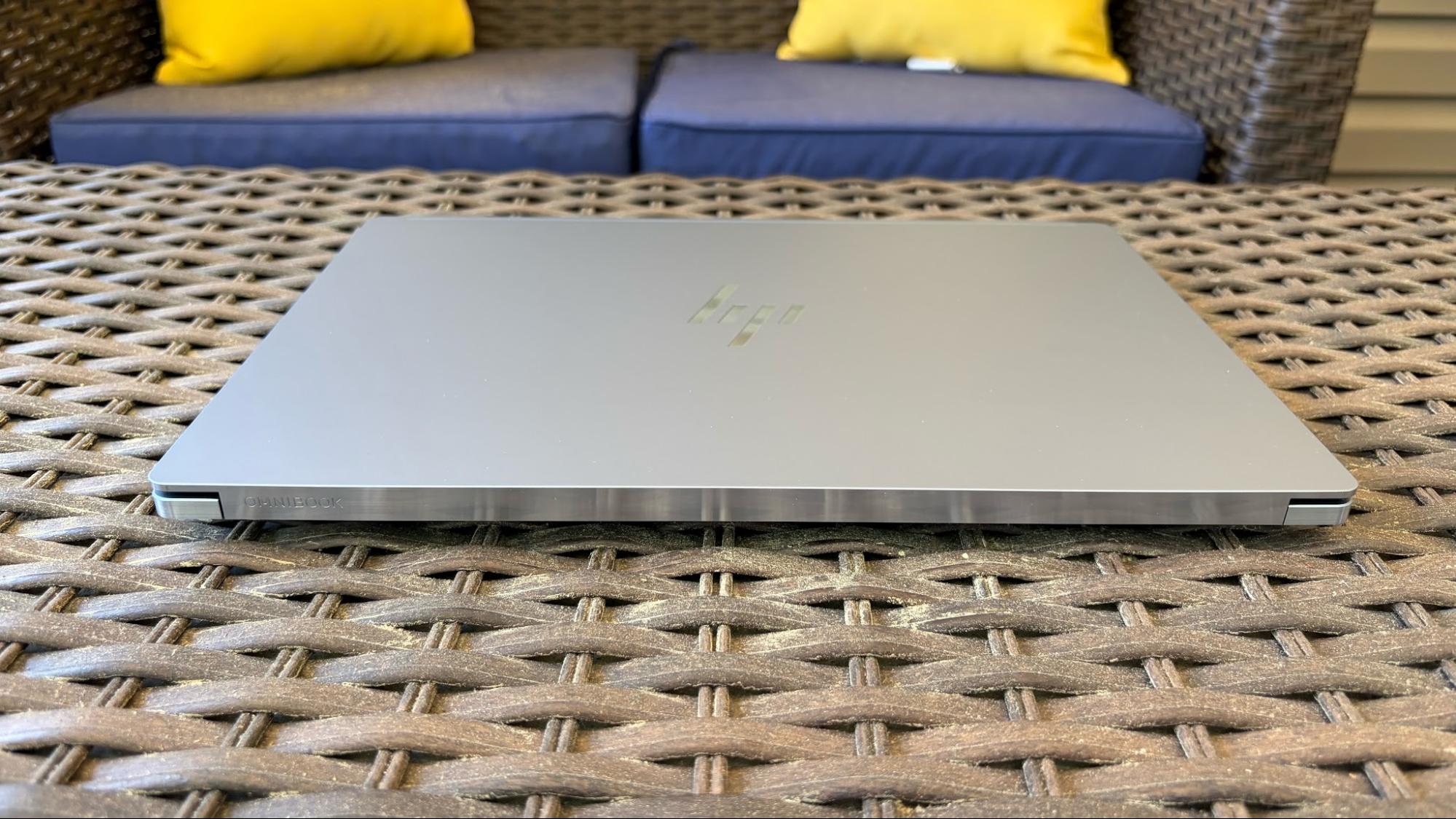
Our OmniBook Ultra 14 review unit arrived with an entirely new design language compared to the Ryzen AI 9 HX 375-equipped system that I tested in 2024. This year’s design features a more angular look and is finished in a color that HP calls “Stone Blue.” The edges of the forged aluminum-alloy chassis are highly polished to a mirror-like finish. It has a decidedly more upscale appearance compared to its predecessor, although the overall quality feels the same (which is to say, excellent).
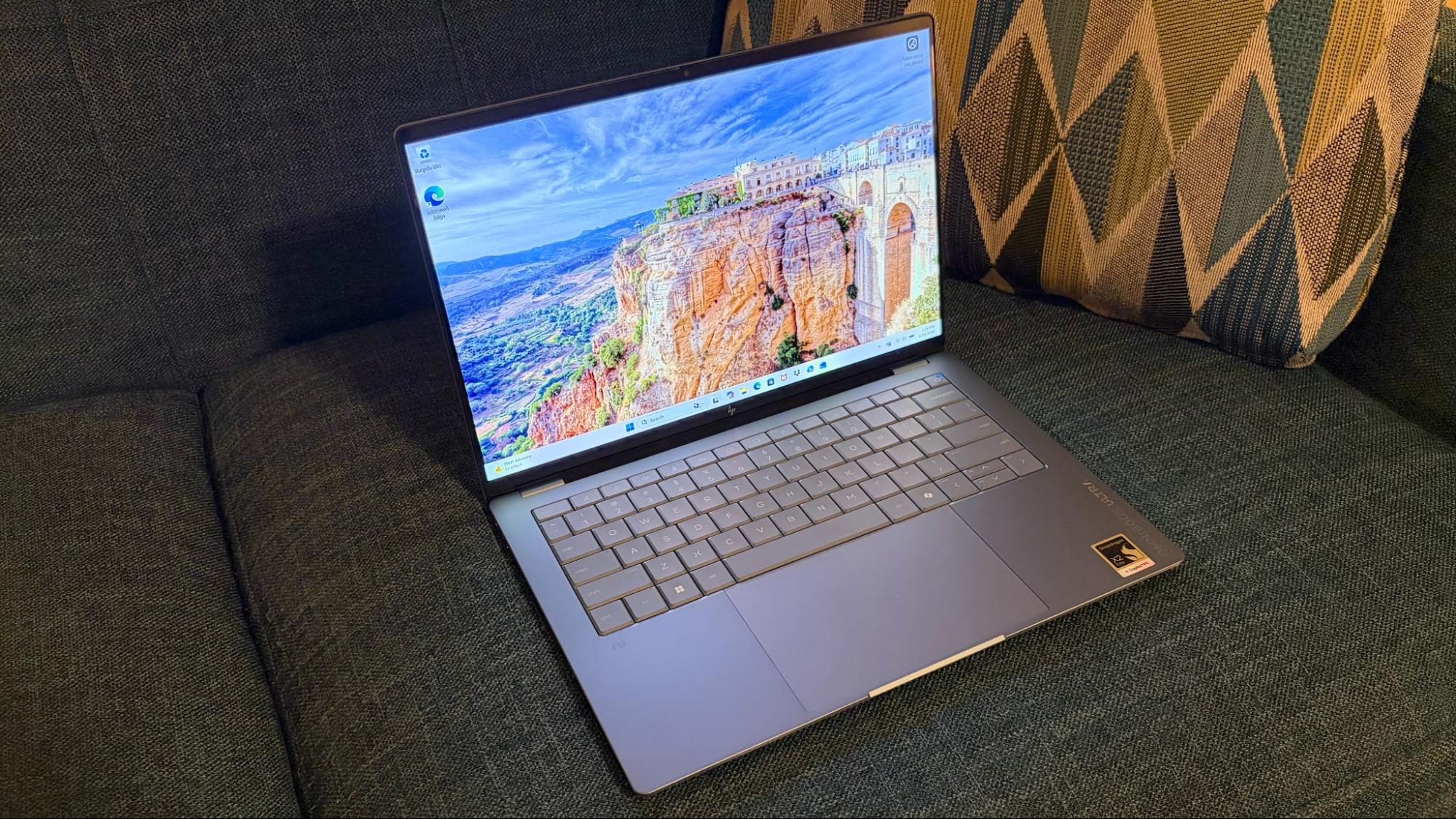
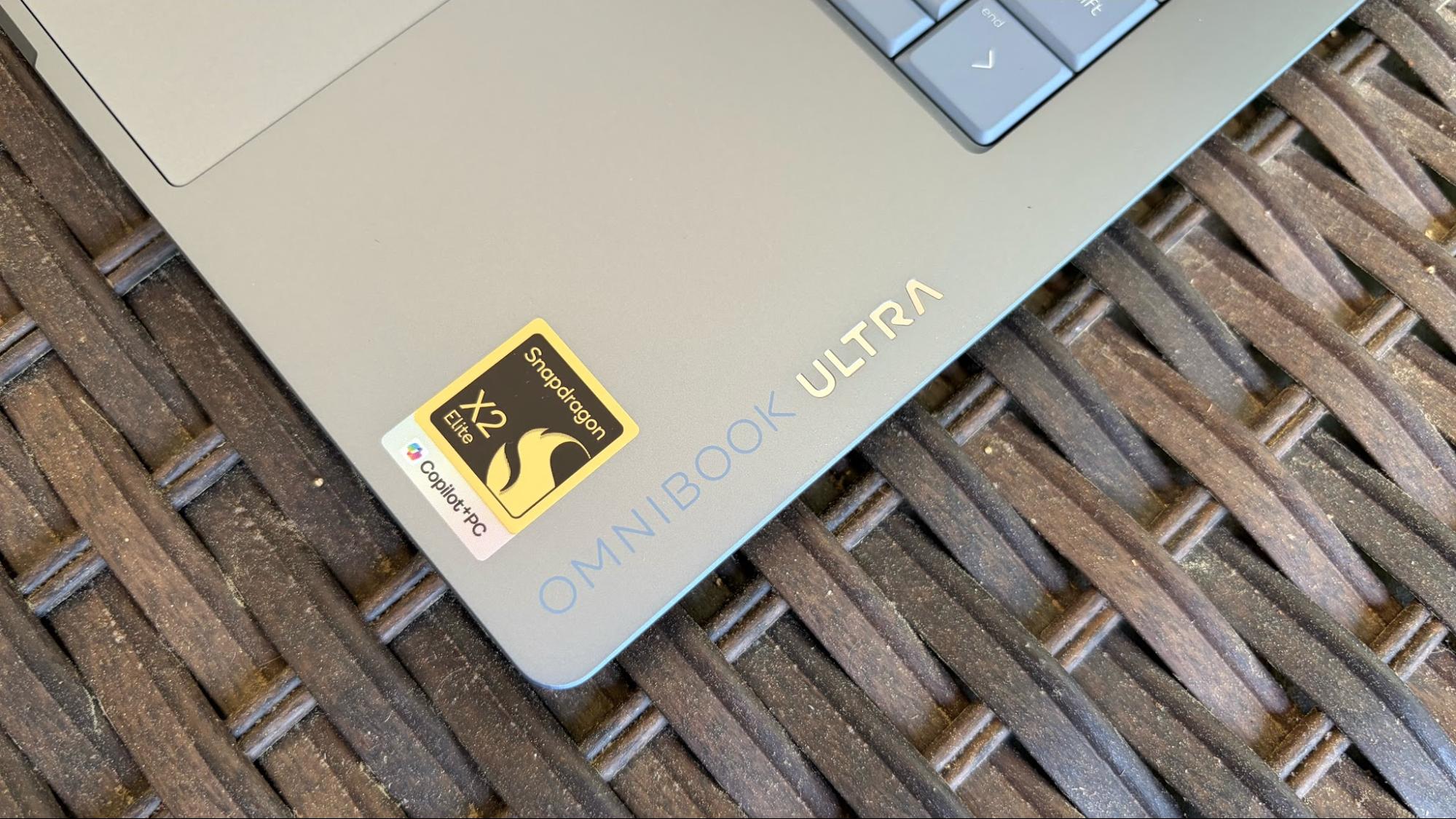
Upon opening the OmniBook Ultra, you’ll notice “OmniBook Ultra” printed vertically along the forward right palm rest of the keyboard deck. “OmniBook” is printed on the chassis, while the Ultra is actually engraved with the same polished finish as the chassis edges. A massive 5.4 x 3.4-inch trackpad sits at the center of the deck, while the keyboard is directly above, with the keys finished in dark “stone blue” plastic. One thing of note: the fingerprint reader integrated into the power button on the 2024 model is missing this time around.
The 14-inch display has tiny bezels on the left and right, and thicker ones along the top and bottom. The bottom bezel also features “HP” branding in the middle. The display is covered with a glossy glass, which does wonders for improving image vibrancy but tends to increase reflections.
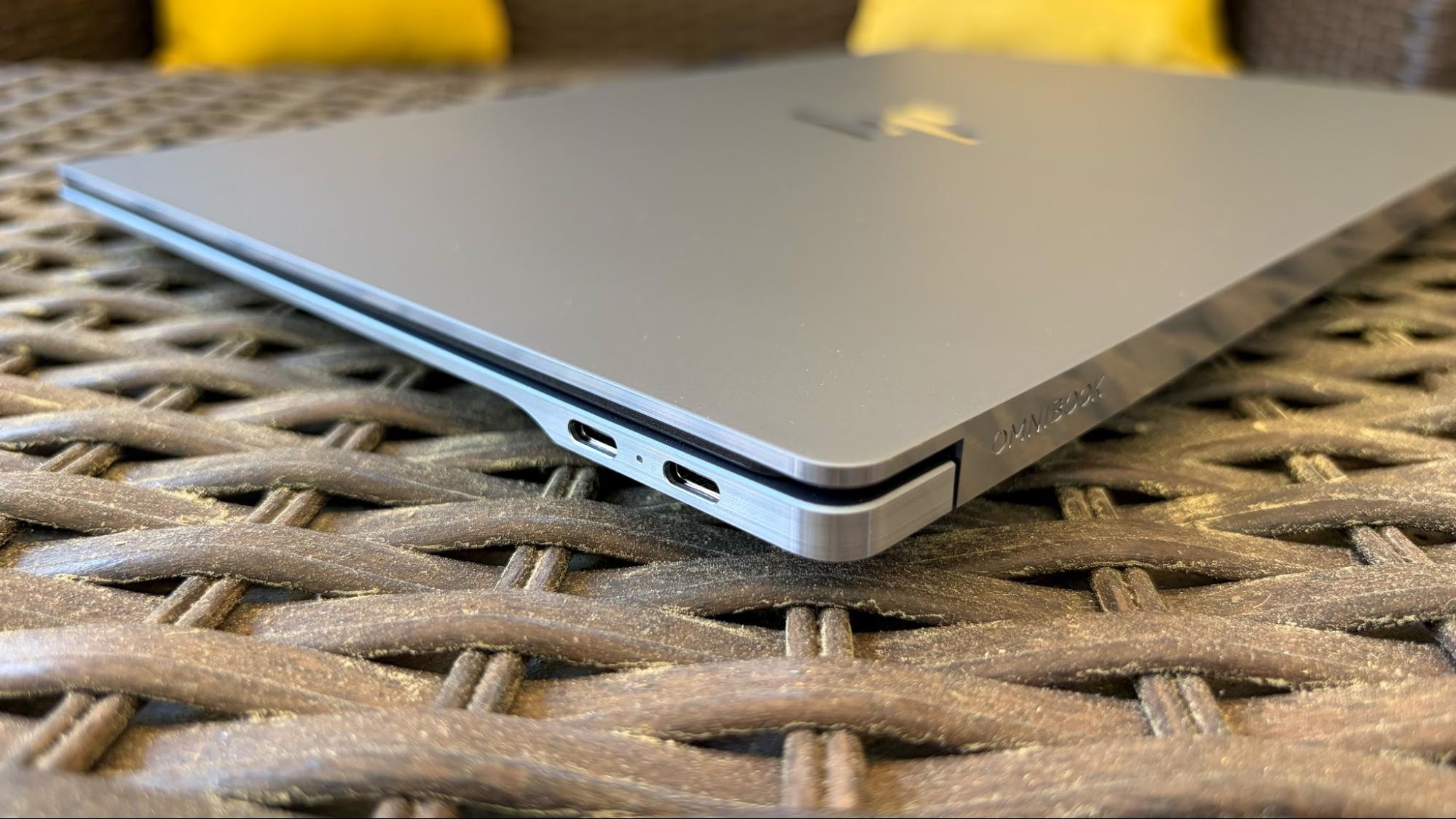
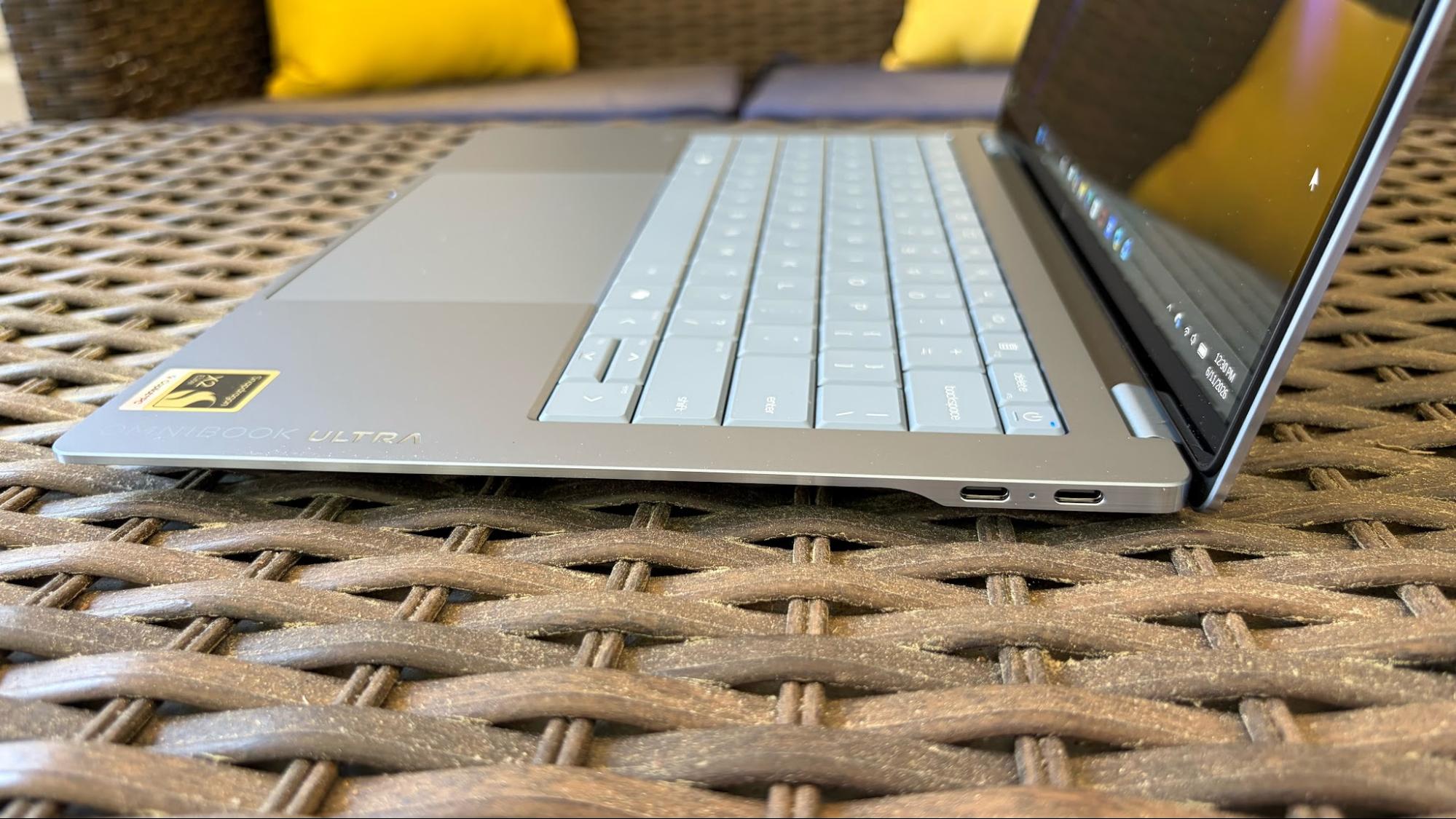
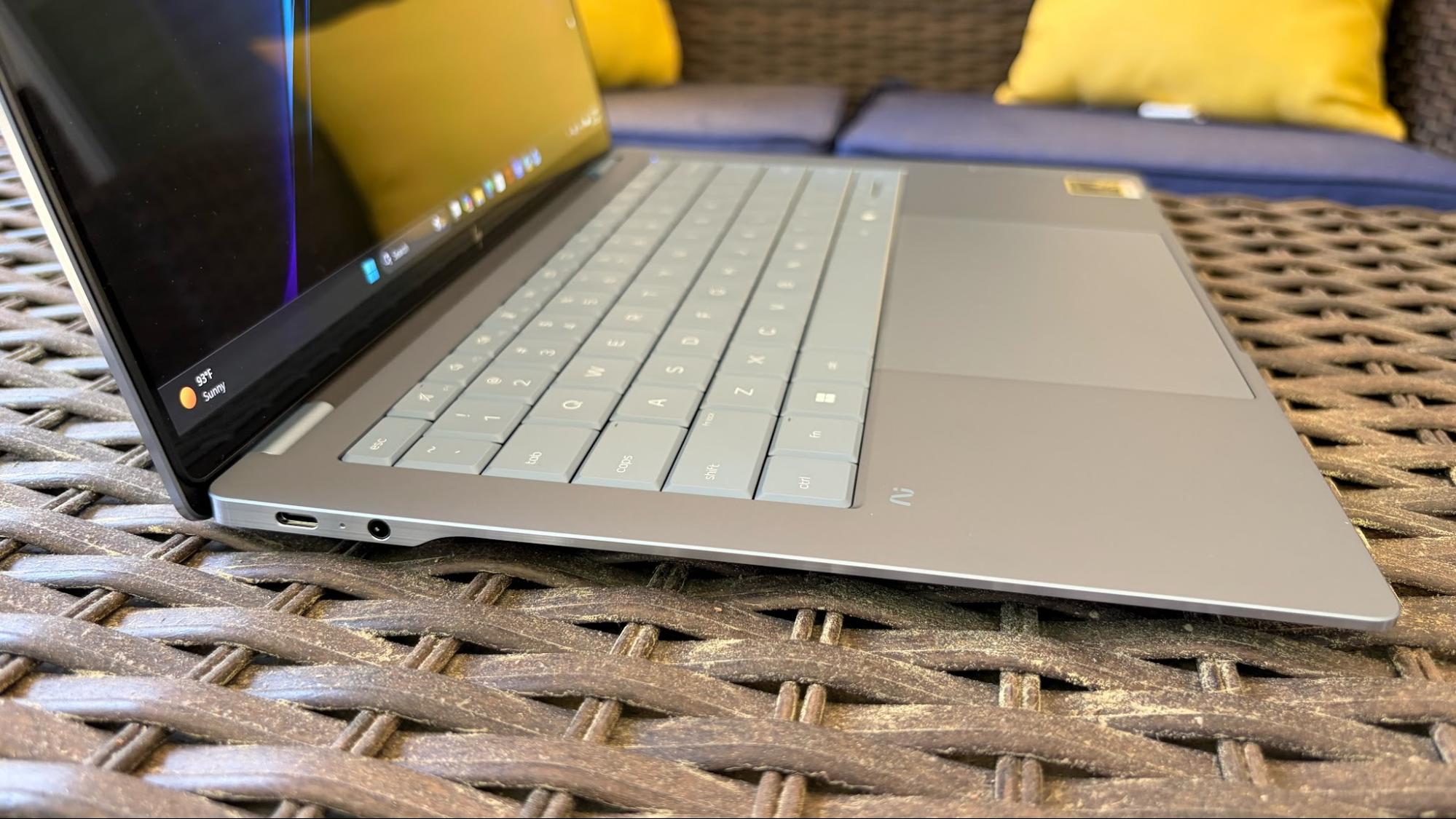
I complained about the fussy USB-A port on the previous-generation OmniBook Ultra, which was partially covered by a spring-loaded door. This time, HP just ditched the USB-A port entirely and replaced it with another USB-C port. As a result, the new OmniBook Ultra has a single USB-C port and a 3.5 mm jack on its left side, and two USB-C ports on its right side. None of the ports support Thunderbolt, although they do feature USB Power Delivery 3.1, DisplayPort 1.4, and a 40 Gbps signaling rate.
The OmniBook Ultra measures 12.25 x 8.49 x 0.42 inches and weighs 2.81 pounds. The Asus Zenbook A16 is just a hair heavier at 2.87 pounds, while the 13-inch MacBook Air is a smidge lighter (2.7 pounds). The previous generation OmniBook Ultra tips the scales at 3.4 pounds.
HP OmniBook Ultra 14 Specifications
|
CPU |
Qualcomm Snapdragon X2 Elite X2E-90-100 (5 GHz, 18 cores) |
|
Graphics |
Qualcomm Adreno Graphics (integrated) |
|
NPU |
Qualcomm Hexagon, up to 85 TOPS |
|
Memory |
64GB LPDDR5x-9523 onboard |
|
Storage |
2TB M.2 PCIe Gen 5 NVMe SSD |
|
Display |
14-inch, 2880 x 1800, OLED, 120 Hz, Multi-touch |
|
Networking |
Qualcomm FastConnect 7800 (Wi-Fi 7), Bluetooth 5.4 |
|
Ports |
3x USB4 Type-C, 3.5 mm headphone jack |
|
Camera |
5MP IR |
|
Battery |
70 WHr |
|
Power Adapter |
65W, USB Type-C GaN charger |
|
Operating System |
Windows 11 Home |
|
Dimensions (WxDxH) |
12.25 x 8.49 x 0.42 inches |
|
Weight |
2.81 pounds (1.27 kg) |
|
Price (as configured) |
$2,879.99 |
Productivity Performance on the HP OmniBook Ultra 14
The OmniBook Ultra is among the first laptops we’ve tested to use the new Snapdragon X2 Elite SoC (up to 5.0 GHz clock speed, 18 cores), with the first being the Asus Zenbook A16. As we learned in our review of the ZenBook A16, the Snapdragon X2 Elite is a strong performer, and it’s made even more potent by the inclusion of 64GB of LPDDR5x-9523 in our review unit, paired with a 2TB PCIe 5.0 SSD.
The Snapdragon X2 Elite also includes an integrated Hexagon NPU, which delivers up to 85 TOPS of compute performance.
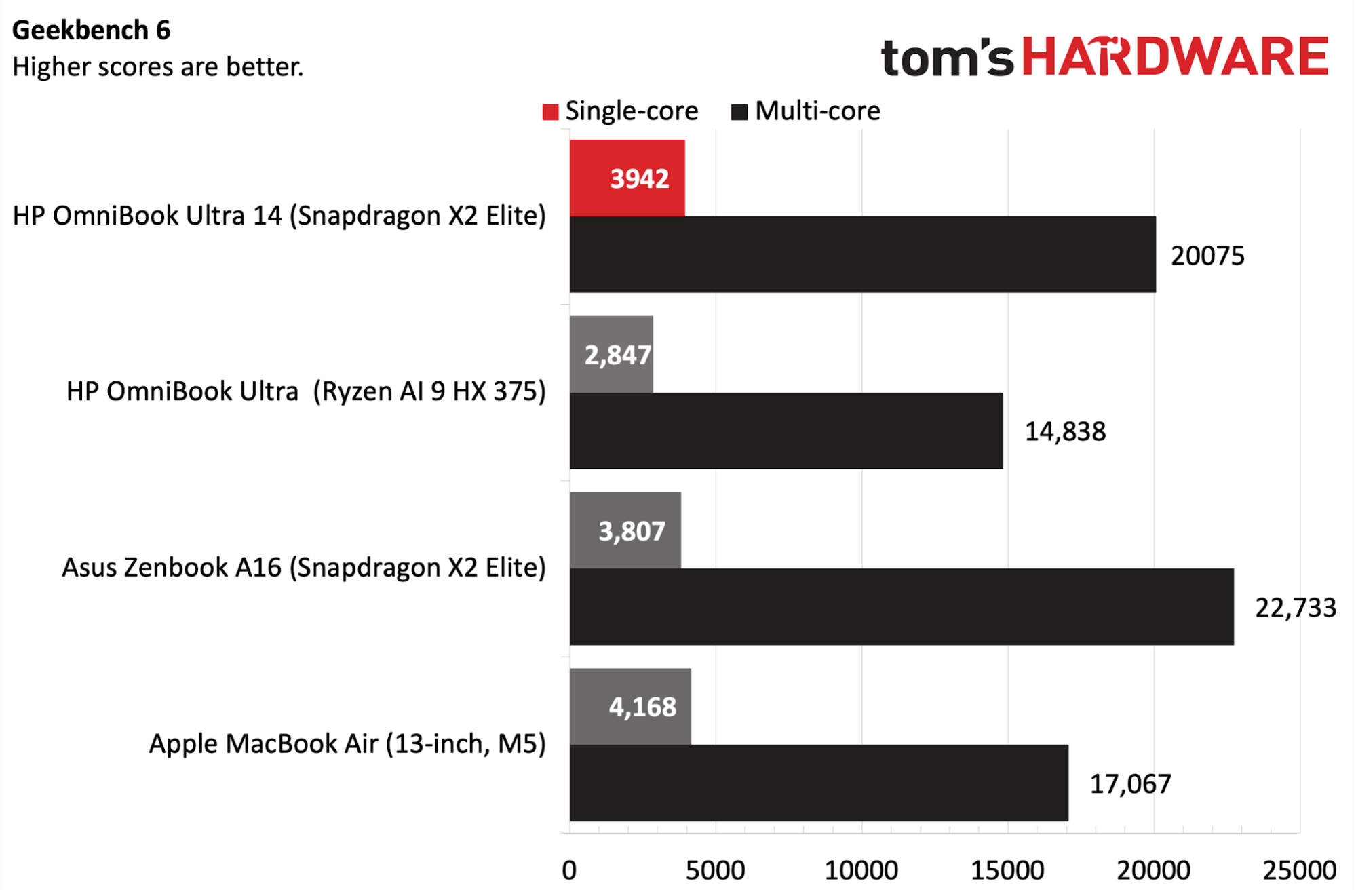
The OmniBook Ultra made a strong showing in the Geekbench 6 CPU benchmark, securing a single-core score of 3,942, putting it in second behind the MacBook Air with its M5 SoC (4,168). The ZenBook A16 wasn’t far behind with 3,807. Looking at multi-core performance, the ZenBook A16 jumped up in the lead with 22,733 compared to 20,075 for the new OmniBook Ultra. The new OmniBook Ultra was also well ahead of the Ryzen AI 9 HX 375 model (2,846 single-core, 14,838 multi-core).
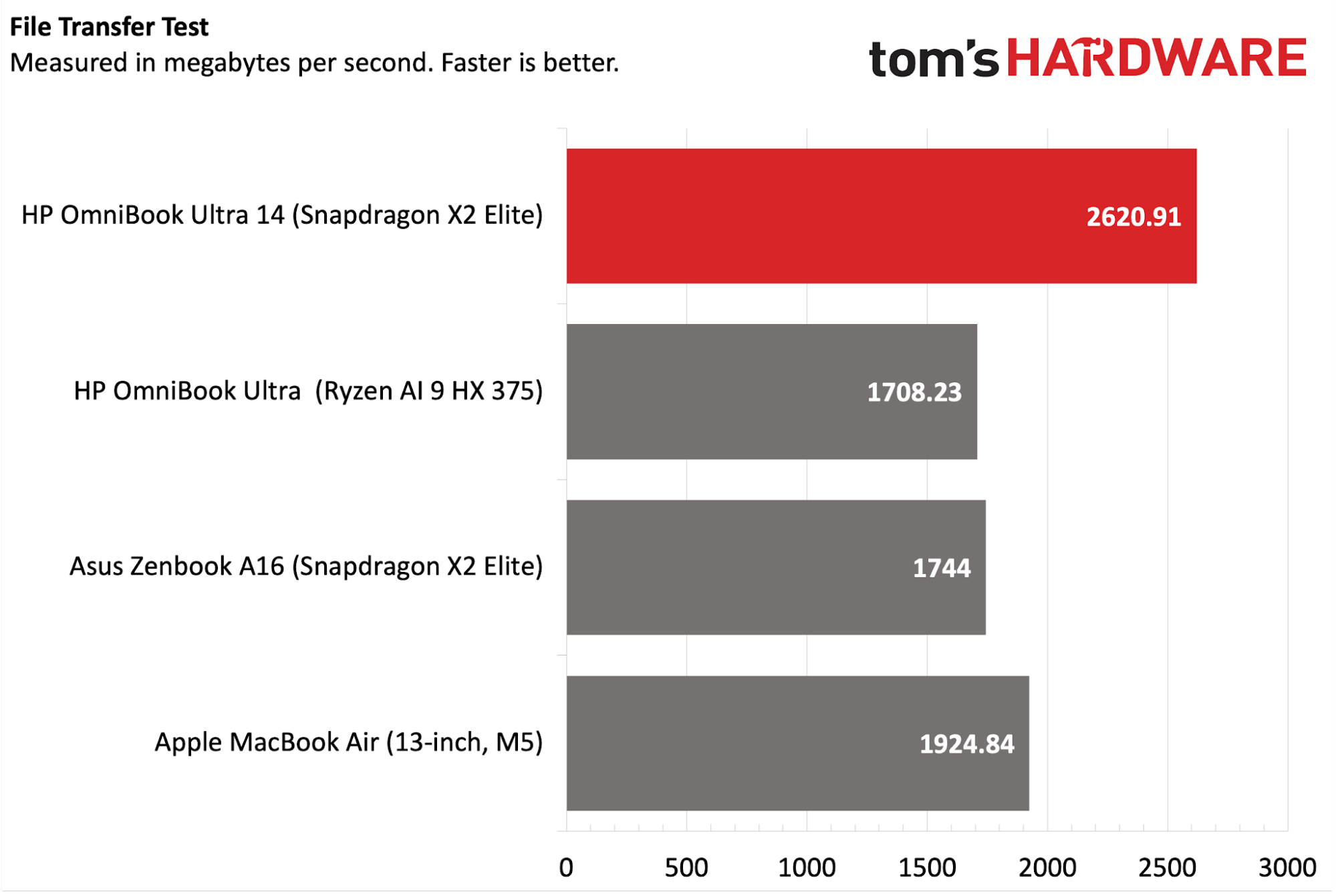
HP has opted for a PCIe 5.0 SSD on the OmniBook Ultra, and our review unit came in at a healthy 2TB of capacity. The laptop dominated our 25GB file transfer test, delivering 2,620.91 MBps compared to 1,924.84 MBps for the second-place MacBook Air.
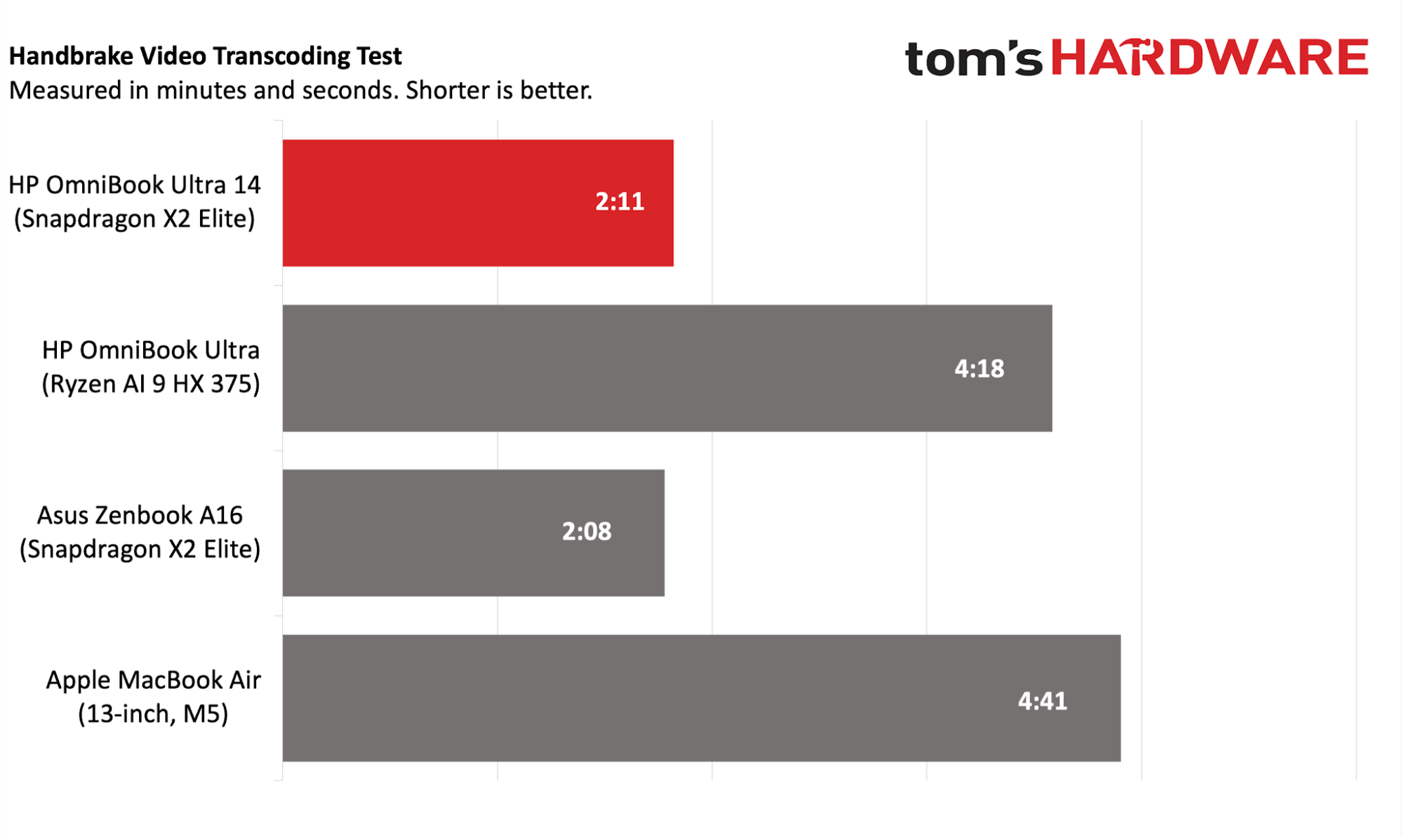
The Snapdragon X2 Elite in the OmniBook Ultra again flexed its muscle in our Handbrake test, which involves transcoding a 4K video file to 1080p. Here, the OmniBook Ultra completed the task in 2 minutes and 11 seconds, putting it just three seconds behind the ZenBook A16. Both the AMD-equipped UltraBook Ultra and the MacBook Air took well over 4 minutes to complete transcoding.
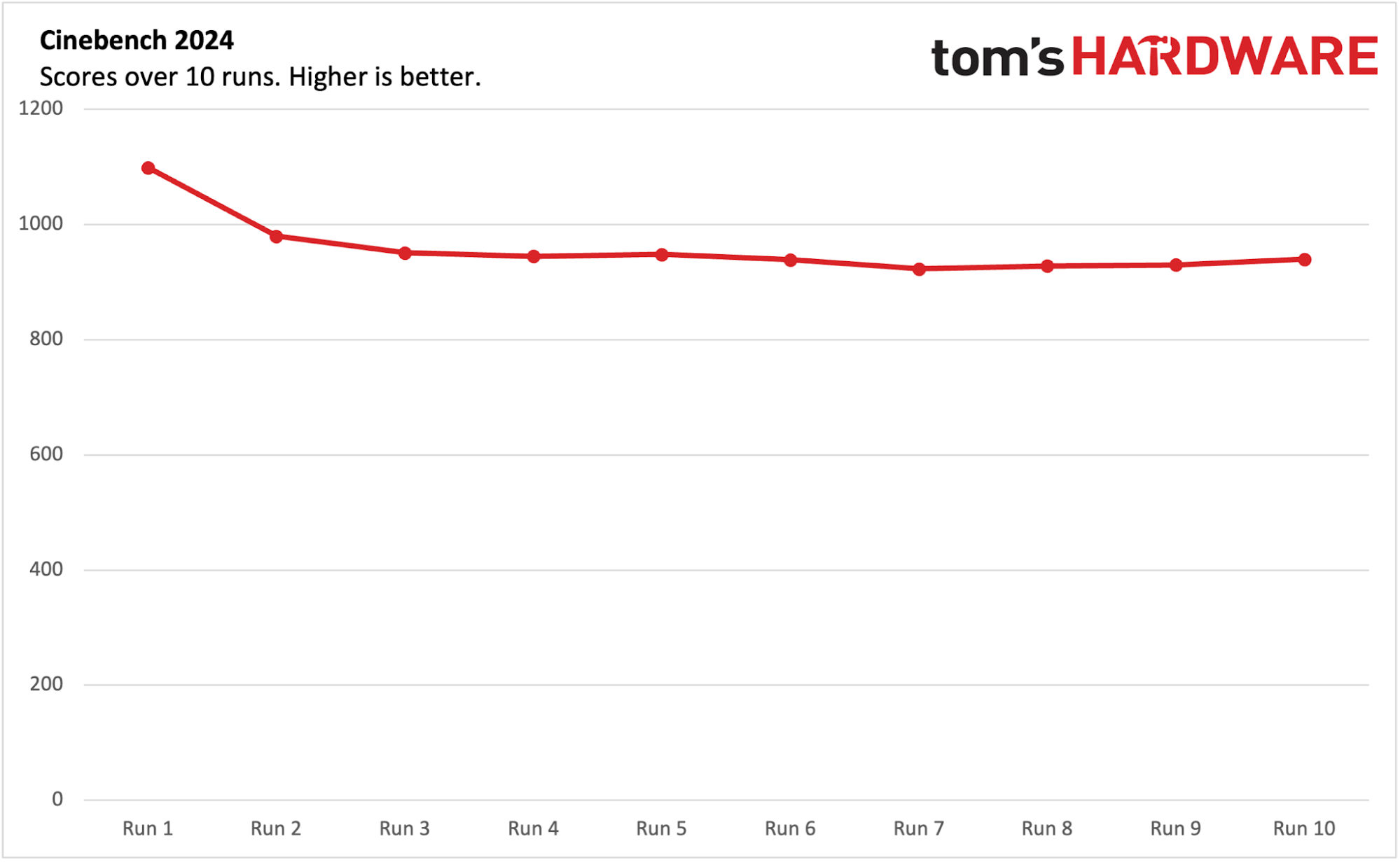
We run Cinebench 2024 through ten loops to stress-test ultrabooks. The first run delivered the highest score at 1,099. The subsequent runs fell short of that high mark, settling between 920 and 950 towards the end of the test. The 12 Prime cores averaged 4.03 GHz, while the 6 Performance cores averaged 3.05 GHz.
Display on the HP OmniBook Ultra 14
HP is using a 14-inch 2880 x 1800 display on the OmniBook Ultra, and it, like many in this segment, is an OLED panel. The panel has a 120 Hz refresh rate and a glossy finish. However, with the brightness cranked to the max, stray reflections were hardly noticeable.
I used the OmniBook Ultra to watch about half an hour of Marvel’s Thunderbolts on Disney Plus, and spent a good chunk of time watching the San Antonio Spurs blow the biggest lead in an NBA championship series via Sling TV. In both instances, the display looked great with accurate colors and excellent contrast.
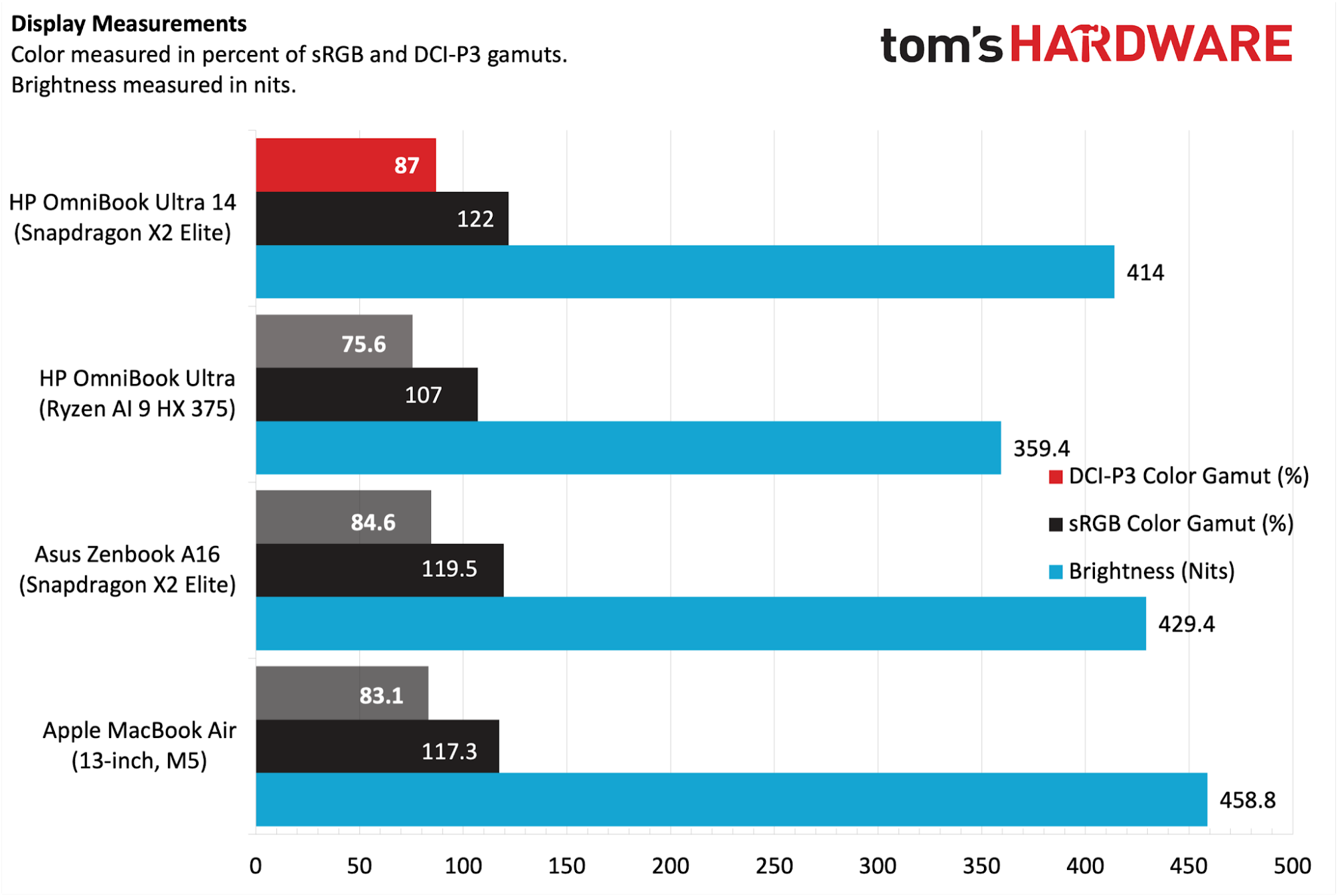
In our testing, the OmniBook Ultra covered 87% of DCI-P3 and 122%of sRGB, placing it at the top of the rankings among the assembled laptops. Maximum brightness measured crested 400 nits, specifically hitting 414 nits. While impressive for an OLED display, the ZenBook A16 (429.4 nits) and MacBook Air (458.8 nits) were brighter still.
The display on the OmniBook Ultra is multi-touch-capable, and I had no trouble navigating the Windows interface or using swiping gestures. However, reaching out to touch the screen isn’t a natural movement for me, and it isn’t very ergonomic. I was perfectly fine using the humongous trackpad.
Keyboard and Touchpad on the HP OmniBook Ultra 14
The OmniBook’s keyboard is full-size and backlit, and the lattice-free keys themselves felt good under my fingers. There’s no clickiness to the keys, and you’ll hear a gentle, low “thud” as you type along. There’s plenty of key travel, and I was comfortable typing on the keyboard for an extended period of time. My only complaint concerns the half-height up and down arrows squeezed between the full-size left and right arrows.
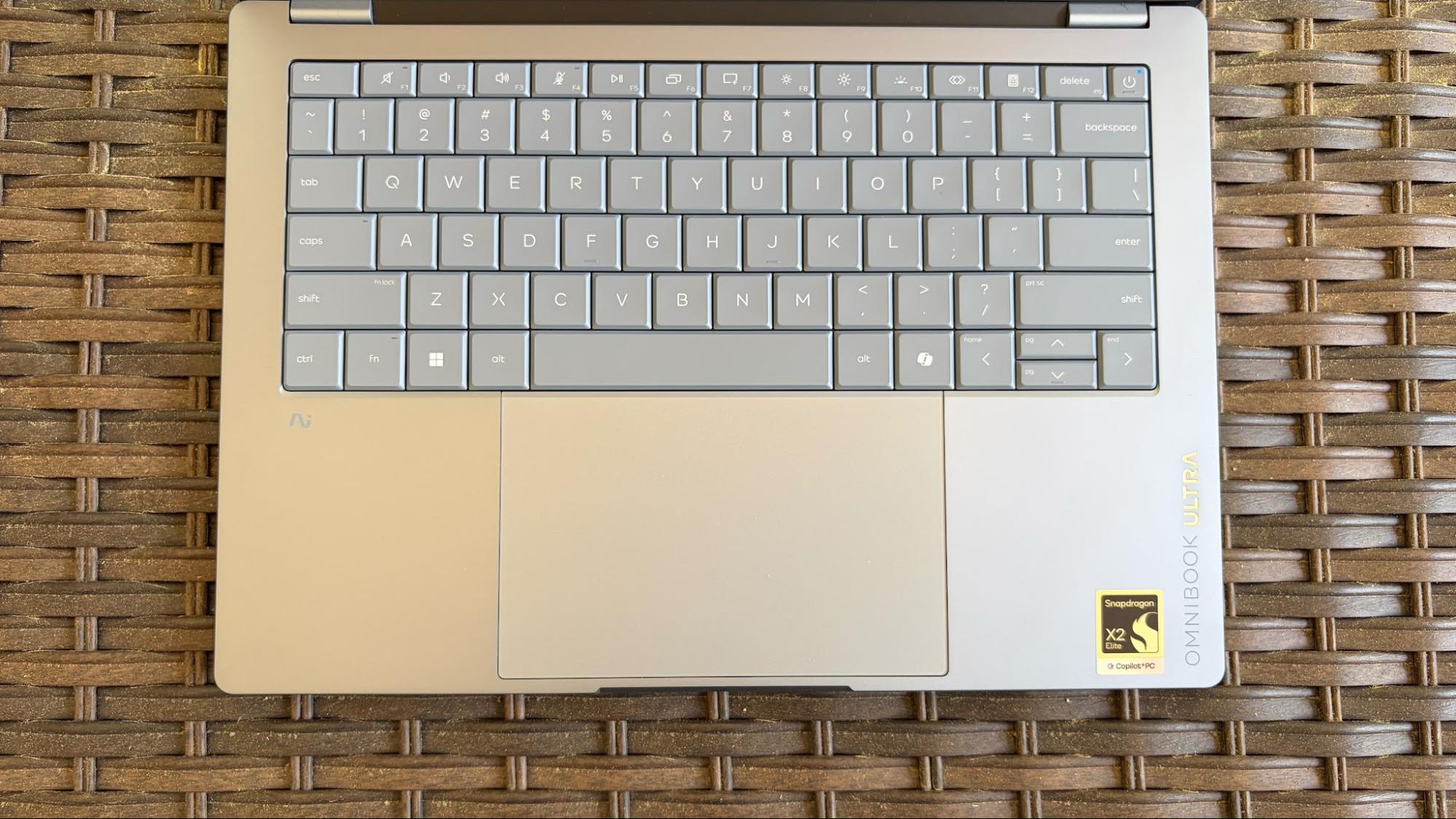
Using my trusty keyhero.com typing benchmark tool, I managed 87 words per minute with 97 percent accuracy. This was roughly equivalent to what I scored with the keyboard on the previous-generation model.
Complementing the keyboard is a haptic touchpad measuring a large 5.4 x 3.4 inches. It’s a haptic touchpad that provides a satisfying “click” no matter where you press on its surface. While some top-hinged touchpads require additional force to register a click as you move towards the top of the mousing surface, there are no such limitations on the OmniBook Ultra.
Audio on the HP OmniBook Ultra 14
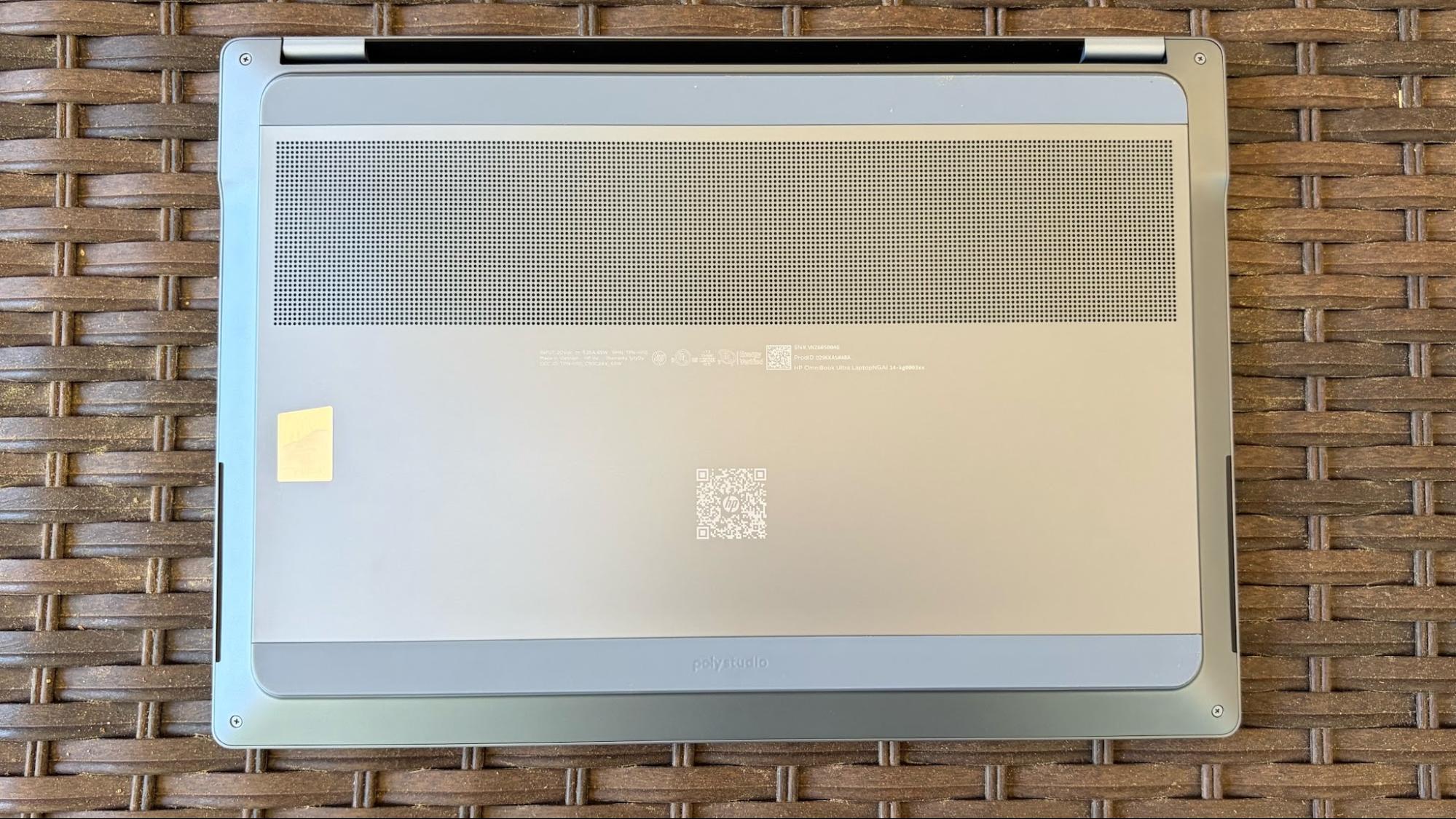
The OmniBook Ultra 14 features quad downward-firing speakers on the underside near the front of the chassis. The speakers sounded excellent, with little to no distortion at higher volume levels (80% and higher), and were loud enough to fill my home office.
I played a wide variety of music, ranging from Steve Wonder’s keyboard-heavy and soft vocals on Superwoman from 1972 to the ear-splitting screaming and electric guitars of Linkin Park’s Lying from You, from the band’s early 2000’s sophomore album.
Interestingly, no sound utilities are installed by default to tune the speakers further.
Upgradeability of the HP OmniBook Ultra 14
Hopping inside the OmniBook Ultra is incredibly easy – there are only four screws to remove from the bottom panel, which is at least half as many as you’ll typically find on a thin laptop.
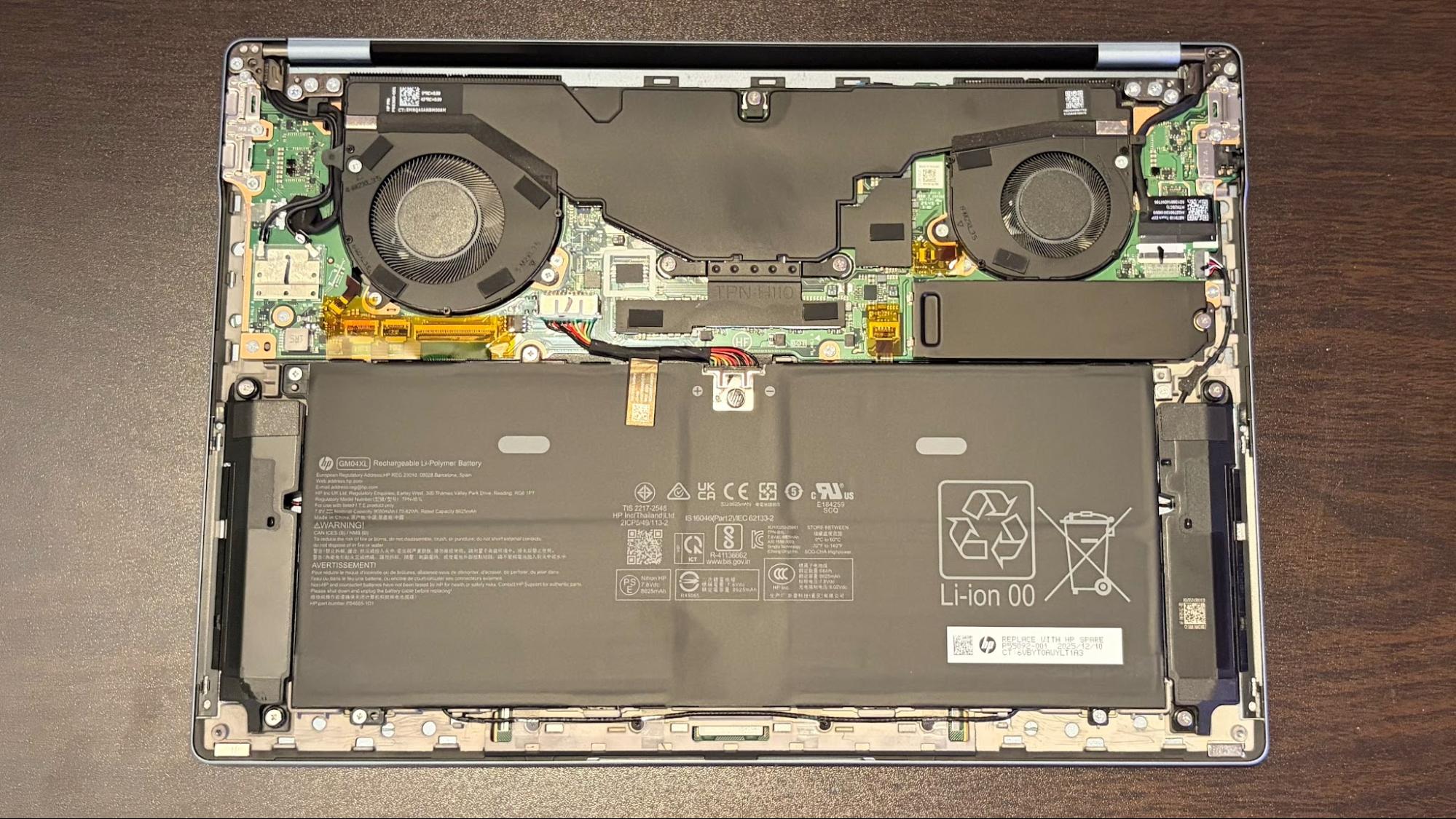
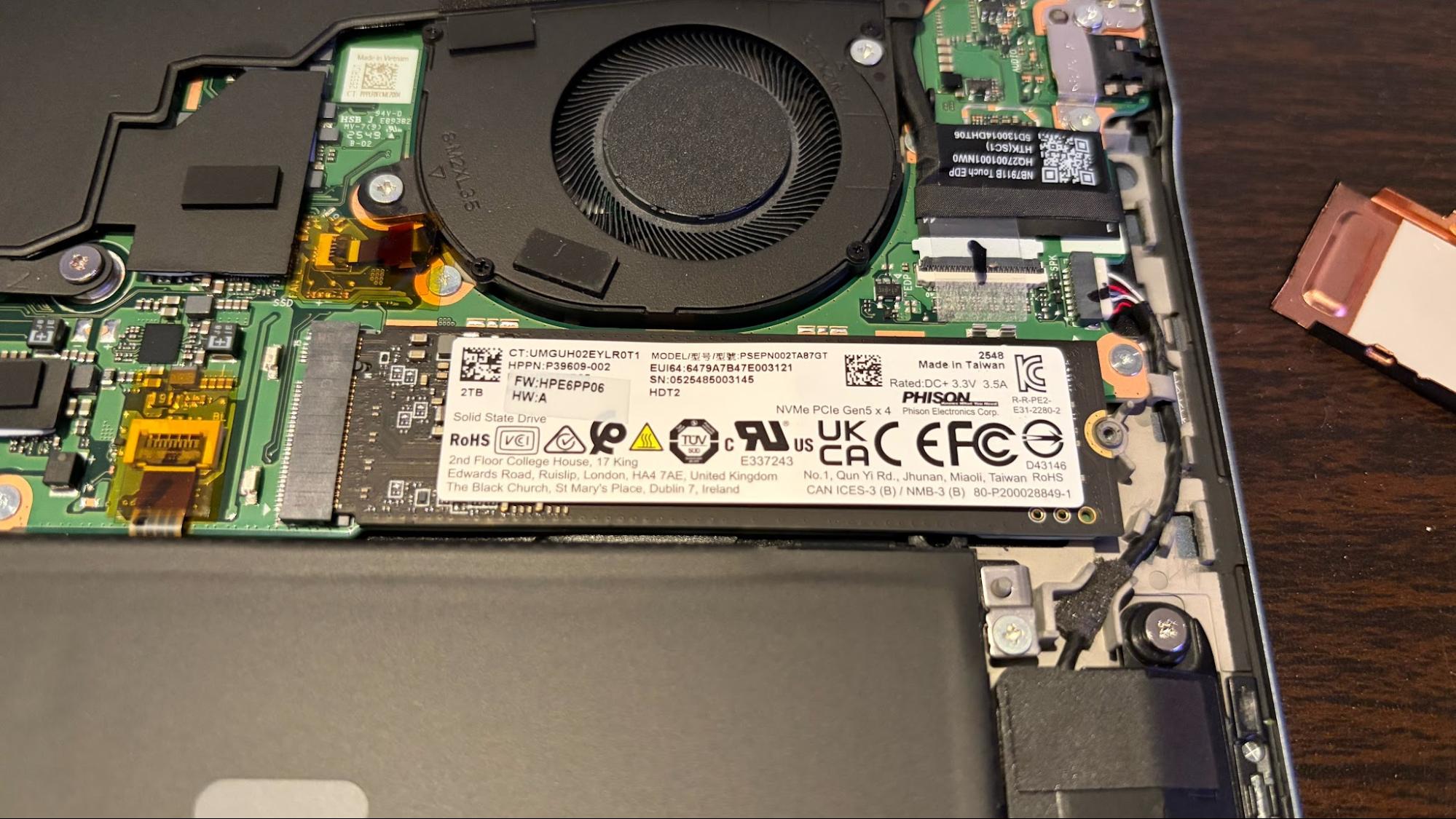
Once the bottom panel is removed, there’s not much that’s replaceable. The battery is at least easily accessible, with four screws securing it and one cable connecting it to the motherboard. You also have access to the PCIe 5.0 SSD, which sits beneath a heat shield. That’s about it when it comes to upgrades for the OmniBook Ultra.
Battery Life on the HP OmniBook Ultra 14
Our OmniBook Ultra 14 review unit came powered by a 70 WHr battery, which is topped off using a 65-watt GaN USB-C charger. Our battery life test includes web browsing, video streaming, and WebGL tests, with the display set to 150 nits.
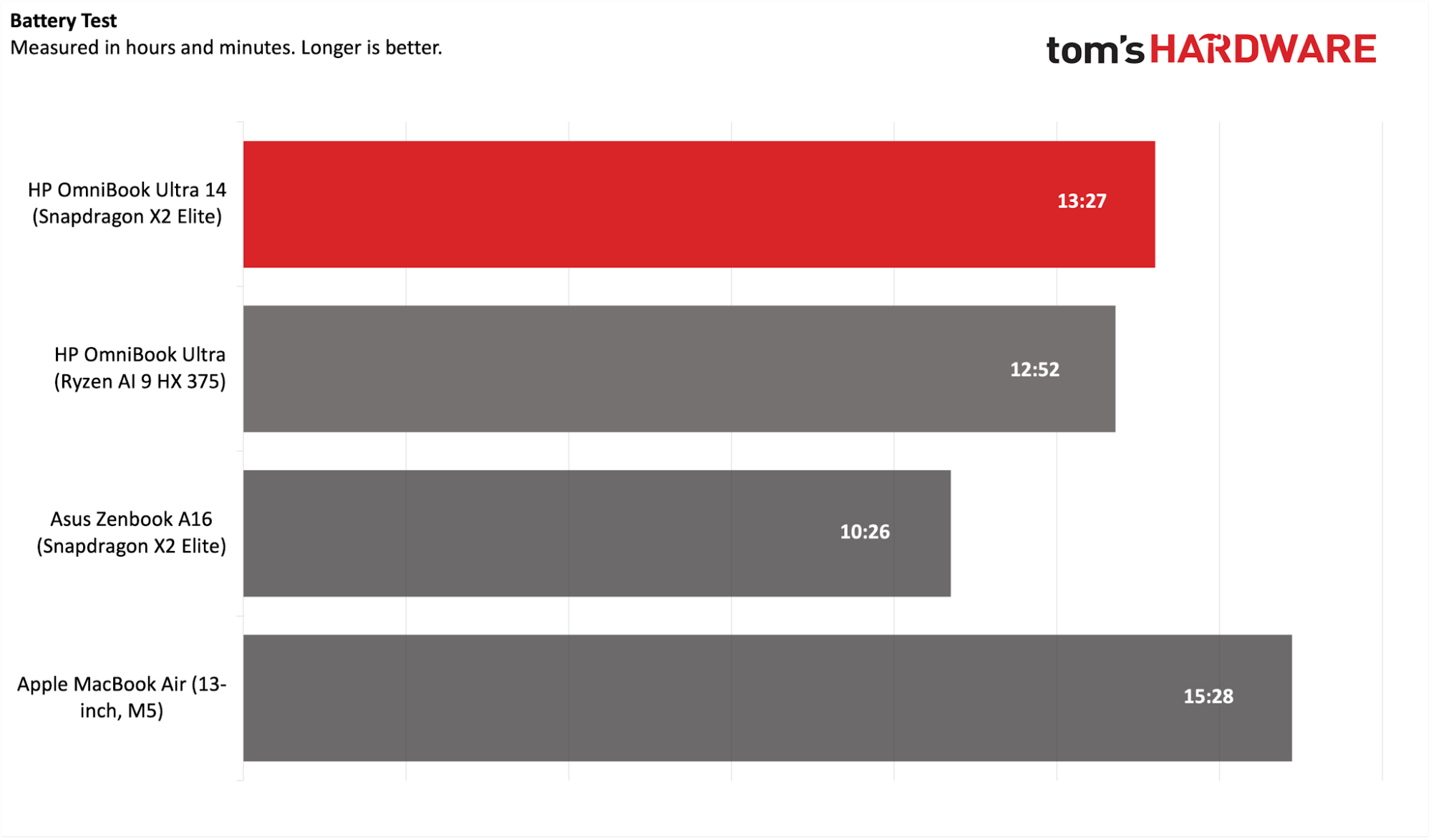
We were able to extract 13 hours and 27 minutes out of the OmniBook Ultra, exceeding the runtime of the ZenBook A16 with the same Snapdragon X2 Elite chip by 3 hours. It also outlasted its predecessor by over half an hour. The only laptop that stood in its way was the MacBook Air, which lasted an impressive 15 hours and 28 minutes.
Heat on the HP OmniBook Ultra 14
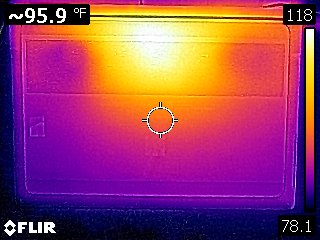
Heat output on the OmniBook Ultra was measured while running our Cinebench 2024 stress test. The keyboard measured around 95 degrees Fahrenheit between the G and H keys, while the hottest part of the laptop was the bottom rear near the exhaust vents, at 118 F.
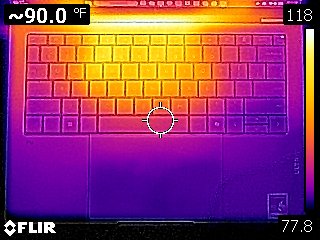
The touchpad stayed cool to the touch at 77 degrees, the ambient temperature in the room at the time.
While we usually mention CPU temperatures in this section, HWInfo, in its current iteration, does not provide the specific values we need for reporting.
Webcam on the HP OmniBook Ultra 14
HP has included a 5MP webcam on the OmniBook Ultra, which has IR capabilities to support Windows Hello biometric authentication. Like the previous generation, the image quality was decent, but not segment-leading.
My face and shirt looked slightly blurry, and my skin tones were “off.” This performance would be passable for a laptop costing in the $1,000 to $1,500 range. But for a laptop with an MSRP of nearly $2,900, it’s a tough pill to swallow. The Lenovo Yoga Slim 7i Aura Edition I recently tested, with an MSRP of $1,700, had a far better onboard webcam.
Software and Warranty on the HP OmniBook Ultra 14
HP loads plenty of its own utilities on the OmniBook Ultra, which seems a bit excessive. There’s an HP app that provides limited system information and access to HP’s online store to purchase accessories. There’s also HP Documentation, HP Energy Star (lets you purchase Energy Star-compliant appliances… why?), HP Privacy Settings, HP System Event Utility, and HP TV+. Finally, there’s Find My HP by Absolute, which allows you to track/locate, remote lock, and remote wipe your laptop.
And of course, there’s also the usual Windows bloat in the form of app links to Booking.com, Dropbox, and various other services. And we can’t forget McAfee, which is always an instant delete when I set up a new PC for friends and family.
The OmniBook Ultra comes with a 1-year manufacturer’s warranty.
HP OmniBook Ultra 14 Configurations
There are several prebuilt versions of the OmniBook Ultra with Snapdragon X2 Series chips, the cheapest starting at $1,249.99. It features a Snapdragon X2 Plus processor, a 512GB PCIe 5.0 SSD, 16GB of RAM, and a 14-inch 1920 x 1200 OLED display.
The next prebuilt system comes with a Snapdragon X2 Elite processor, 32GB of RAM, a 1TB SSD, and a 2880 x 1800, 120 Hz OLED display for $2,399. For an extra $300, you get the same specs with a 2TB SSD.
Finally, our review configuration can only be obtained through the “Customize and Buy” option, which gives you a wide pricing range to play with. It has the Snapdragon X2 Elite processor, 64GB of RAM, a 2TB SSD, and a 2880 x 1800 OLED display, priced at $2,879.99.
Bottom Line
HP has built a solid foundation with the OmniBook Ultra and the Snapdragon X2 Elite SoC. Our review unit came fully loaded, with 64GB of memory and a capacious 2TB SSD. The ultrabook excelled in our productivity benchmarks, including a stellar run on our storage test. In addition, its battery endurance was only topped by the 13-inch MacBook Air. The laptop also has a beautiful 120 Hz 3K OLED panel and comes standard with a Wi-Fi 7 radio.
On the other hand, the biggest knock against our particular unit is the price: nearly $2,900 is a tough pill to swallow for an ultrabook, primarily due to its lofty memory and storage configurations. However, if you go light on options, you can dramatically lower that price. If you go light on the options, you can opt for a Snapdragon X2 Elite chip, 32GB of RAM, 512GB SSD, and a 3K OLED display for $1,719.99, or add a 1TB SSD for an additional $120.
At that price, the OmniBook Ultra makes a lot more sense and would help us overlook the lack of Thunderbolt ports and the so-so webcam.