Montech TG3 Panoramic Mid-tower case review: a fantastic value, with four included RGB fans and panoramic views
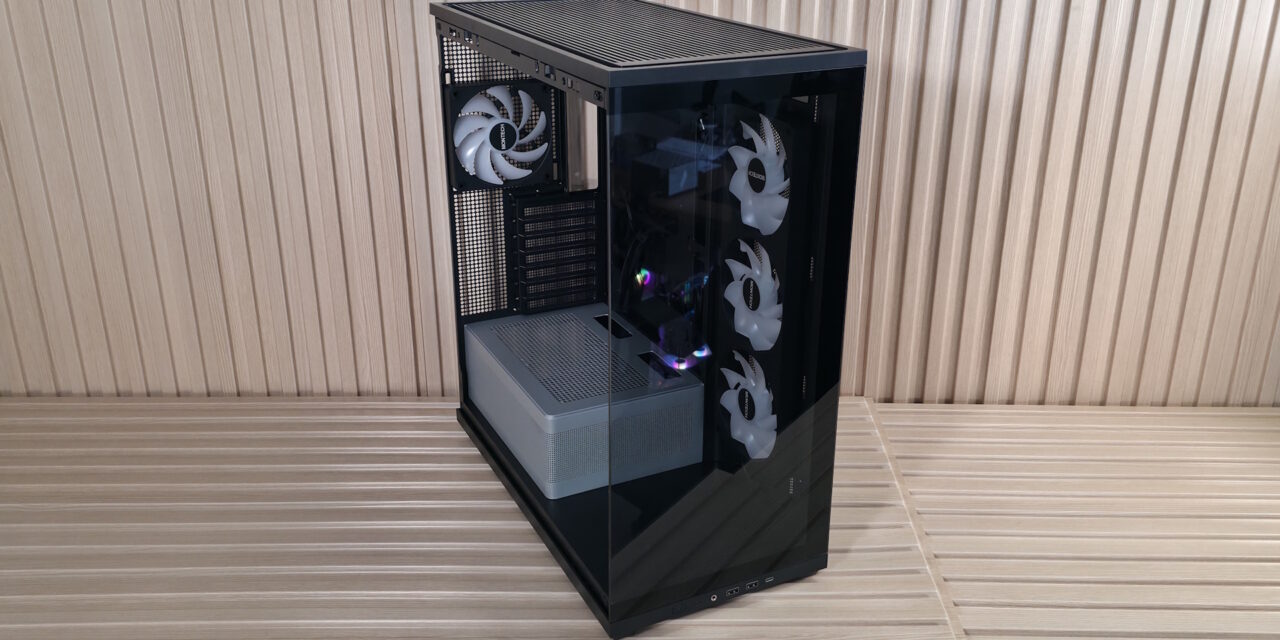
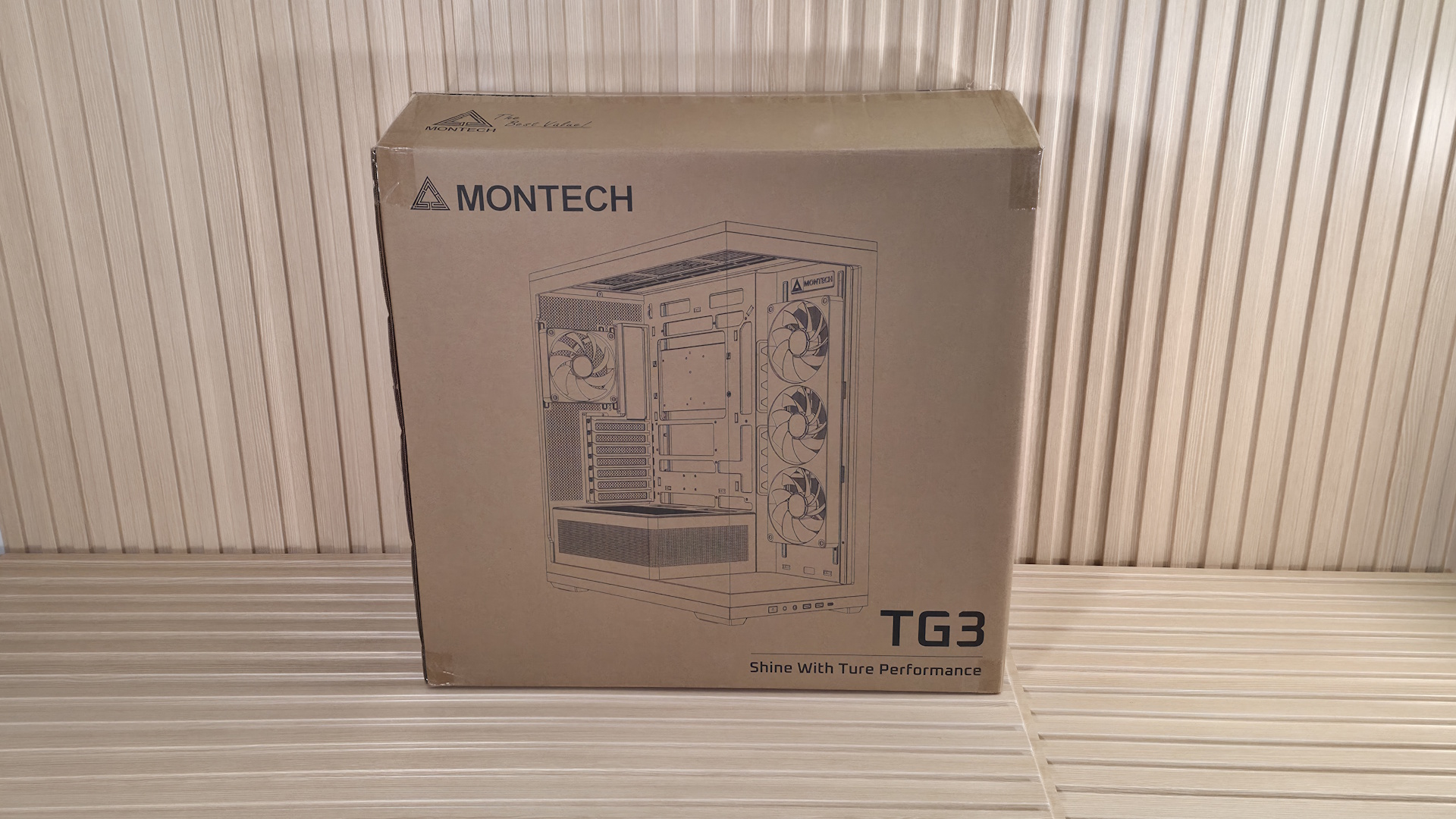
We first spotted Montech’s TG3 case at Computex earlier this year. This panoramic mid-tower chassis offers a full view inside through the smoked side and front panel glass, and features a tiered bottom layout and an ARGB lighting strip around the raised power supply chamber. While the side intake isn’t a boon for high airflow, the case performed well in our testing with our power-hungry components, at least with the CPU, offering some of the best air-cooled temperatures using our new test hardware. Priced at $59.90 including four fans (or technically two, as one is a full-frame 360mm), it offers a great value in the budget mid-tower space.
Inside, the TG3 comes with preinstalled unibody reverse fans (3x120mm) on the side and a single 120mm fan on the rear for factory-provided airflow. Up top, there’s room for three more 120mm fans / a 360mm radiator, too. The chassis supports motherboards from ATX down to Mini-ITX, and even handles rear-connect motherboards. The TG3 supports huge graphics cards, and even vertical GPU mounting (with a kit sold separately). The power supply sits in its own tiered chamber, silver in color, adding dimensional depth to the interior. The chamber sports a frosted RGB strip that runs along the top edge and casts a nice glow on your components inside the chassis. At the front of the case, on the bottom, is showcase space to show off a figure, or whatever you want that fits, or it’s wasted space.
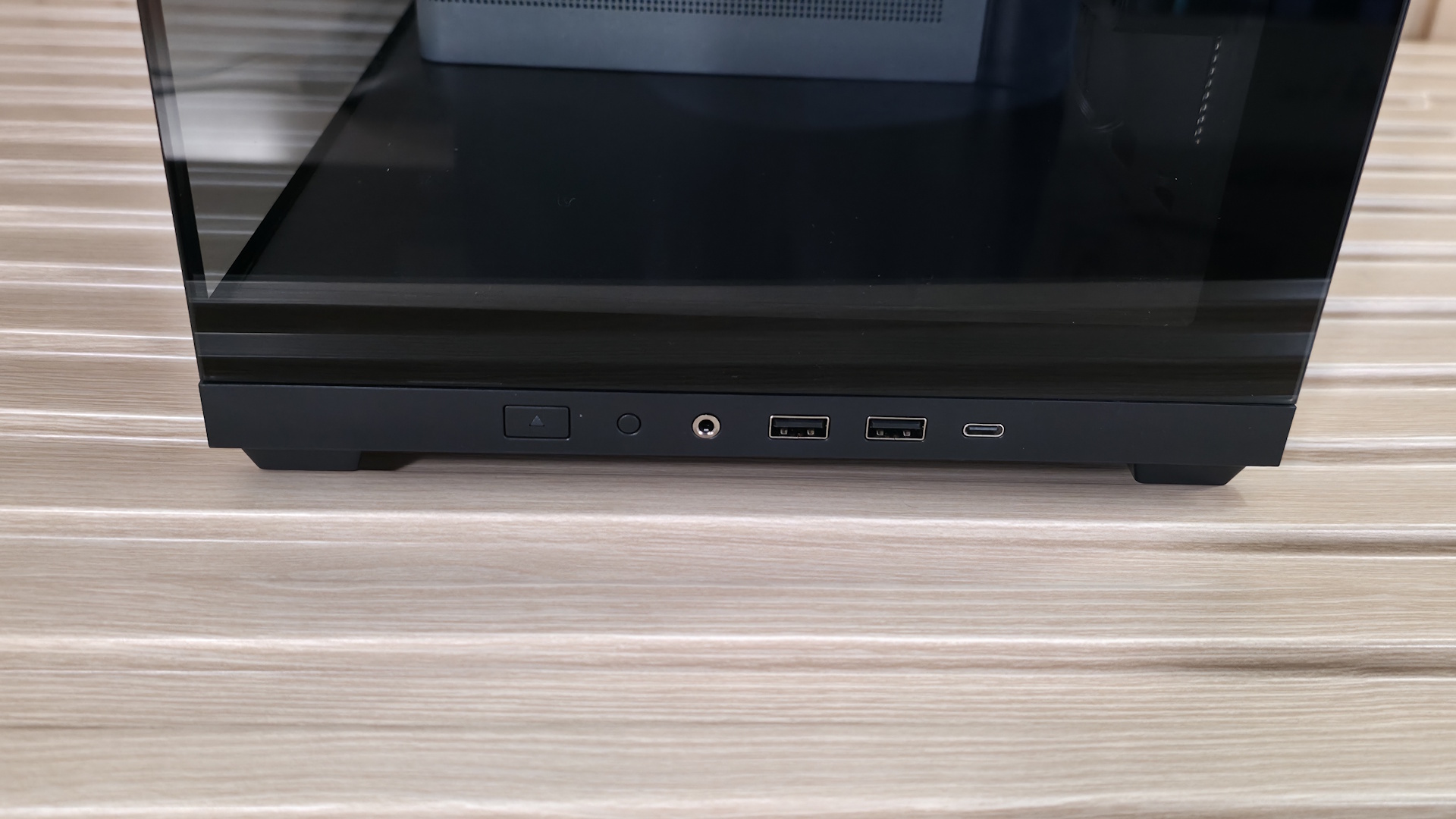
Externally, this is a simple design, with two panes of lightly tinted glass on the front and side, showing off your internals. It comes in black and white, with the latter using a color-matched PSU chamber, unlike our black model. The IO panel runs along the bottom edge and offers two Type-A ports, a single Type-C port, along with power and RGB mode buttons. Overall, it’s a good-looking chassis, especially for the sub-$60 price point.
We’ll cover many more details inside and outside the case, showcasing the features and any issues we may encounter during the build process. We also run the case through our thermal and noise testing to give you an idea of how it performs compared to other cases and to see if it has a chance of making our best PC cases list (spoiler: it does!). Below are the case’s specifications, from Montech.
Montech TG3 Product Specifications
|
Type |
Mid-Tower |
|
Dimensions (H x L x W) |
2.5 x 18.3 x 9.4-inches (523 x 465 x 239mm) |
|
Motherboard Support |
Mini-ITX, MicroATX, ATX |
|
Back-connect Motherboard Support |
Yes |
|
Color |
Black, White |
|
Storage Support |
(1) 3.5-inch -or- (2) 2.5-inch |
|
PCIe Expansion Slots |
7 |
|
Fan Support |
Top – 3×120/140mm |
|
Pre-installed fans |
(1) GF360 U Rev (Side) |
|
Radiator Support |
Top – 120/140/240/280/360mm |
|
CPU Cooler Clearance |
180mm |
|
GPU Clearance |
430mm |
|
Vertical GPU Support |
Yes (requires purchase of VGM 2 mounting kit) |
|
PSU Length |
250mm ATX |
|
Dust Filters |
Top, Bottom |
|
Other features |
3x included fans, Tiered ARGB PSU shroud back-connect support |
|
MSRP |
$59.90 |
|
Warranty |
1 Year (case), 3 Years (fans) |
Features of the TG3
▶️ External Features
While the TG3 looks fine externally, there’s nothing really exceptional going on. It’s another typical mid-tower panoramic chassis, with lightly smoked tempered glass panels to show off your internals. But it does have a unique ‘show space’ inside at the front to display whatever you like inside your PC case. If you’re interested in showing something off in that space, and assuming your graphics card doesn’t extend past the motherboard edge, you have about 7 x 7 x 17-inches (LxWxH) worth of space. If your graphics card is the size of our Asus RTX 4080 TUF (larger, it shrinks the length down.
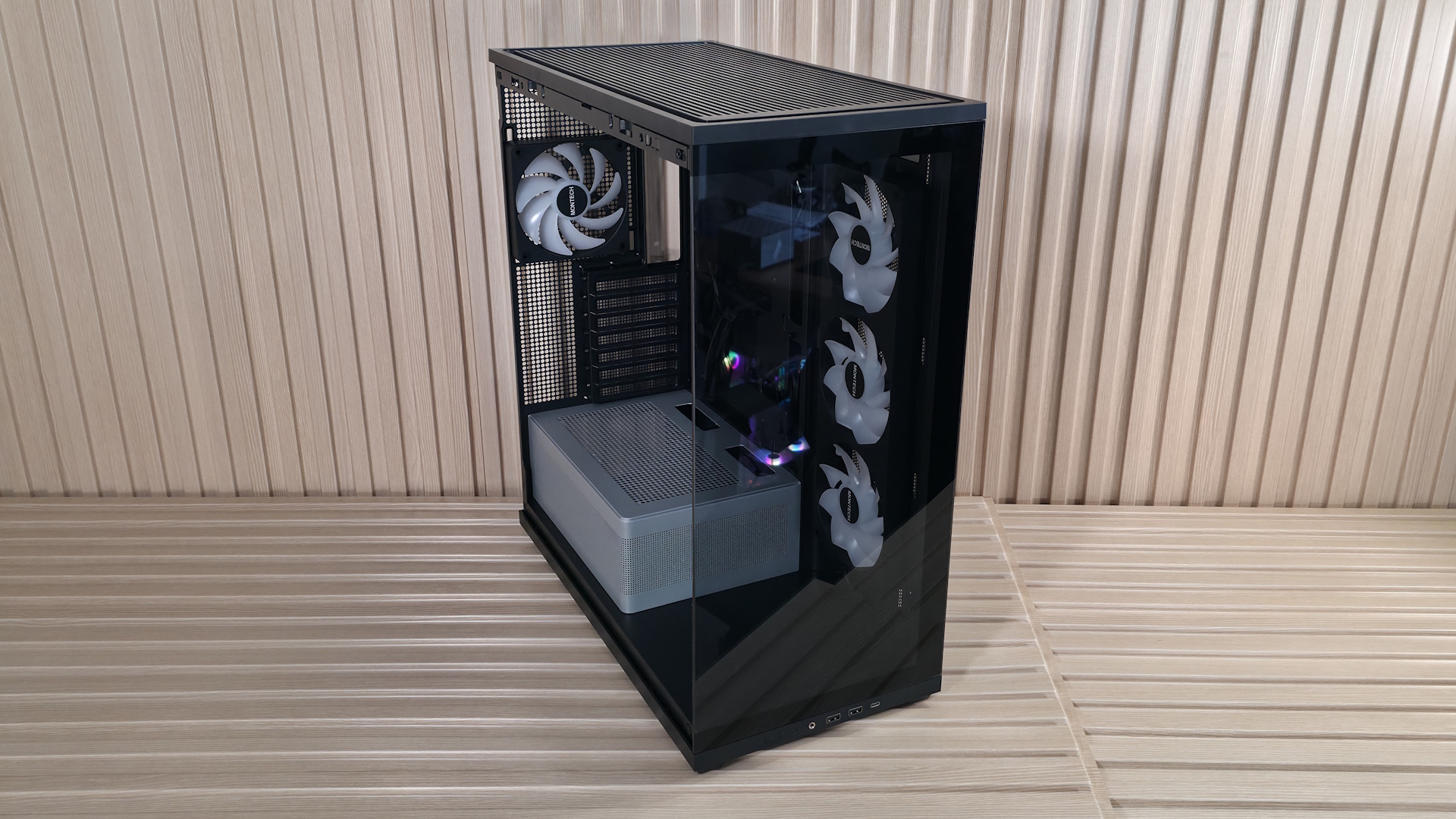
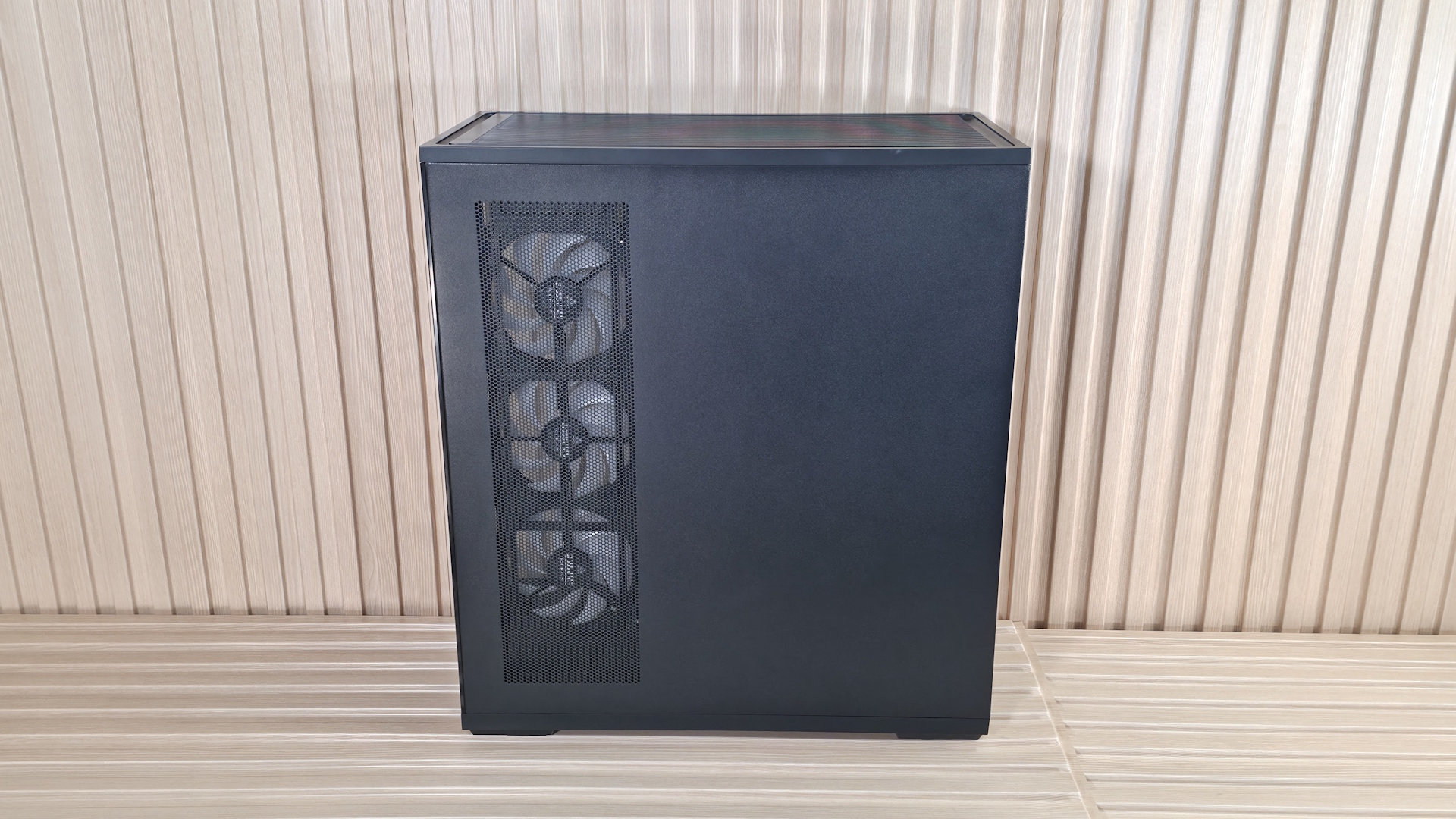
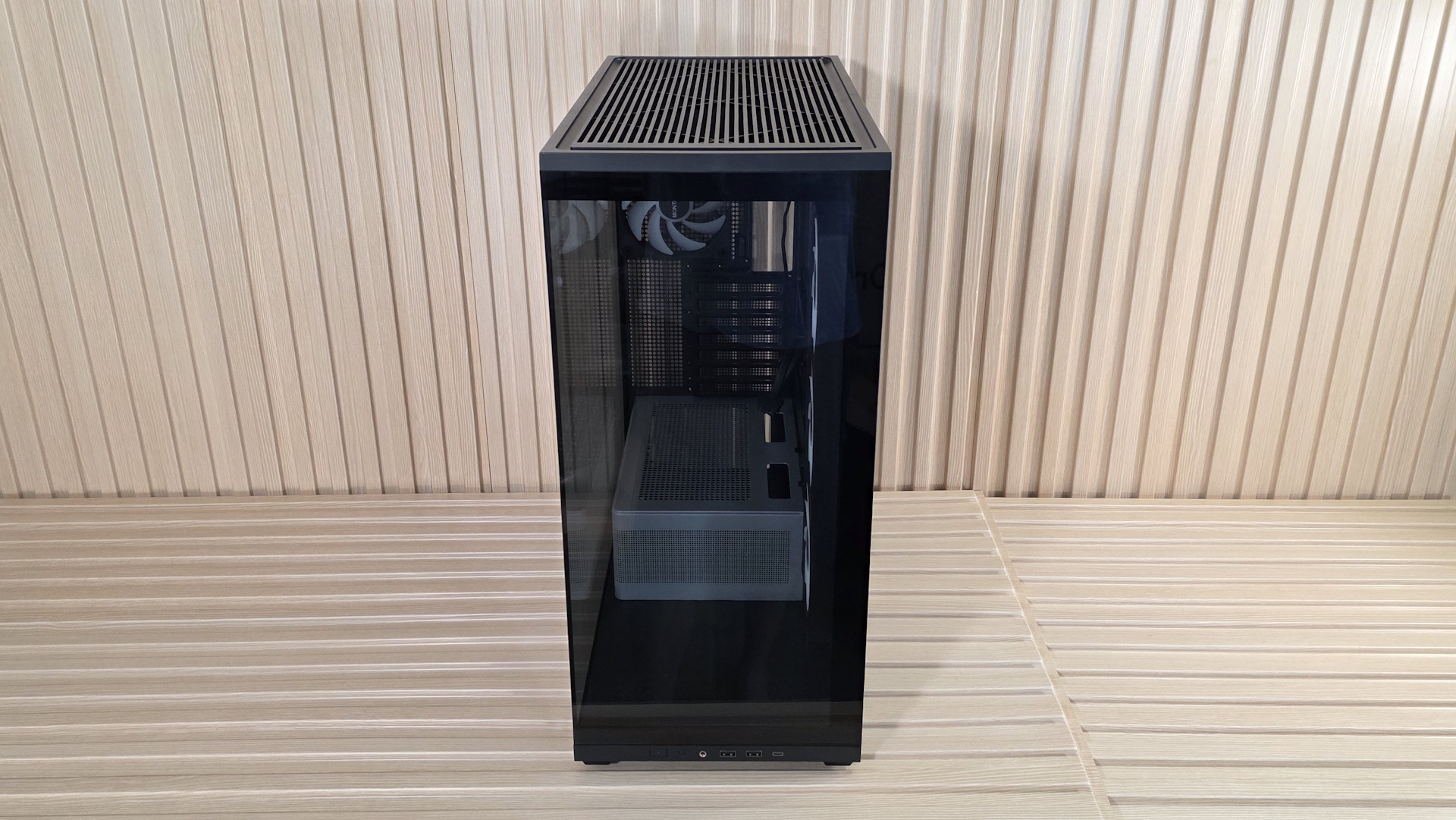
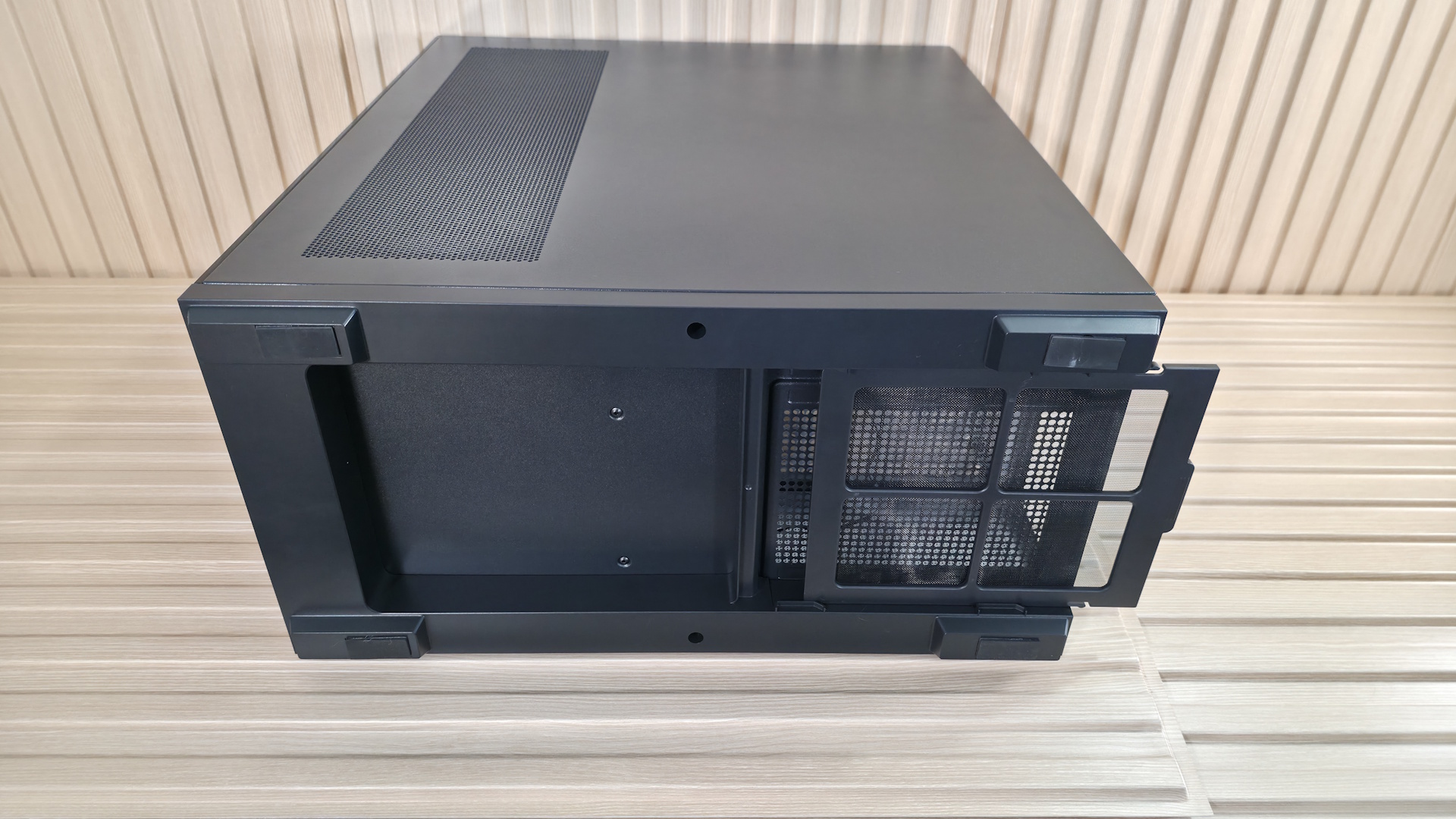
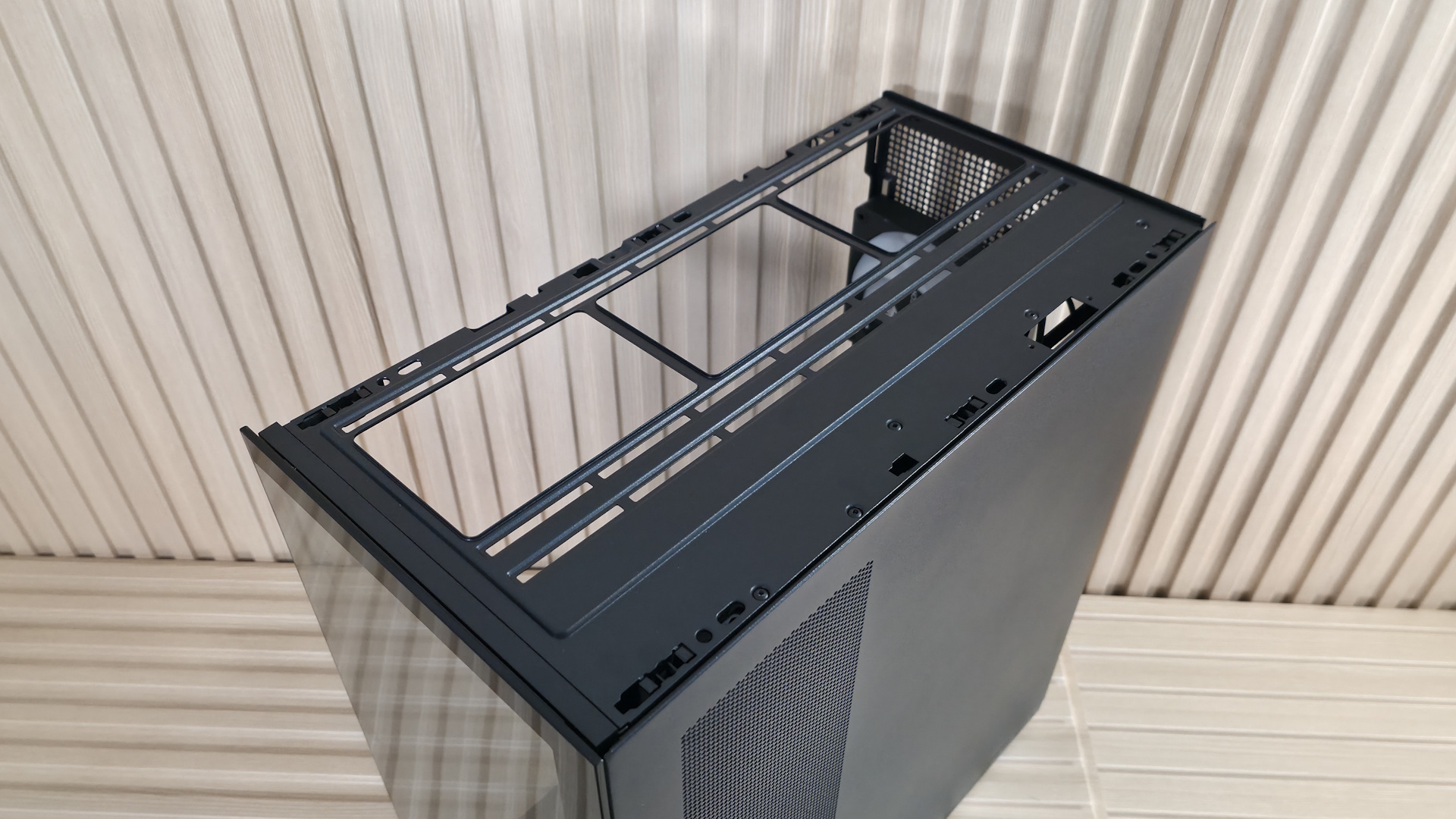
Each removable panel attaches to the case in the same way, using tabs that slide into slots in the frame, while the top uses ball-and-socket capture mechanisms to secure it to the chassis. The panels hold securely, and there’s nothing to worry about, but be careful when moving it, as any potential flex could break them free. The top grille, which also pops off, has slats on the top and offers plenty of airflow, and even has a removable dust filter, similar to the ones on the side intake and PSU shroud.
The front panel IO runs along the bottom of the case (so you’ll probably want to keep this on your desk) and offers your typical fare of connections. Starting on the left is the Power button and LED mode buttons, a 3.5mm headset audio jack, two USB 3.2 Gen 1 (5 Gbps) Type-A ports, and one USB 3.2 Gen 2 (10 Gbps) Type-C port. Even though this is a budget case, I’d still like to see a 20 Gbps port on the front.
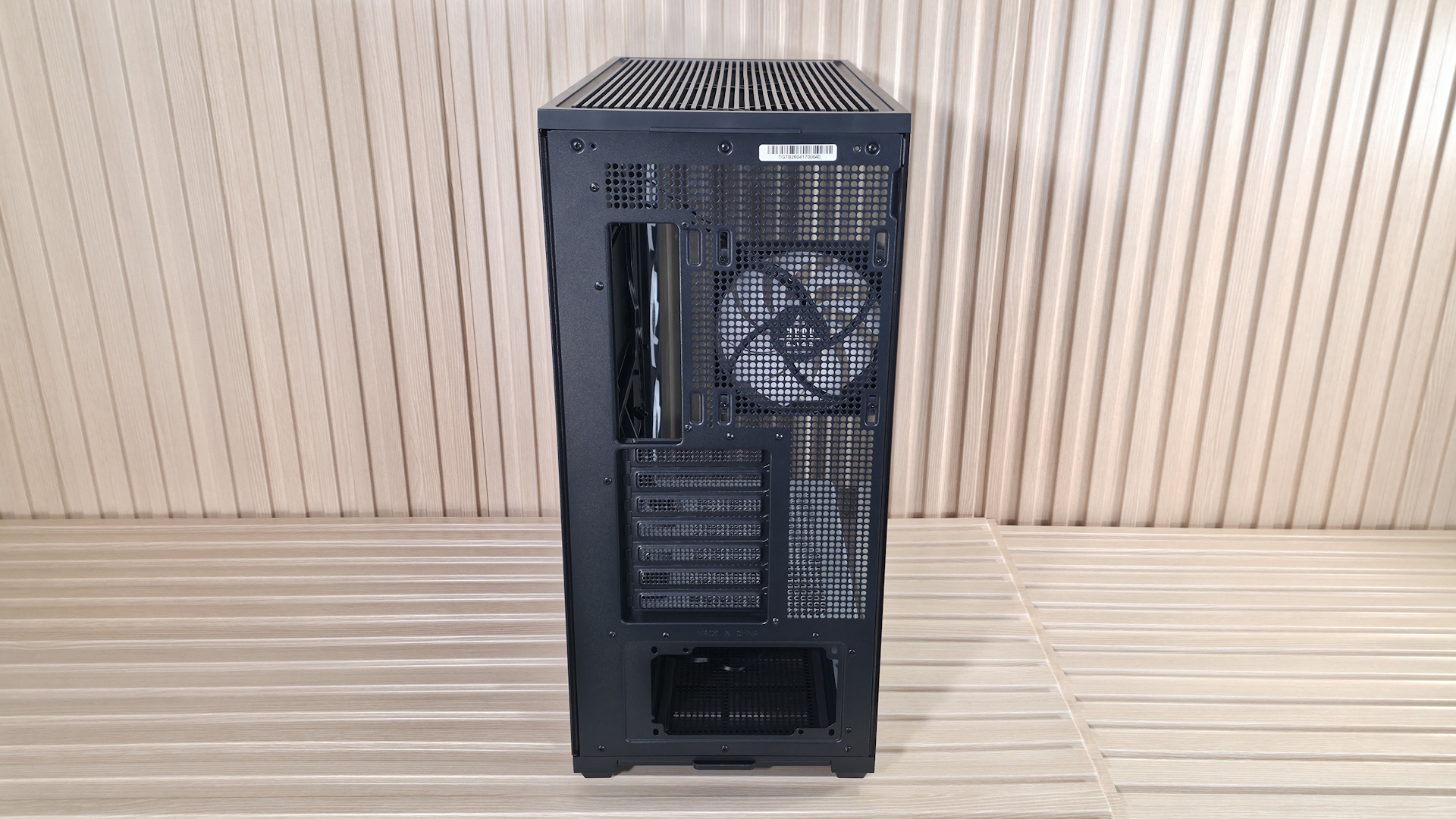
Flipping the case around to the rear, we see the circular vent holes for airflow and the included and height-adjustable 120mm fan (the case supports a larger 140mm fan if you want to swap this one out). You also get a great view here of the seven expansion slots and the PSU mounting location on the bottom. You can mount a vertical GPU too. But the VGM 2 mounting kit does come separately (~$45 on Amazon). The PSU chamber also has a removable dust filter to feed clean air to the power supply. The TG3 sits on four integrated raised feet, with rubber pads that slightly lift the case for better airflow.
▶️ Internal Features
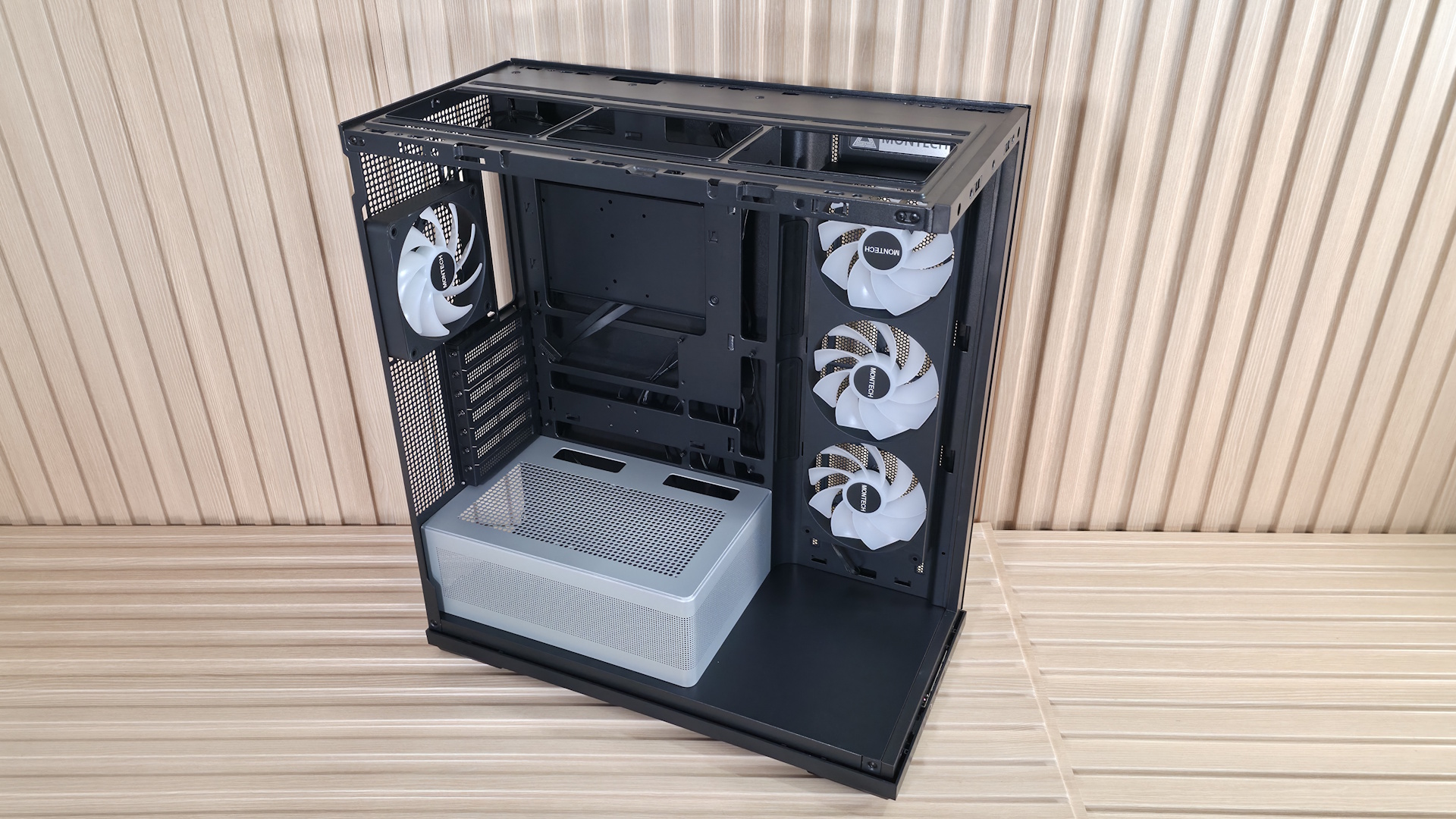
Inside the chassis, there’s quite a bit of space because of the side (not front) fans, which give you an extra couple of inches to play with up front. Montech decided to use the extra space at the bottom, between the PSU shroud and the front glass panel, as a stage for you to put something there to show off. Perhaps a Gundam figure, your waifu, or any other cool model or trophy to personalize the space. Otherwise, it’s just space that could have been better utilized, maybe as a sloped shroud directing cooled air up towards the GPU.
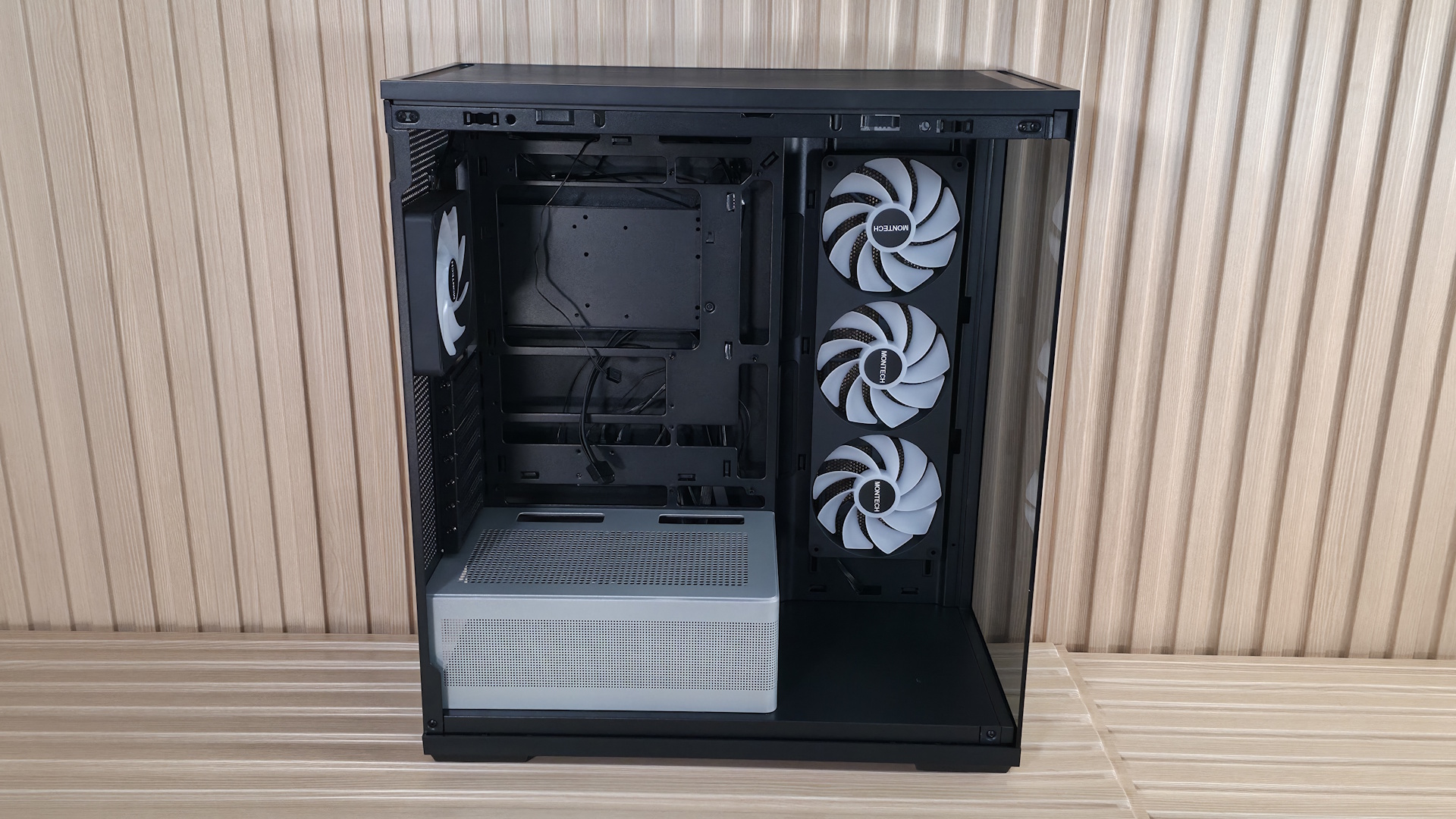
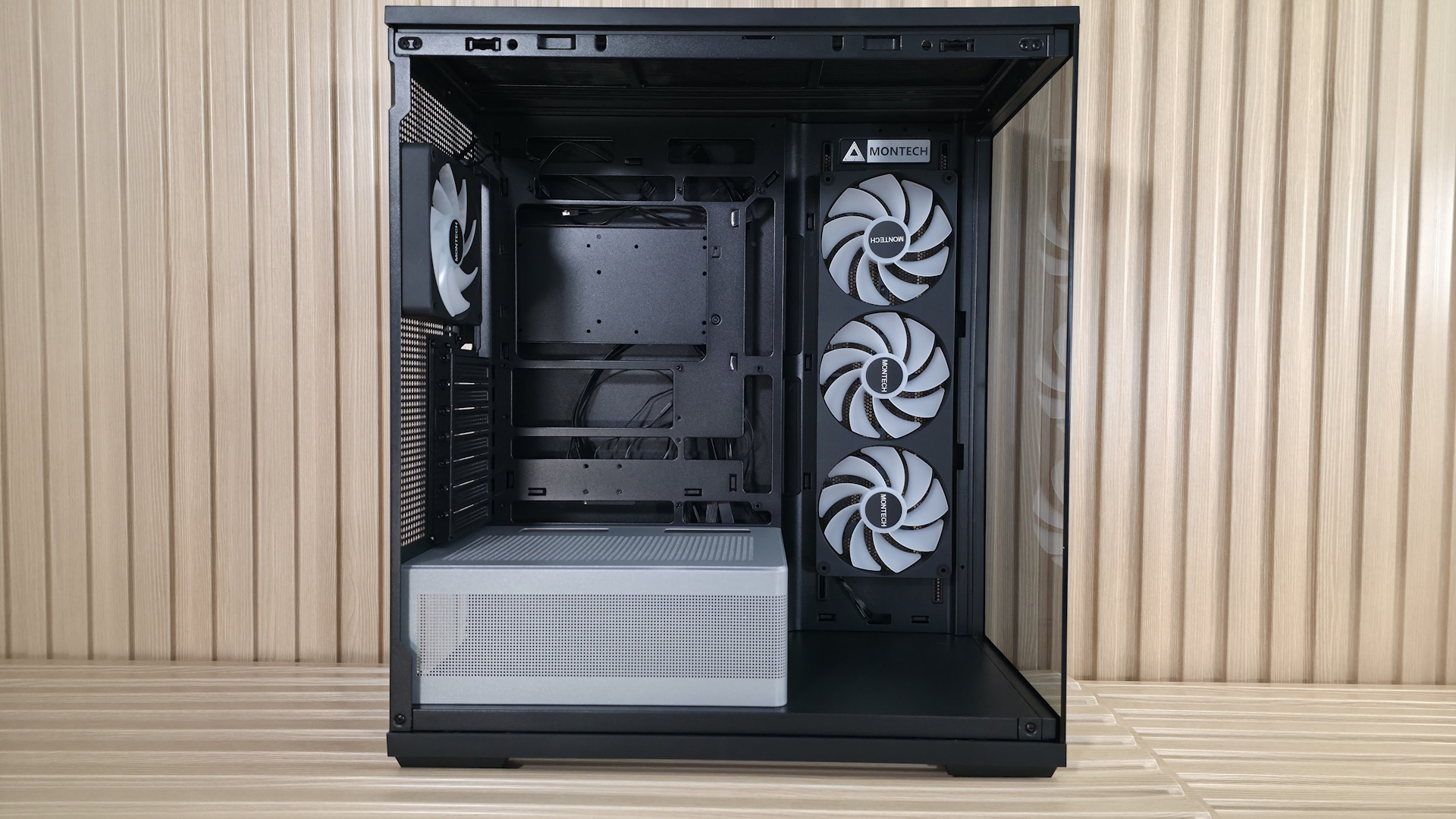
The motherboard panel supports up to ATX boards, with mounting points for Mini-ITX and MicroATX form factors. The best fit is for sure ATX and MicroATX, as that’s where all the cable management holes line up. It also supports rear-connect motherboards (BTF, Project Zero, Stealth) for that ultra-clean, wire-free aesthetic. There’s plenty of room to route the cables through the grommets. Speaking of grommets, I like when cases use these as it further hides the wires. However, they almost always come out of their spaces easily, including on the TG3. I wish they were glued in so you didn’t have to push them back in after you’re doing cable routing.
As you can see, the chassis comes with a total of four 120mm fans, with three on the side as intake and one rear exhaust. The fans hail from Montech’s GF U line, specifically the unibody GF360 U Rev, and a GF120 U for the rear. Both 25mm-thick fans have ARGB blades and spin at 800-1,600 RPM on Hydrodynamic bearings. Montech lists airflow up to 73.1 CFM and static pressure around 1.71 mmH2O. That’s not a lot of static pressure, but it doesn’t need to be, since they are case fans with relatively low resistance. Montech says it does so at a whisper-quiet 25.3 dBA. And while we can’t fully verify the fan’s specs, the case was quiet out of the box during our full-load tests.
The top of the case pops off from below, by more of those ball-and-socket capture mechanisms. From the inside, you can mount three 120 or 140mm fans/radiators, with plenty of room for a standard-thickness radiator and fans. Outside of that, there’s nothing special in this area.
The next internal feature worth calling out is the PSU shroud. While it might sound boring, there’s actually a lot going on here. First, in the black chassis, the shroud is gray and doesn’t match. This was an intentional design choice to make it stand out in the black colorway, but personally, I’m not sold on it and would like to see it all in black. That said, the white TG3 does have it matching in white. Running along the edge is a frosted RGB strip that adds a bit more ‘native’ bling to the case. Finally, on top of the chamber there is room for two additional 120mm fans to cool the graphics card directly, but using those removes at least one PCIe expansion slot.
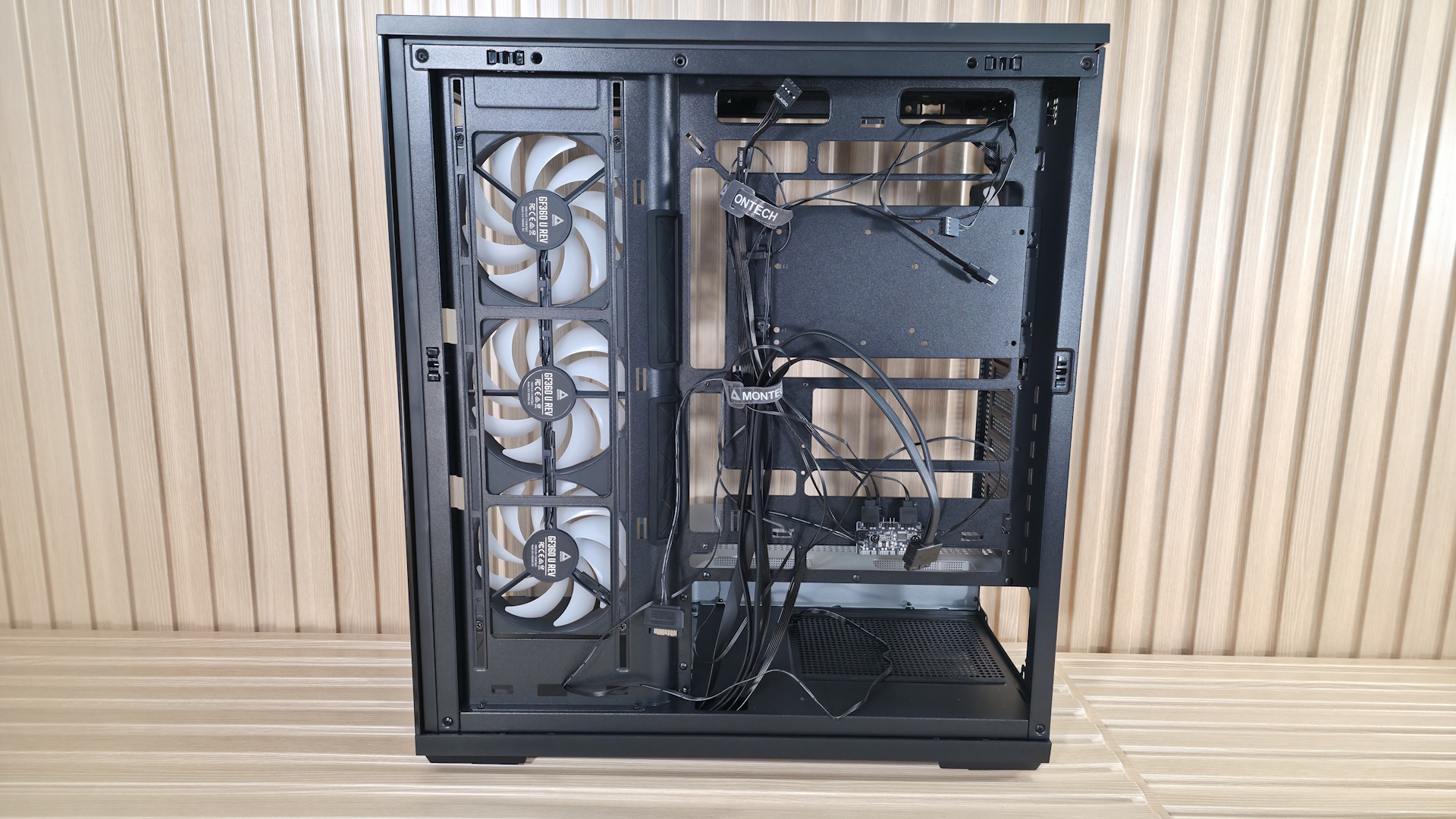
Flipping the case around to the back side and opening it up, we get a better shot of the unibody GF360 U fan mounting. Note that you have some vertical flexibility in mounting location (what you see is how it arrived). There isn’t a ton of space for stashing cables behind the motherboard panel, but enough, and Montech includes two Velcro ties for a cleaner look. When installing our test system inside, I stashed what I could in with the power supply, which worked fine, even if it was a bit tight.
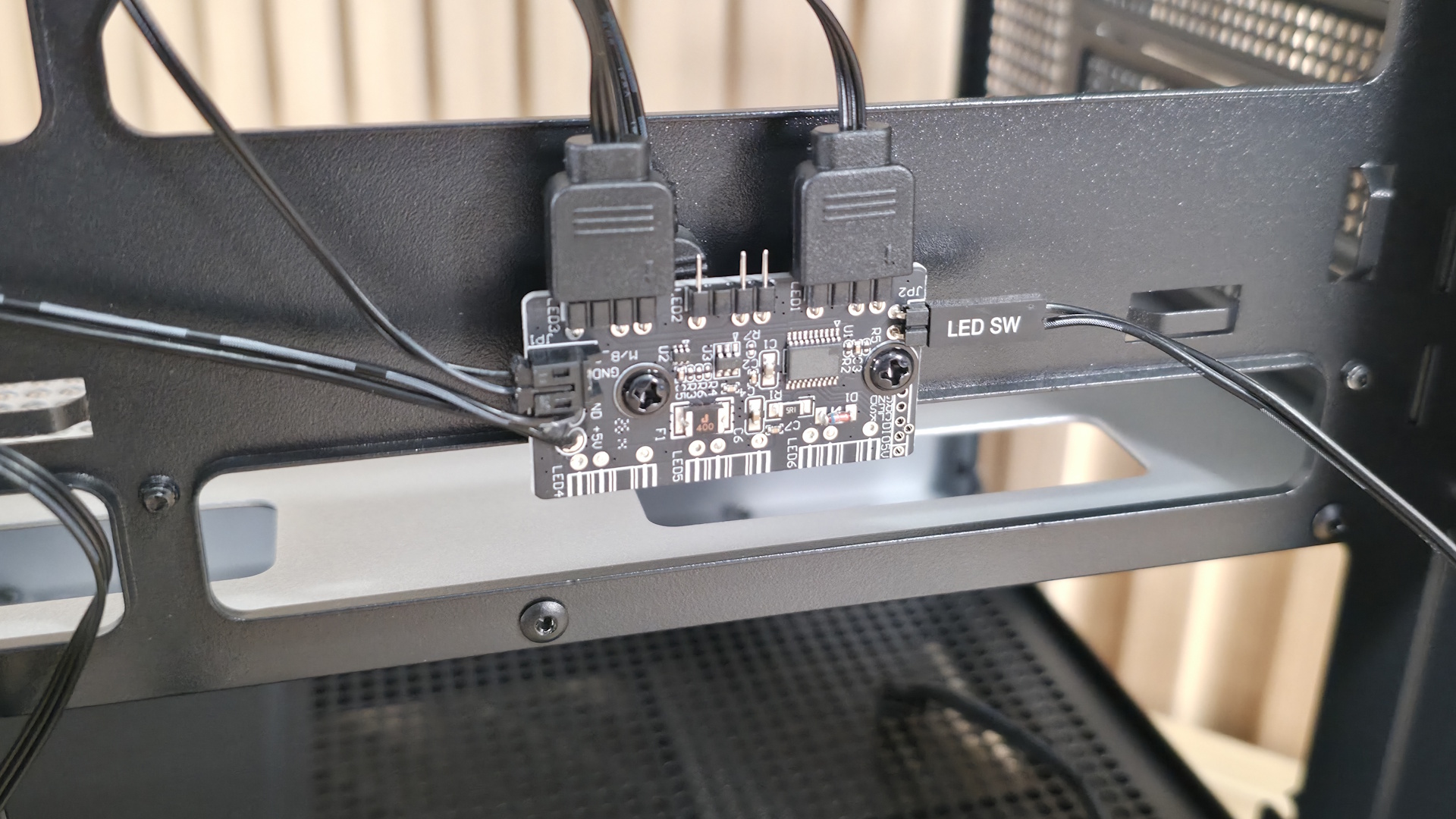
Surprising for a sub-$60 case, the TG3 also includes an ARGB hub mounted to the back of the motherboard tray. The hub supports up to three 3-pin ARGB devices. The GF360/120 U fans already take two, but there’s still one available in case you want to control the PSU shroud (or whatever you attach to it) by the button on the front of the case, too. Many would prefer the motherboard to control all their devices, but this is still a great value-add.
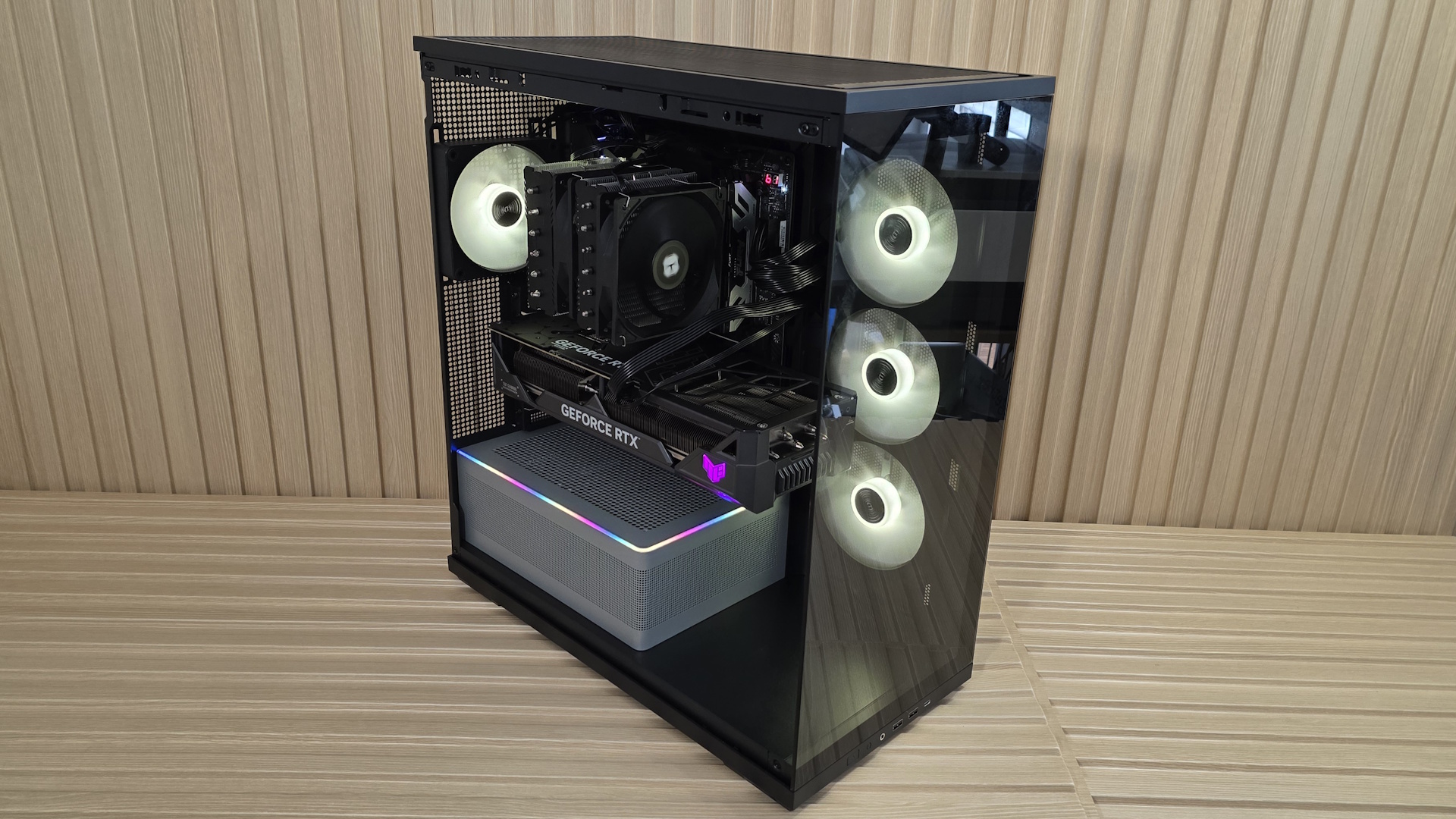
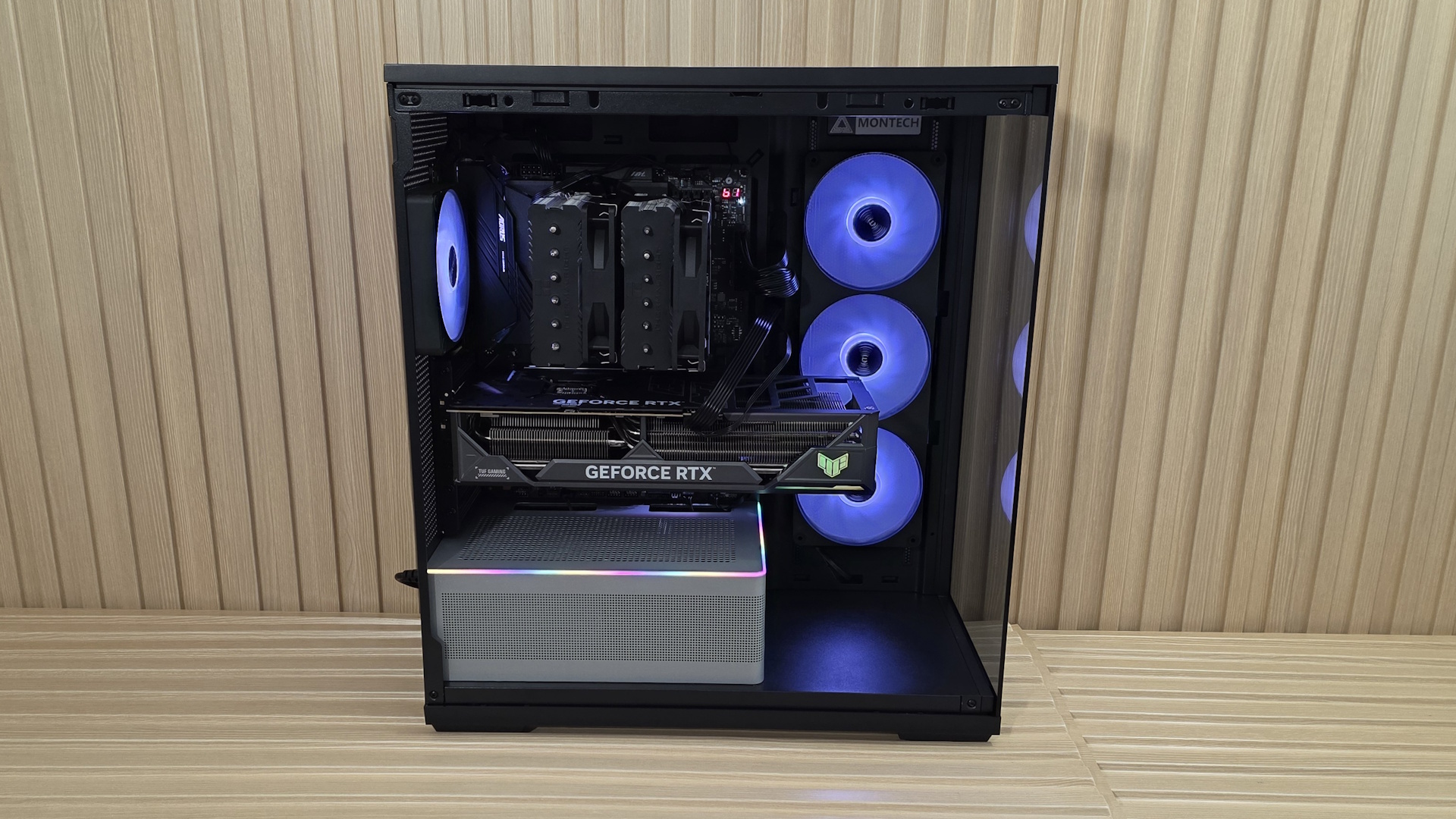
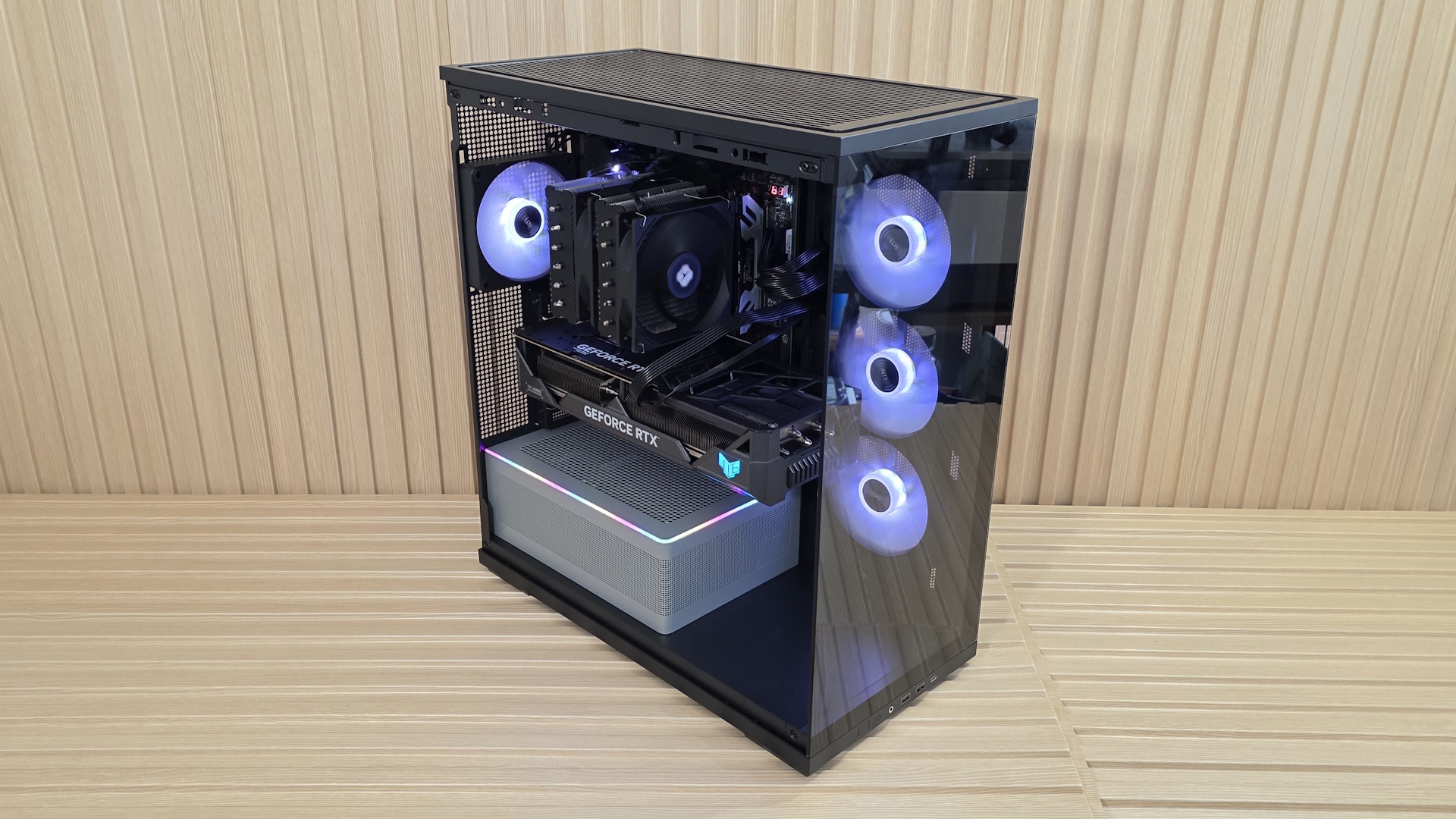
My takeaways from this case are the great internal views and the unique RGB lighting strip that runs along the power supply chamber. There’s plenty of room for large air coolers (up to 180mm) and graphics cards up to 430mm and 3.5 slots thick with standard mounting. I also liked the strong out-of-the-box CPU performance with only the included fans, and how quiet it was with all fans running at full speed. Read on for details.
Test equipment, method, and results
|
CPU |
Intel Core Ultra 7 270K Plus |
|
CPU Cooler |
Thermalright Peerless Assassin 120 SE |
|
System Fans |
Pre-installed (if needed, Cooler Master Masterfan M120) |
|
Motherboard |
Gigabyte Z890 Aorus Elite Wifi7 Plus |
|
GPU |
Asus TUF RTX 4080 |
|
PSU |
Montech Century II 1050W |
Our thermal tests are presented to give you more information about the product’s performance, but aren’t intended as the sole basis for judging the chassis. The style, price, features, and noise levels of a case should also be considered, and we all have different preferences. What I might like in a case, you might not, and that’s OK. Our goal with these reviews is to give everyone, regardless of their preferences, enough information to decide whether a case is right for them.
To get heat into the system, we stress the CPU with Cinebench R26 (multi-threaded test) and the video card with Furmark 2 (1080p). CPU and GPU tests run concurrently for 30 minutes, allowing the air-cooled system to reach saturation and stabilize over that period. We then let the system idle for 15 minutes, adjust the fans to 100%, and test again.
Noise-normalized (42dBA) Maximum thermal Performance
This set of tests is designed to appeal to those who love quiet PCs, with both system fans and the CPU fan noise normalized to 42 dBA. Consider this a measure of the case’s thermal efficiency when noise levels are set to run quietly. It is audible, but just (at least for my old ears).
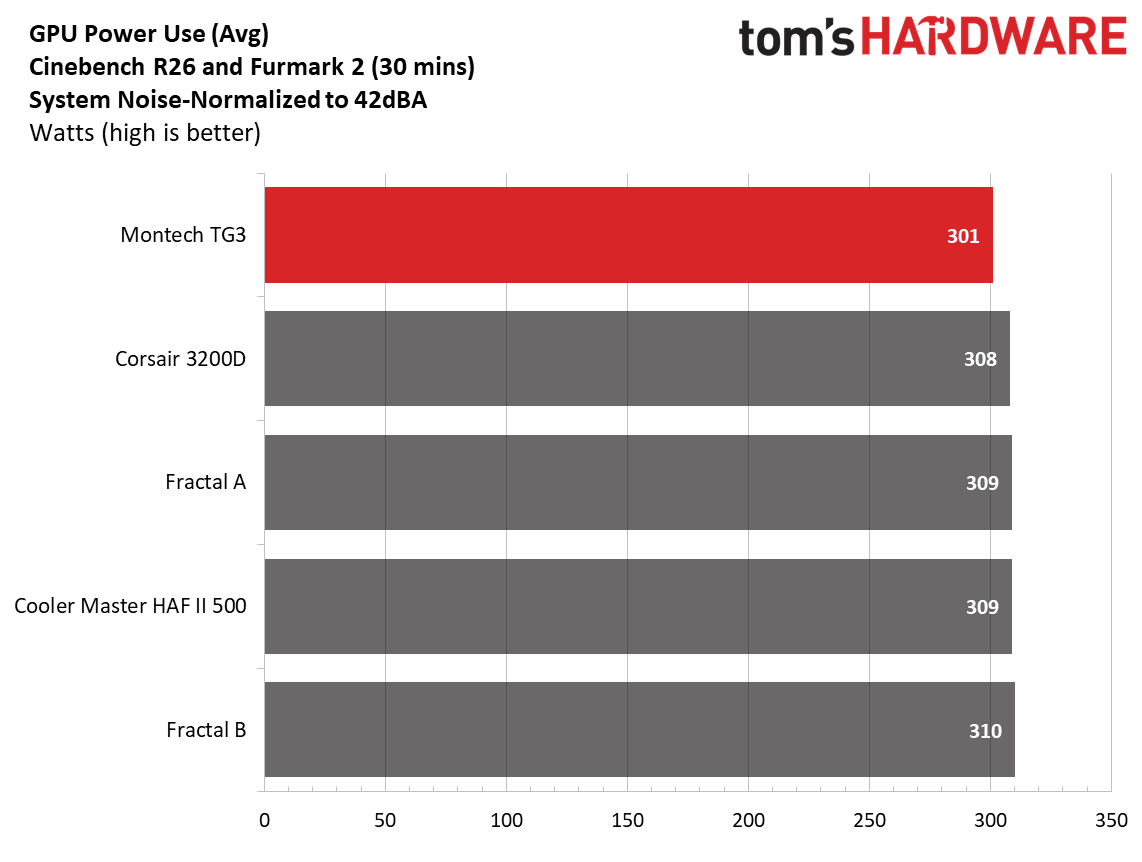
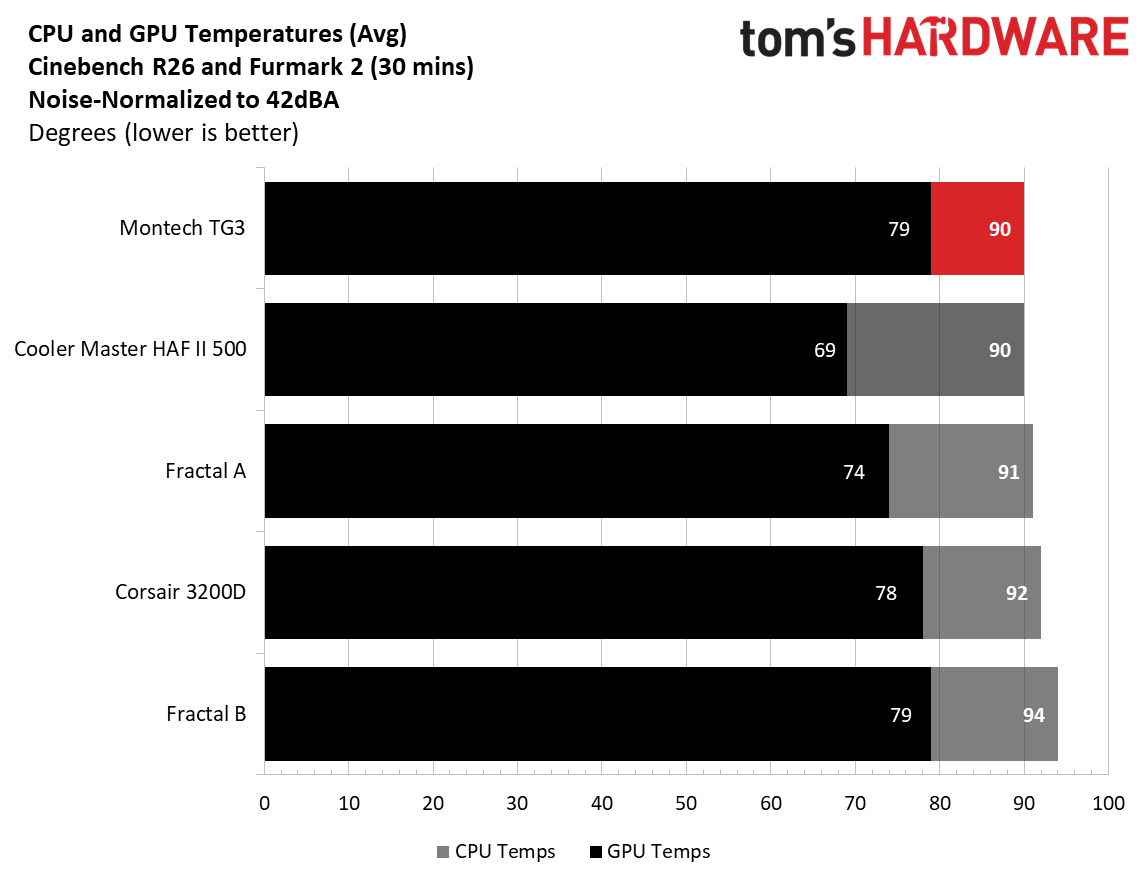
As far as noise-normalized performance goes, the Montech TG3 did well, matching CPU temperatures with the likes of the Cooler Master HAF II 500, and its massive fans at 90 degrees Celsius. Video card temperatures averaged 79 degrees, the highest so far, and tied with one of the Fractals. Adding more exhaust fans (alone or an AIO) to the top of the case should improve airflow and cool the GPU by a couple of degrees. Or, if you’re really concerned about keeping GPU temps low, mount two fans on top of the PSU chamber. We’re not at all worried about what you can put inside and keep cool.
Maximum thermal performance – fans at full speed
Our noise-normalized results are designed for folks who prefer silence, but what if you don’t mind additional noise and just care about maximum performance, or maybe you have to run things at high settings to keep high-powered devices cool? This testing is for you. Obviously, when you add fans or an AIO up top, things will change a bit, but this gives you a great idea of ‘out-of-the-box’ performance, noise be damned.
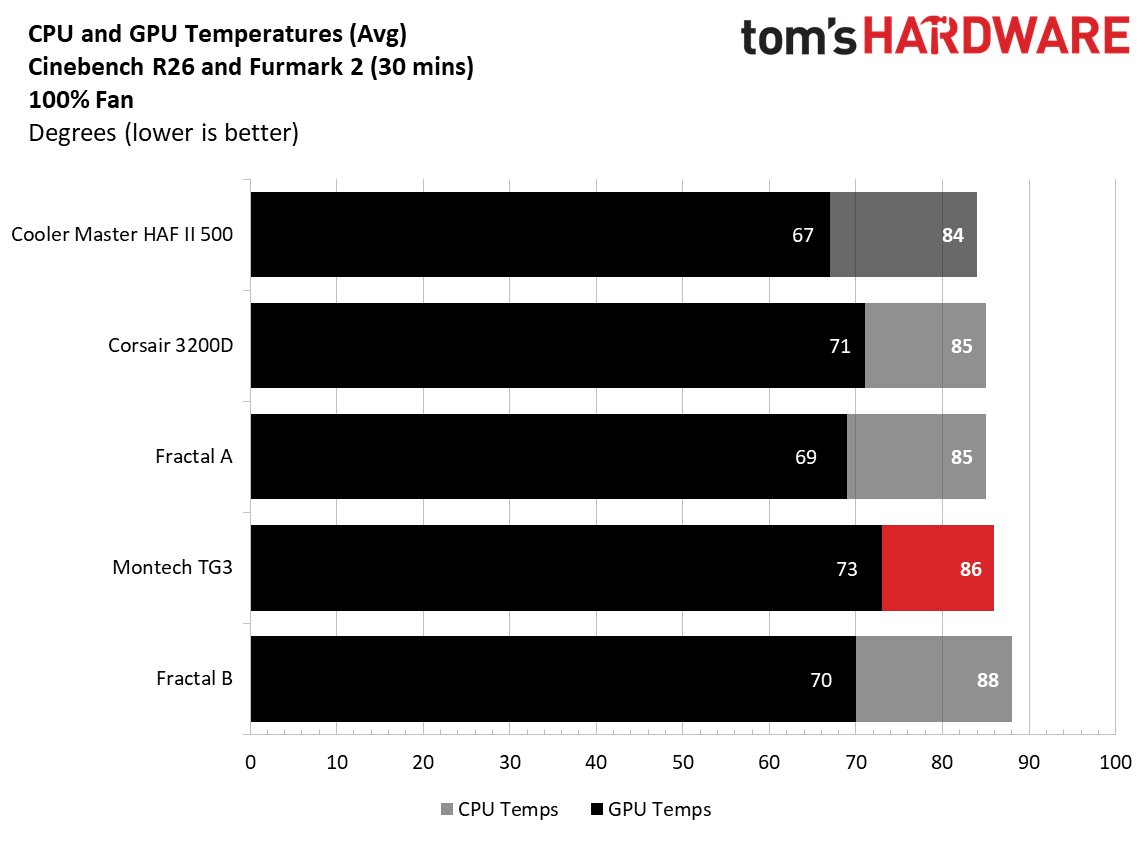
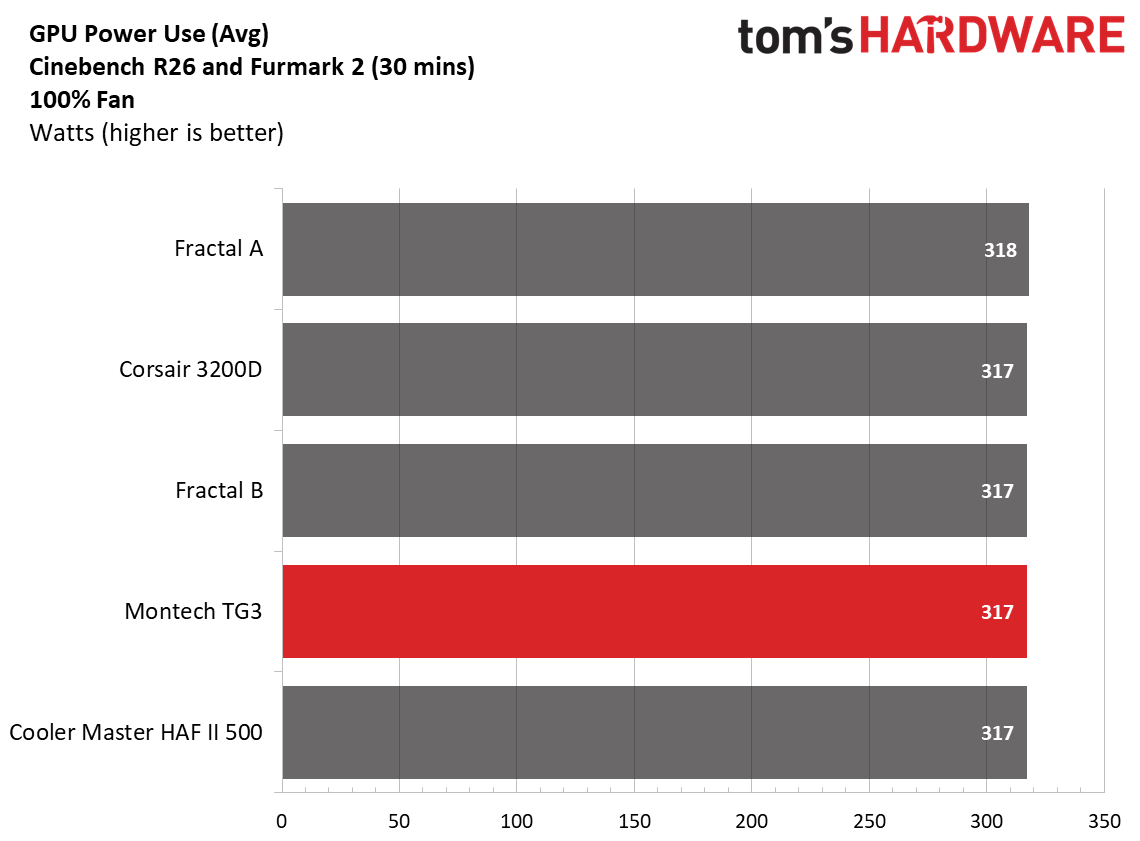
After setting the fans to 100%, the CPU only dropped four degrees Celsius and was on the higher end of the temperature range. The video card dropped six degrees, but still ran the warmest of our current data sets by a couple of degrees Celsius over the Corsair 3200D, which we covered a couple of months ago.
Maximum Noise Levels
We measure the noise levels with a sound meter from one meter away from the computer case, with the pre-installed fans running at their maximum RPM. If a case does not have enough included fans for airflow (intake and exhaust) as configured, we add a Cooler Master M120 ARGB, since we expect most users will add at least one more fan in situations like these.
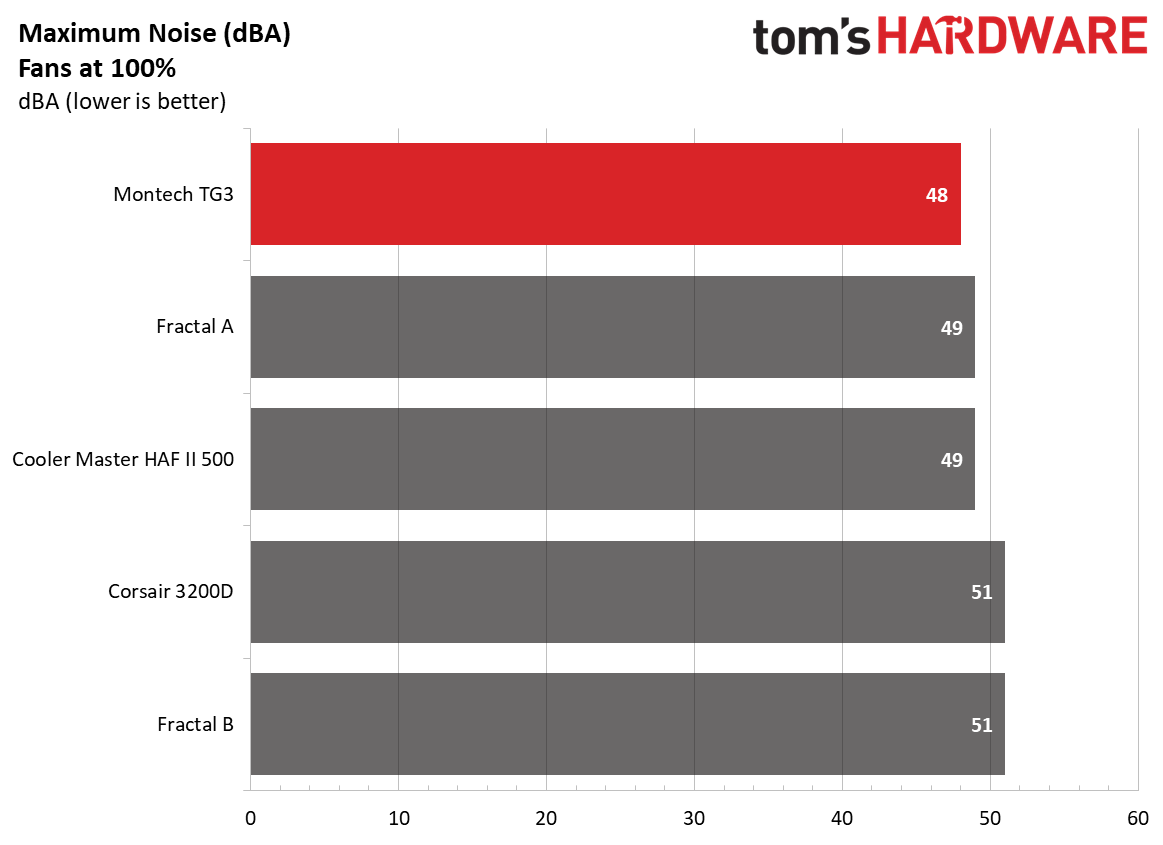
When we cranked the included fans to 100%, the TG3 was actually the quietest of our five data sets, at 48 dBA (only 6 dBA above our testing point), beating out even one of the Fractal units that comes with sound-damping panels. Impressive.
Conclusion
When I think about a $60 PC case, the words cheap, flimsy, and ugly come to mind. But lately, there’s been a push for cheaper cases in the market, likely due to the AI apocalypse that’s sent memory, storage, and video card prices to the moon over the past several months. Montech’s TG3 at $59.90 breaks that mold in my head, offering users a well-built and good-looking case that includes four (OK, technically two because one is a full-frame 360mm) ARGB fans, and it doesn’t feel cheap, flimsy, nor is it ugly.
The case performed well overall, with good noise-normalized CPU performance, and was one of the quietest with the fans at 100% so far. It had good overall CPU cooling performance, but the GPU ran a couple of degrees warmer than most other chassis so far. The showcase space is cool if you plan to use it, but could otherwise be used to improve GPU cooling and for additional cable management space. I like the PSU chamber’s ARGB strip. It looks cool, and the silver color adds some contrast inside the all-black interior, but some may prefer matching black. I’d also like to see a 20 Gbps-capable Type-C port on the front panel, but I need to remind myself that this is a budget case and 10 Gbps is common at that tier.
Overall, Montech’s TG3 is a very good case for $60. In fact, I liked the overall value so much it found a place on our best cases list, knocking off the more expensive, longstanding Lian Li Lancool 2007 ($82.99) for best budget case. If you’re in the market for a new case and don’t have a huge budget, you get a lot of bang for your buck with the Montech TG3.