
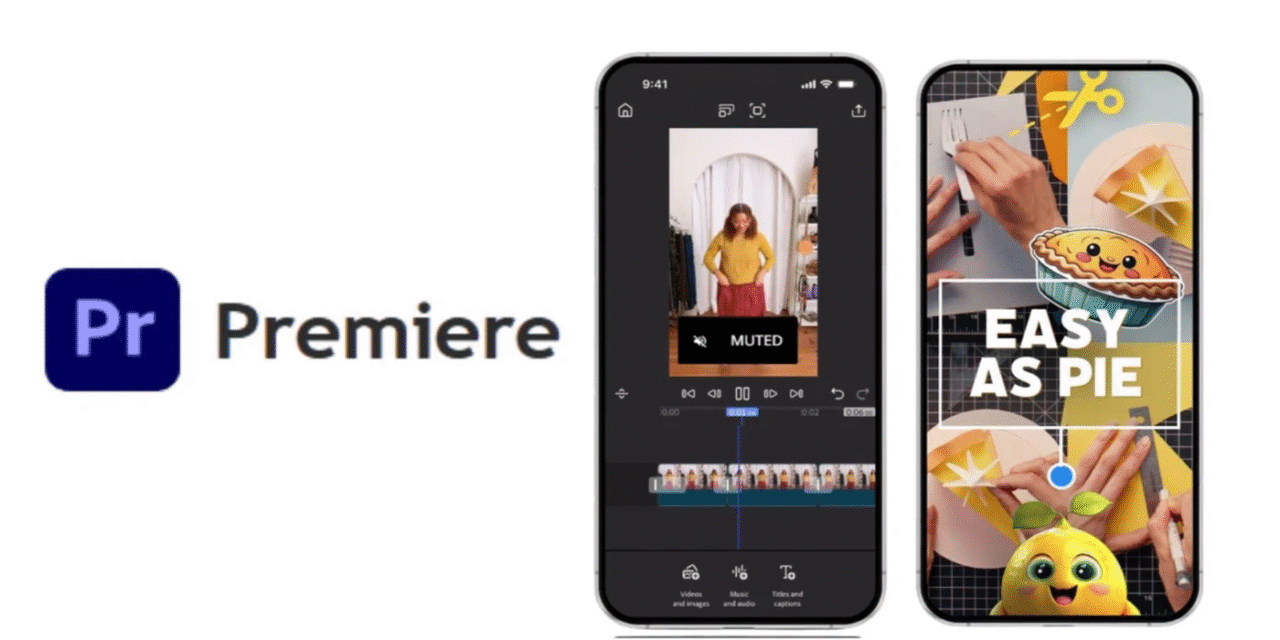
Adobe has launched a new Premiere mobile app that brings multi-track, 4K HDR, AI-assisted editing to phones and tablets. It’s free to download, designed for fast social workflows, and built to hand off projects to Premiere Pro on desktop. At the same time, Adobe is sunsetting Premiere Rush, making this the company’s primary mobile editor going forward.
What’s new, in plain English
Adobe Premiere on mobile is not a “lite teaser”—it’s a full editor tuned for speed on a small screen. You get a frame-accurate, multi-track timeline with no artificial layer limits, so cutting A-roll/B-roll, titles, and music is genuinely practical on the go. The app leans on built-in AI for captions, voice cleanup, and quick visual elements, while one-tap exports target the formats your audience actually watches (TikTok, Reels, YouTube/Shorts).
Availability and pricing
The app launched September 30, 2025, and is free to download worldwide. It’s available for iPhone and shows iPad compatibility in the App Store; an Android version is in development. Core editing is free; extras like Firefly generative credits and additional cloud storage are optional in-app purchases, so you can start without committing to a subscription.
Key capabilities that matter in real workflows
Creators get 4K HDR editing, unlimited tracks, and frame-accurate trimming—the trio that separates “quick apps” from real cutters. AI Enhance Speech cleans dialogue so phone-recorded voiceovers sound studio-grade, and Generative Sound Effects help you land transitions and hits without hunting libraries. You can also generate stickers or background extensions with Firefly, then send the project to Premiere Pro on desktop for finishing—keeping the same structure rather than re-building from scratch.
What’s different from Premiere Rush (and why Adobe is replacing it)
Rush was a solid starter, but it capped complexity and felt separate from the pro toolchain. Premiere mobile replaces Rush with a faster engine, deeper timeline control, and tighter handoff to Premiere Pro, so phone edits aren’t dead-end projects. Adobe has set a clear transition plan: Rush is no longer available to download after the launch window and heads to end-of-life next year, while existing installs keep working for a time—giving teams breathing room to switch.
iPhone vs. iPad experience
On iPhone, the design prioritizes thumb-first editing: big hit-targets, smart snapping, and quick gestures that make cutting on a small display surprisingly efficient. On iPad, the same toolset benefits from more canvas—you can see longer timelines, manage more layers at once, and pair with keyboard/trackpad for near-desktop precision. If your capture device is the phone in your pocket, start there; if you’re sifting through hours of footage, iPad’s screen real estate will feel calmer and faster.
Where the AI helps—and where it doesn’t
AI shines in boring-but-critical chores: captions, dialogue cleanup, sfx timing, and turning raw clips into something watchable quickly. It’s also handy for generating quick visual elements (stickers, image extensions) to stay on-brand when you don’t have assets handy. What AI won’t replace is taste—story beats, pacing, color decisions—so expect to save time on setup and polishing, not on the creative choices that make your video yours.
Limits and caveats to know before you switch
Android users have to wait; preregistration is planned, but there’s no firm date. Some advanced color-management and format controls remain desktop territory, so long-form narrative or broadcast deliveries will still finish in Premiere Pro. And while the app is free, cloud storage and gen-AI credits can become real costs at scale—teams should budget for those if mobile becomes a daily driver.
Who benefits most on day one
If you publish short-form content, run a YouTube channel, or edit client social on tight turnarounds, Premiere mobile cuts friction everywhere: capture → edit → caption → publish. Journalists, event teams, and creators on the move can rough-cut on site, then pass the project to a desk editor to finalize. Even studios benefit: assistants can log, string-out, and prep from phones or iPads while assets sync to the same Creative Cloud.
Bottom line
This isn’t just Adobe “checking the mobile box.” Premiere mobile makes serious editing portable, then hands off cleanly to Premiere Pro when you need deeper control. With Rush being phased out, this becomes the default Adobe path for creators who start on a phone and finish on a workstation. If your workflow touches social video at all, this app is now table stakes.