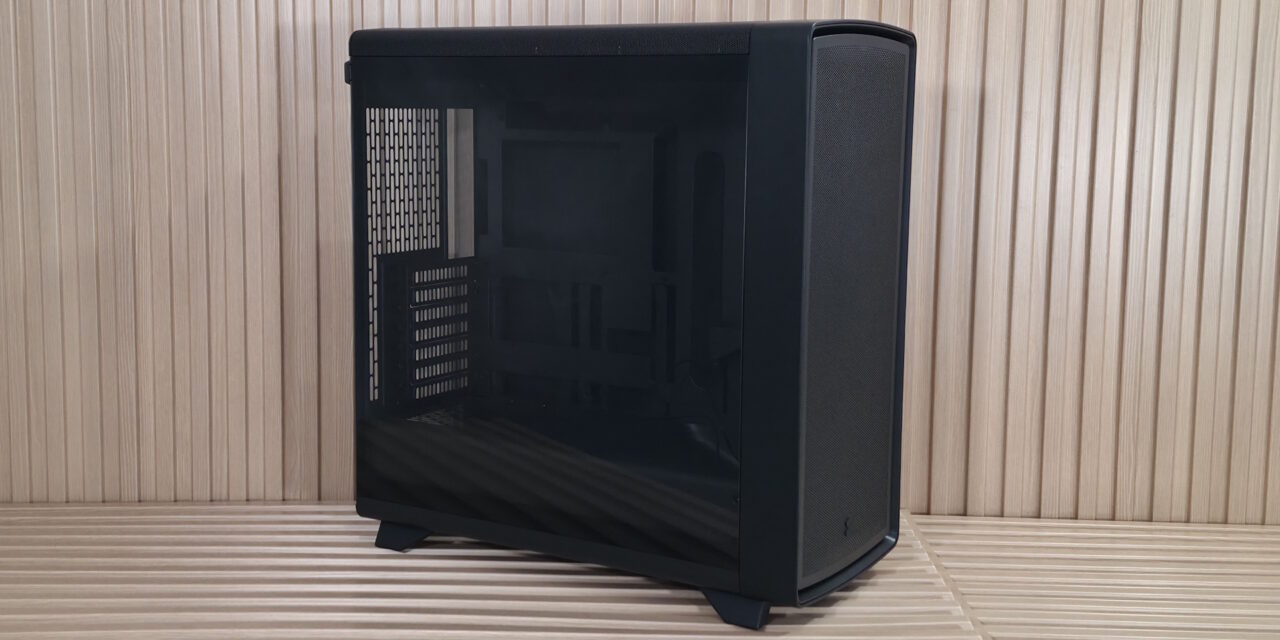
Fractal Summit case review: real wood accents scream premium, but it only stands out in white or black
Fractal arguably kicked off the wood accent PC trend with the North line, and the company says its new Summit case is built for “…expressive, high-performance systems combining distinctive Scandinavian design and advanced cooling potential.” The chassis sports FSC-certified wood (timber verified to come from responsibly managed, socially beneficial, and economically viable forests) for details like the front surround and solid wood feet. There’s no doubt it’s a good-looking case, but if you want to show off the wood, you’ll want to stick to the Chalk White or Black versions, as it blends in with the Blackout SKU we tested.
Compared to the Define One that also announces today, the Summit, with its open-face design and three included Momentum 14 fans, provides plenty of airflow to a roomy internal space that can fit up to E-ATX motherboards (including rear-connect options), huge graphics cards, and dual 360mm radiators. It also offers tool-free access to the inside via removable top and front brackets for easy building. The top-mounted panel offers plenty of connectivity, with two USB Type-A ports and even 20 Gbps Type-C up top.
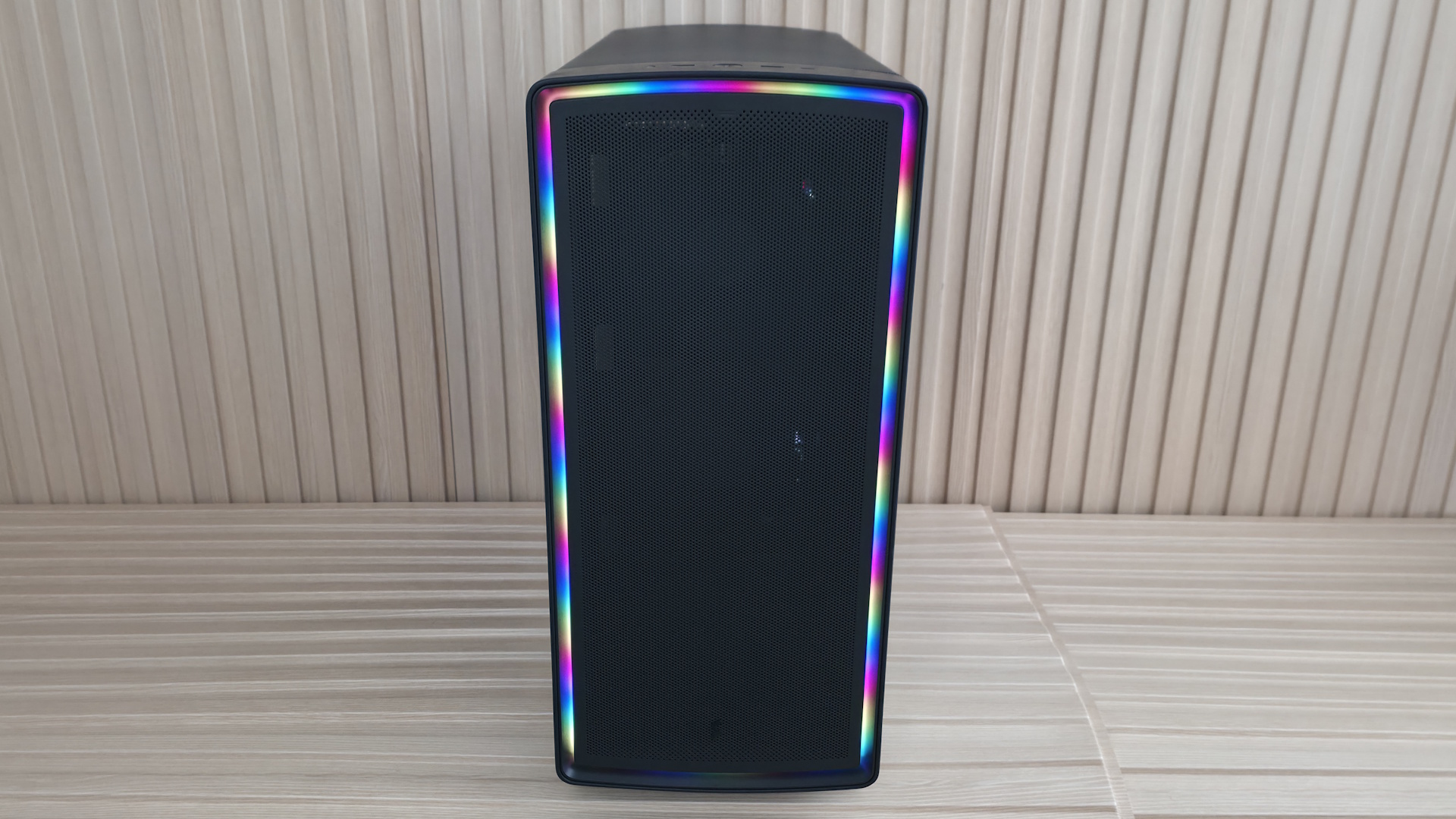
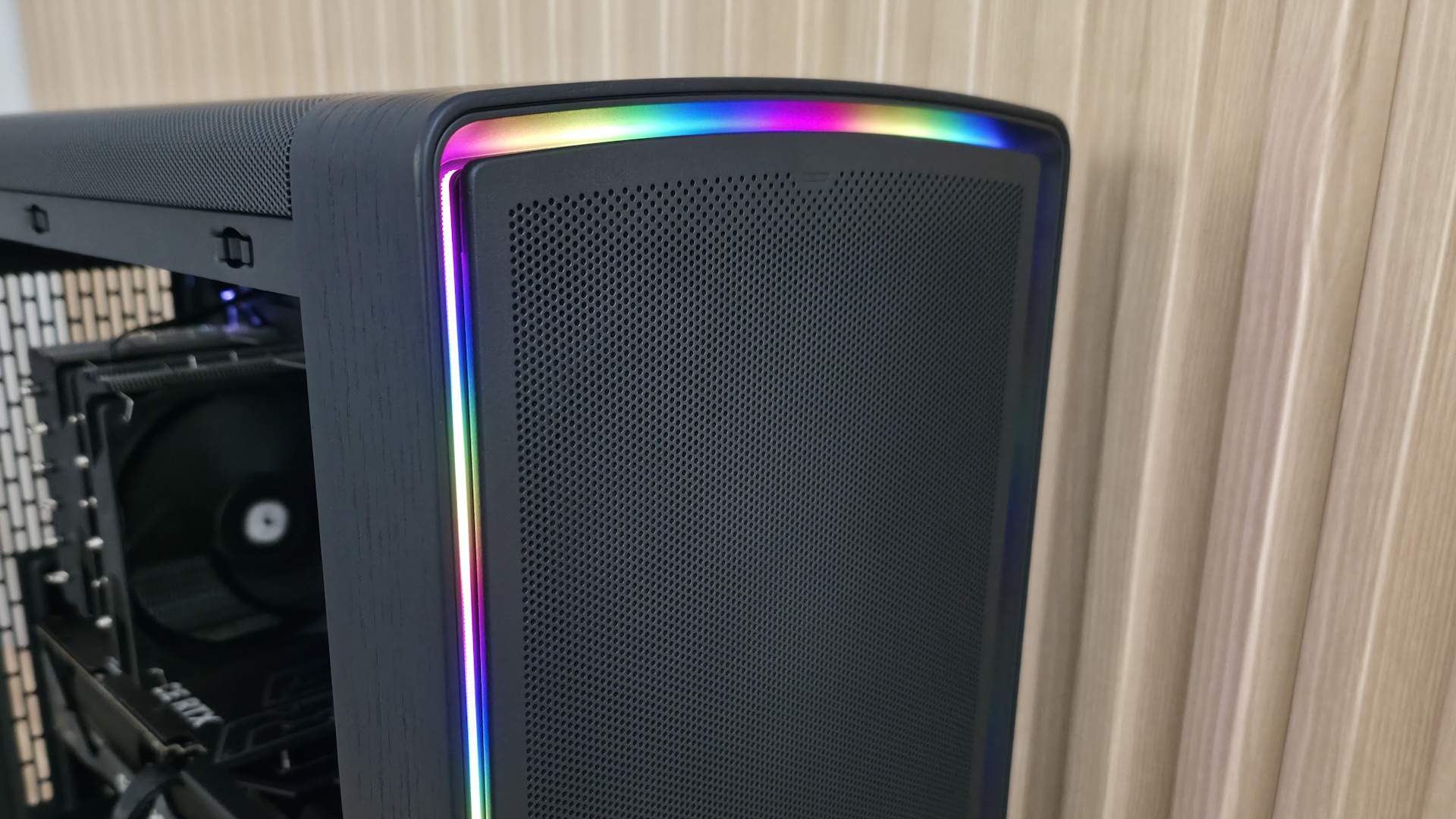
Finally, the Ambience Blackout version we’re testing has integrated, customizable ARGB ambient lighting that wraps around the front panel edge, hidden behind the removable front panel. The other versions forgo any ARGB lighting. Prices range from $169.99 for the non-ARGB versions (Chalk White Solid/Chalk White TG Clear and Black Solid/Black TG Light Tint) to $199.99 for the Ambience Blackout, which we have for review.
We’ll cover many more details inside and outside the chassis, showcasing the features and any issues we may encounter during the build process. We’ll also run the case through thermal and noise testing to show how it performs compared to others and whether it has a chance of making our best PC cases list. Below are the case’s specifications from Fractal.
Fractal Summit Product Specifications
|
Type |
Mid-Tower |
|
Dimensions (H x L x W) |
20.3 x 19.5 x 9-inches (515 x 495 x 229mm – with protrusions) |
|
Motherboard Support |
Mini-ITX, Micro ATX, ATX, E-ATX |
|
Back-connect Motherboard Support |
Yes |
|
Color |
Chalk White Solid Black TG Light Tint |
|
Storage Support |
(2) 3.5-inch -or- (4) 2.5-inch |
|
PCIe Expansion Slots |
7 |
|
Fan Support |
Top – 3×120/140mm |
|
Pre-installed fans |
(3) 140mm LCP Blade Momentum 14 (Front) |
|
Radiator Support |
Front – Up to 360mm |
|
CPU Cooler Clearance |
173mm |
|
GPU Clearance |
425mm (w/ front fans installed) |
|
Vertical GPU Support |
Yes (requires adapter, $79.99) |
|
PSU Length |
253mm |
|
Dust Filters |
Front, Bottom |
|
Other features |
3x included 140mm fans, integrated GPU front air guide, real wood/woodgrain |
|
MSRP |
$169.99 (Chalk White, Black, and Blackout TG) |
|
Warranty |
2 Years |
Features of the Summit
▶️ External Features
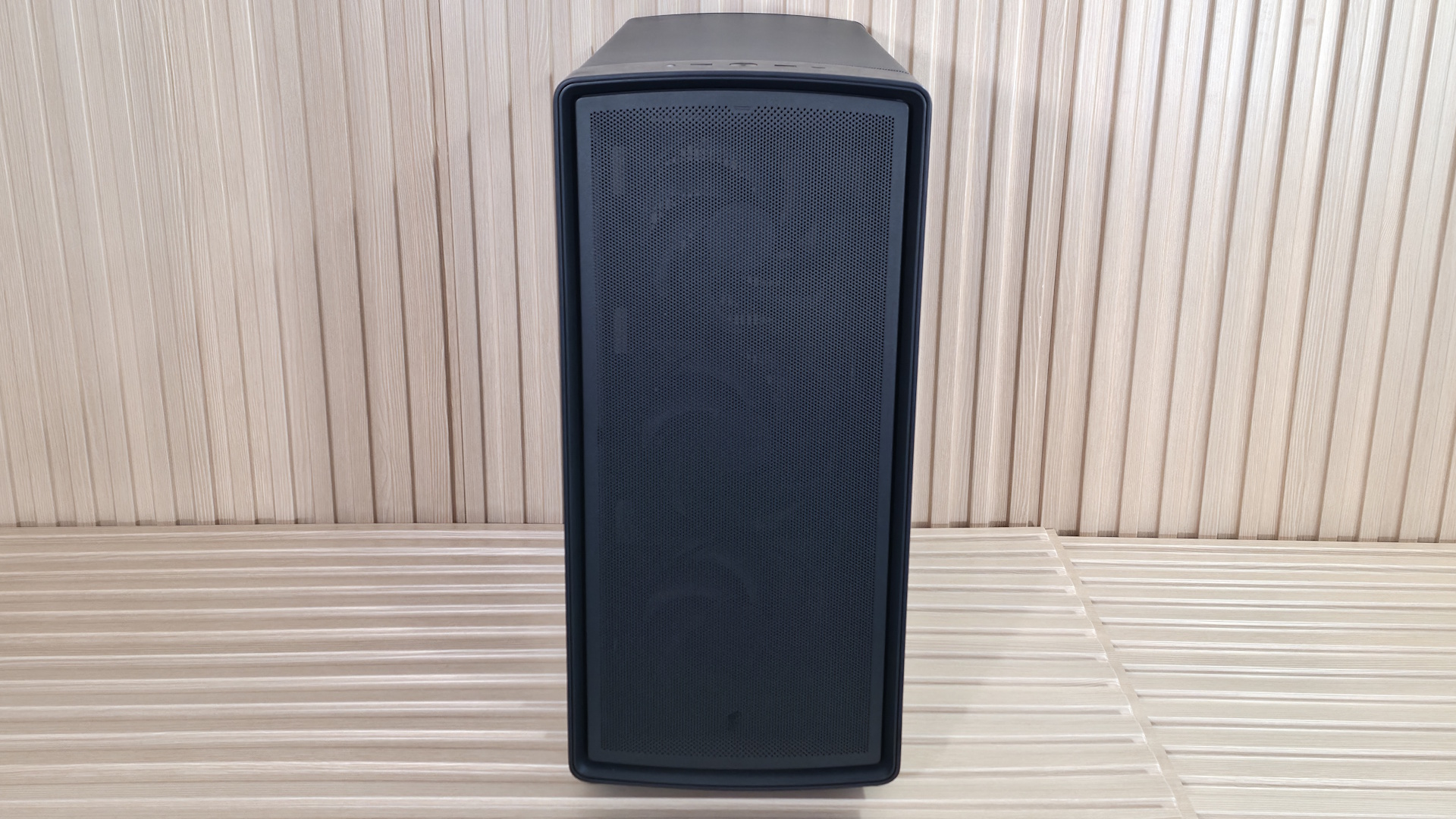
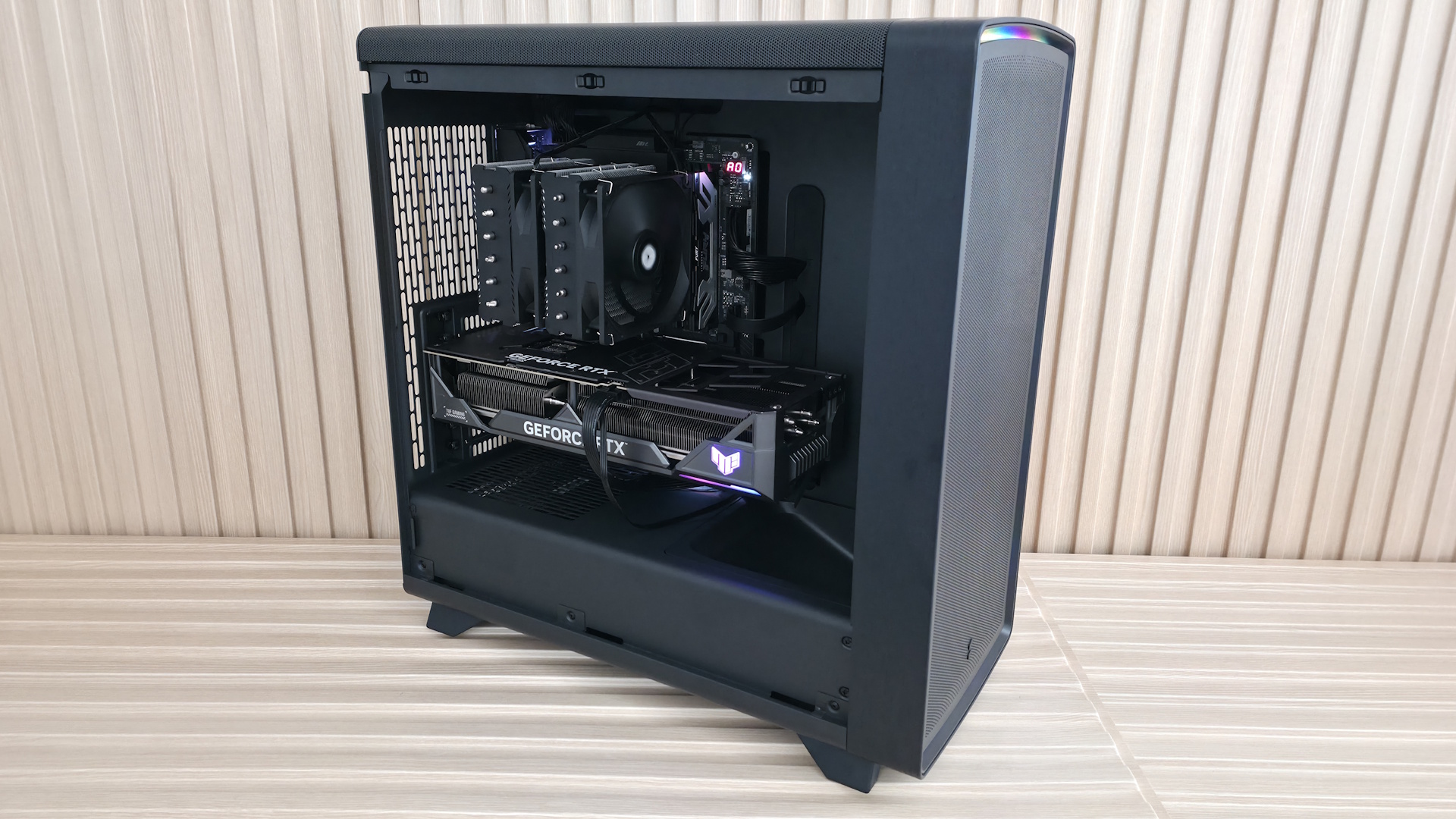
On the outside, our Ambience Blackout model looks similar to many other PC cases. It’s black on black on black, with some ARGB flair – in this case, set behind the removable front panel. The rounded edges create a softer look, and if you look closely, you can see the wood panel around the front as well as the wooden feet it stands on. While I like the look of the all-black chassis and the ARGB feature in the Blackout models, the black wood doesn’t stand out as much as it does on the Black Solid’s dark walnut. The light oak wood on the Chalk White models shows it off better and gives off an even more refined appearance than any of the black versions.
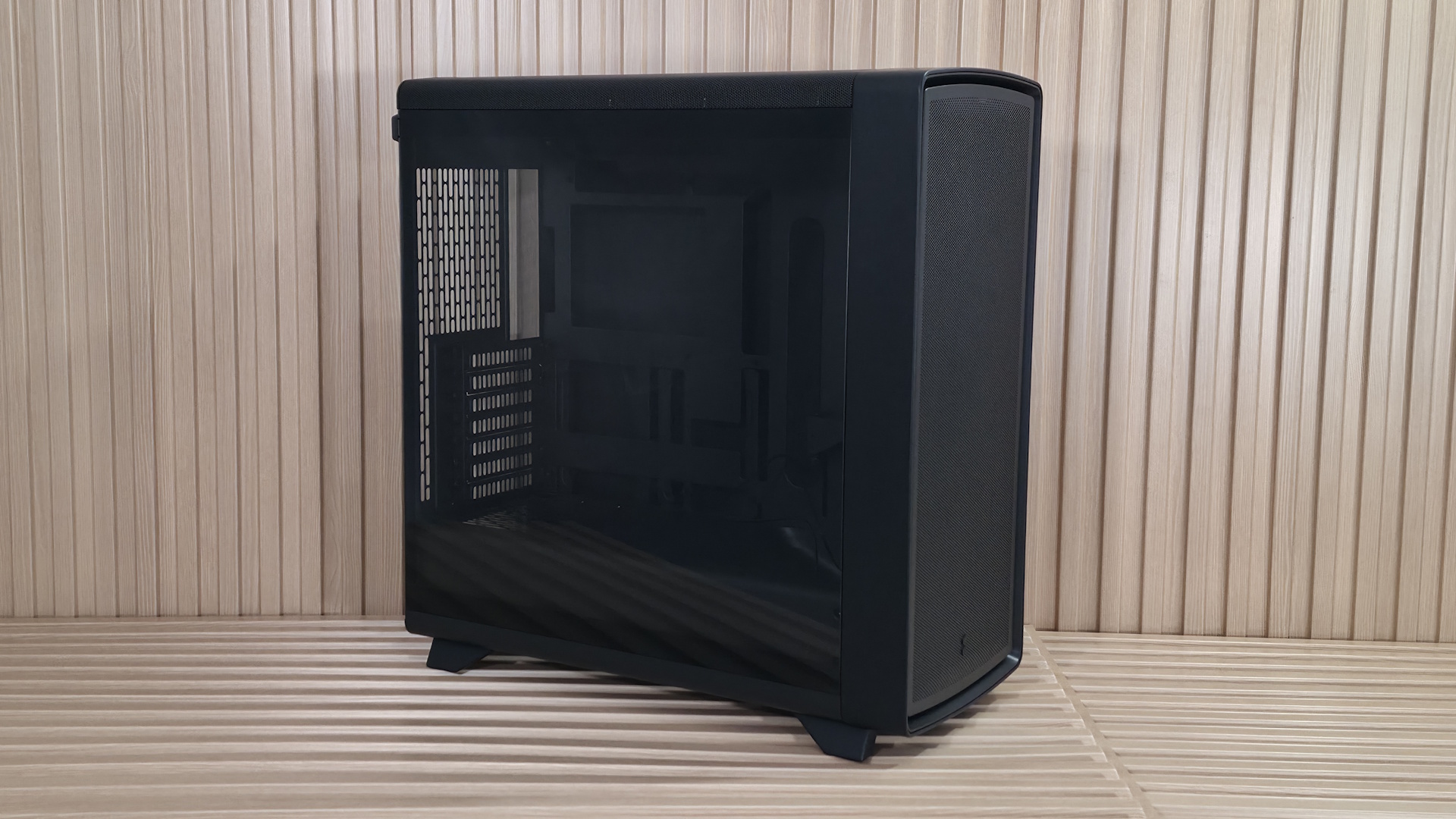
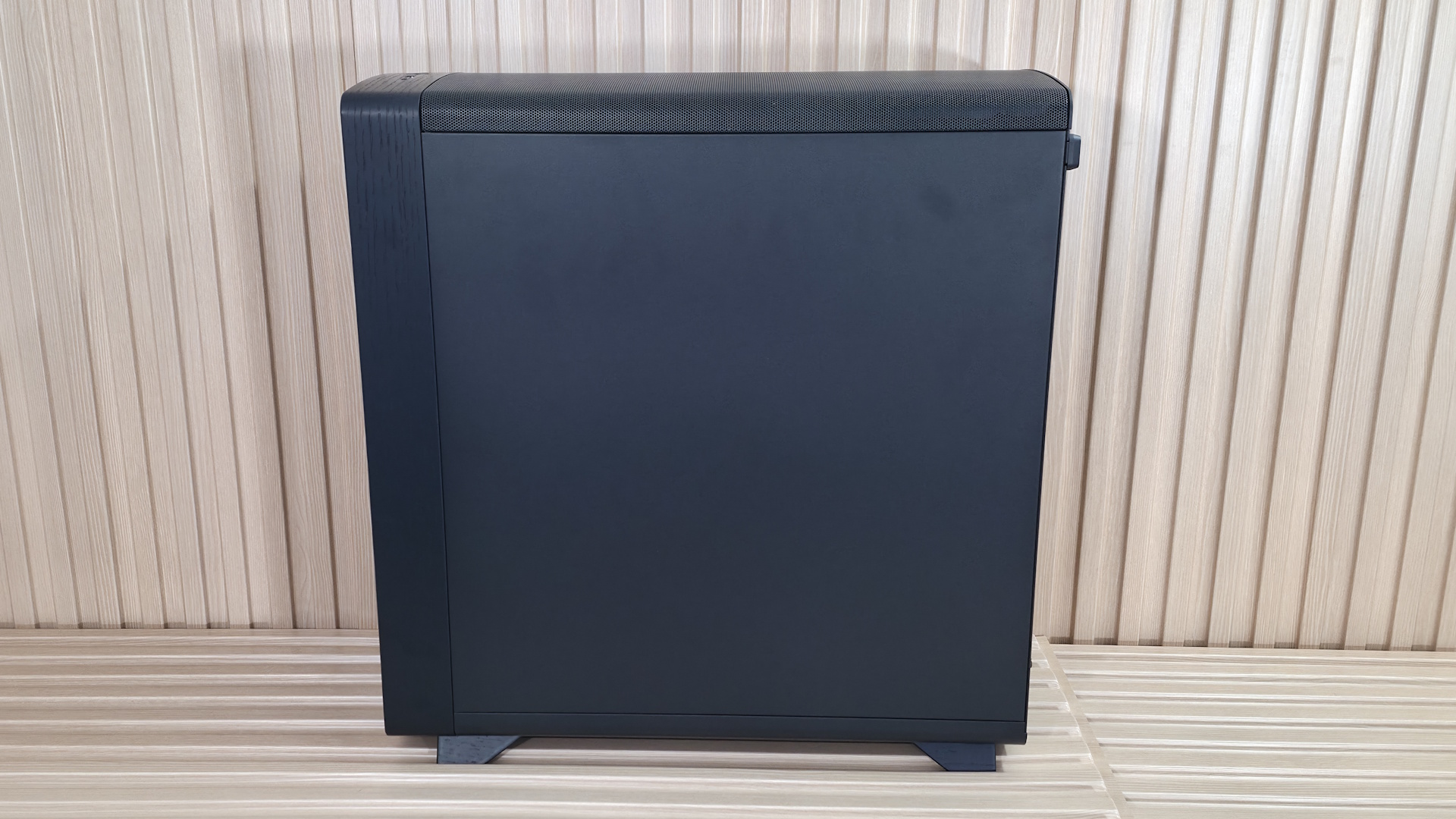
Our Ambience Blackout TG Light Tint, as the name suggests, features a lightly tinted tempered glass (TG) panel to showcase the internals. I prefer a light tint because it hides some of the less attractive details in dark corners. The glass panel is secured by multiple tabs at the bottom and held to the frame by two ball-and-socket latching mechanisms on top. Match the bottom tabs, then push until it clicks in. It also has pre-drilled holes on the back so you can use a captive thumbscrew to secure the panel (for example, when transporting the case). The other side attaches the same way but is a solid panel and, unlike the Define One, has no sound-dampening material. Plastic tabs on the top rear corner help you grab the panels for easy in-and-out access.
In this case, airflow enters through the removable mesh front panel with small holes and does not use a cloth dust filter to prevent fine particulates from entering. Overall, the results were middling, but the more surprising part was that the ‘balanced’ Define One, with its closed front intake, cooled slightly better in our testing (we had to run the fans here slower to reach the 42 dBA mark). Regardless, we are happy with the cooling performance (and that’s without top fans).
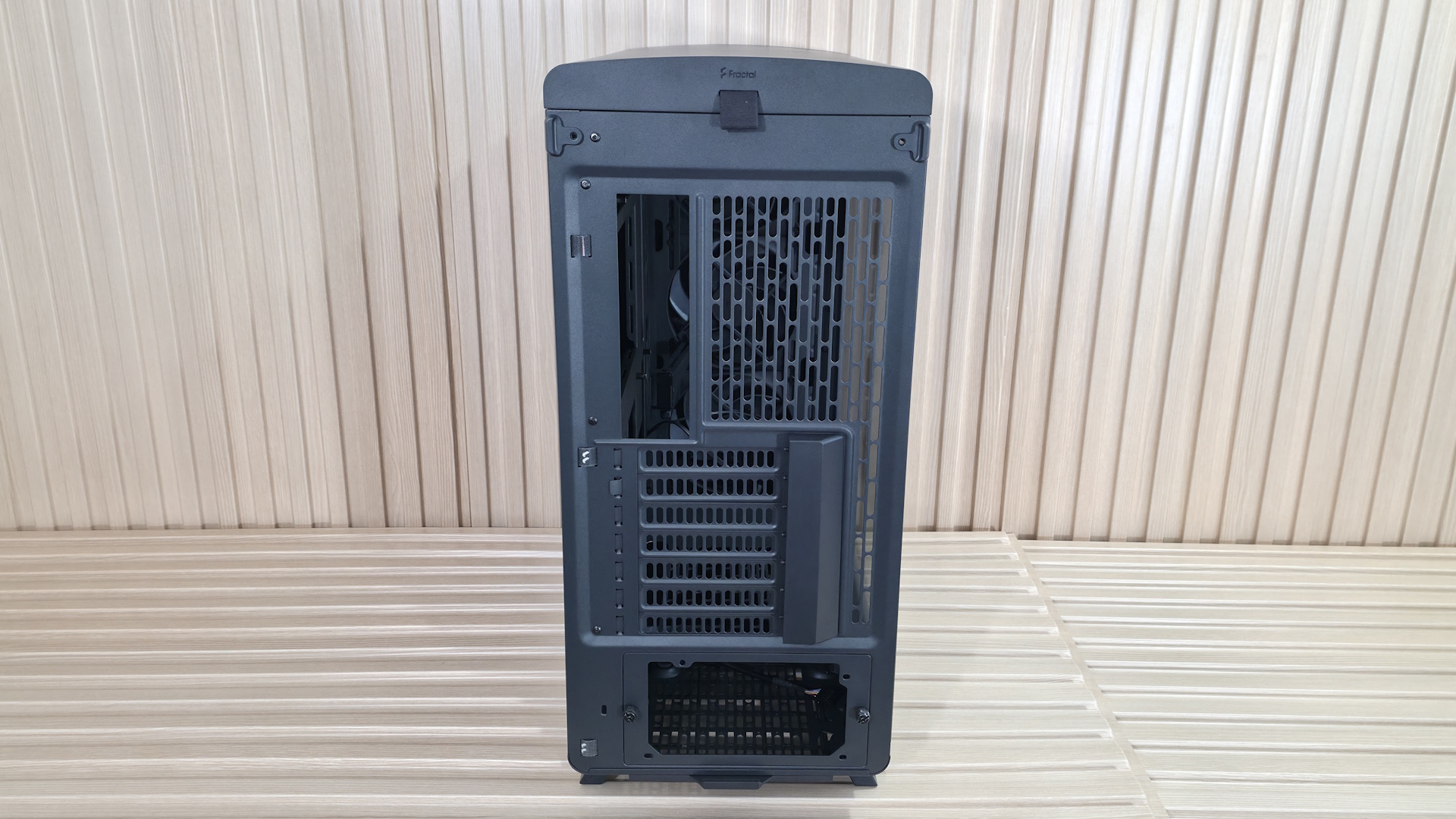
Turning the case around to the rear, we can see the seven expansion slots and the cover, which cleans up the look of the otherwise exposed screws. The rear fan area up top supports 120mm fans, and you have a small amount of vertical play in the mounting location. The power supply chamber is at the bottom and uses a baffle to mount your PSU to. Simply screw the baffle to the power supply with the included screws, then install it from the rear, securing it all to the case with two captive thumbscrews. On the left, you’ll also see the backs of a couple of pre-installed Velcro straps to help with internal wire management on the inside (or outside, too).
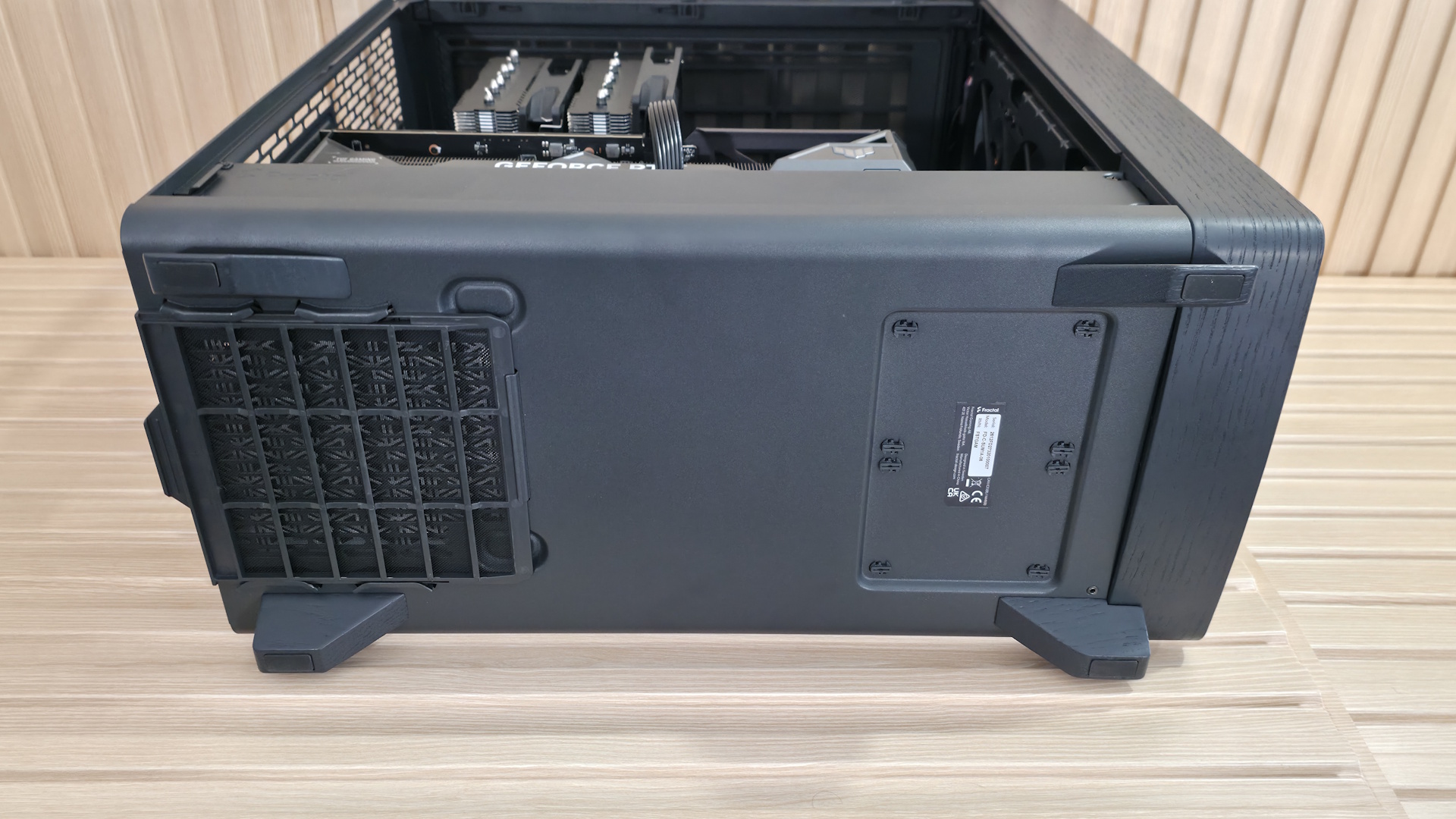
At the bottom of the case, we spy a dust filter for the power supply and a better look at the solid wood feet that raise it almost two inches off the bare floor. The dust filter is removable but pulls out from the back, which can be an inconvenience if you have to move your PC to do so. I like models with side-access filters, like the Define One, since you typically won’t have to move your heavy rig to clean them.
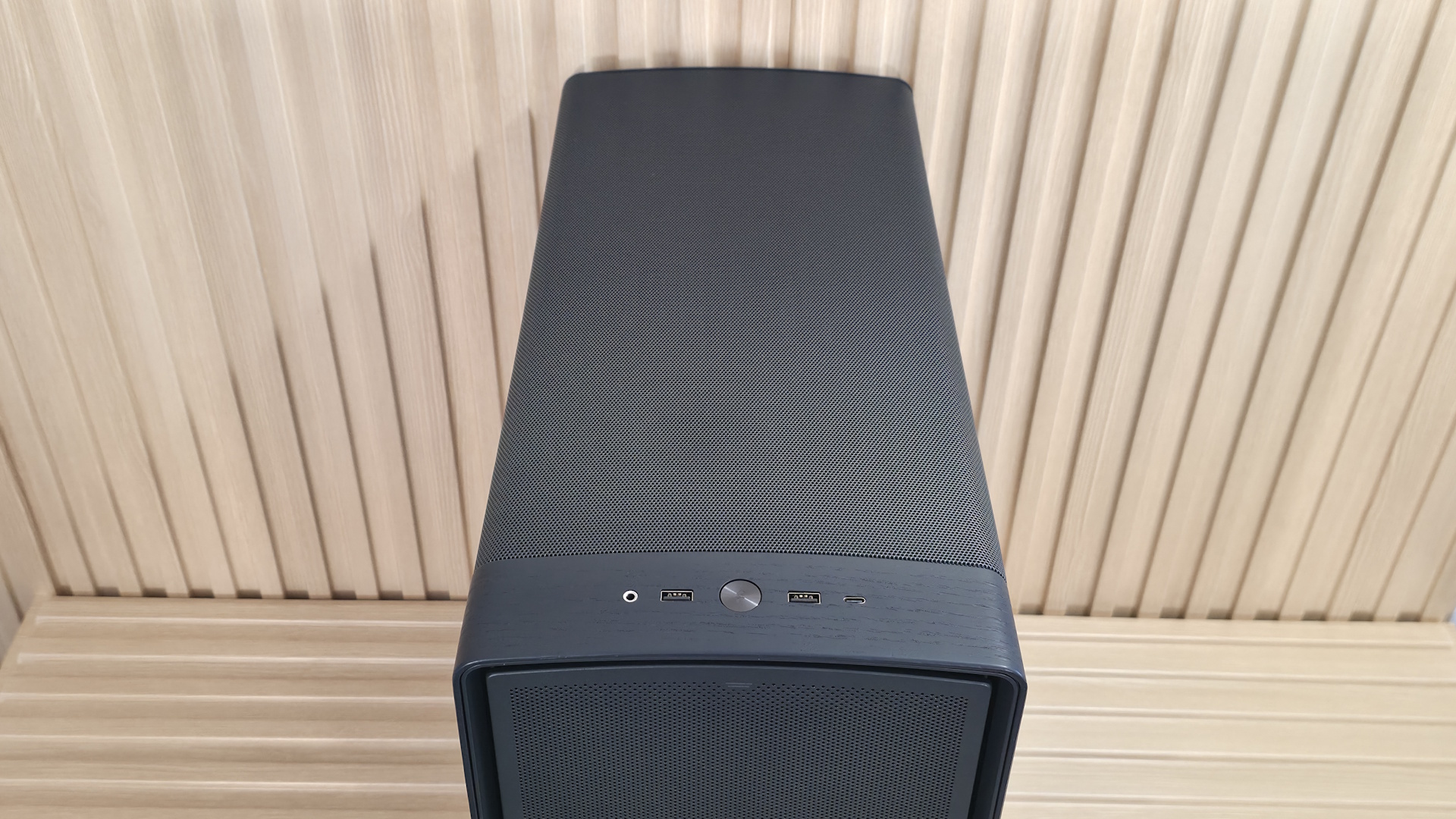
Looking at the slightly arched top of the case, we again see the same small circular perforations that let air in or out, across the entire panel. To remove it, simply pull on the small cloth tab on the back, which slides the whole panel off with ease. Again, there isn’t a cloth dust filter here, but it’s generally used for exhaust anyway, so we won’t hold that against Fractal.
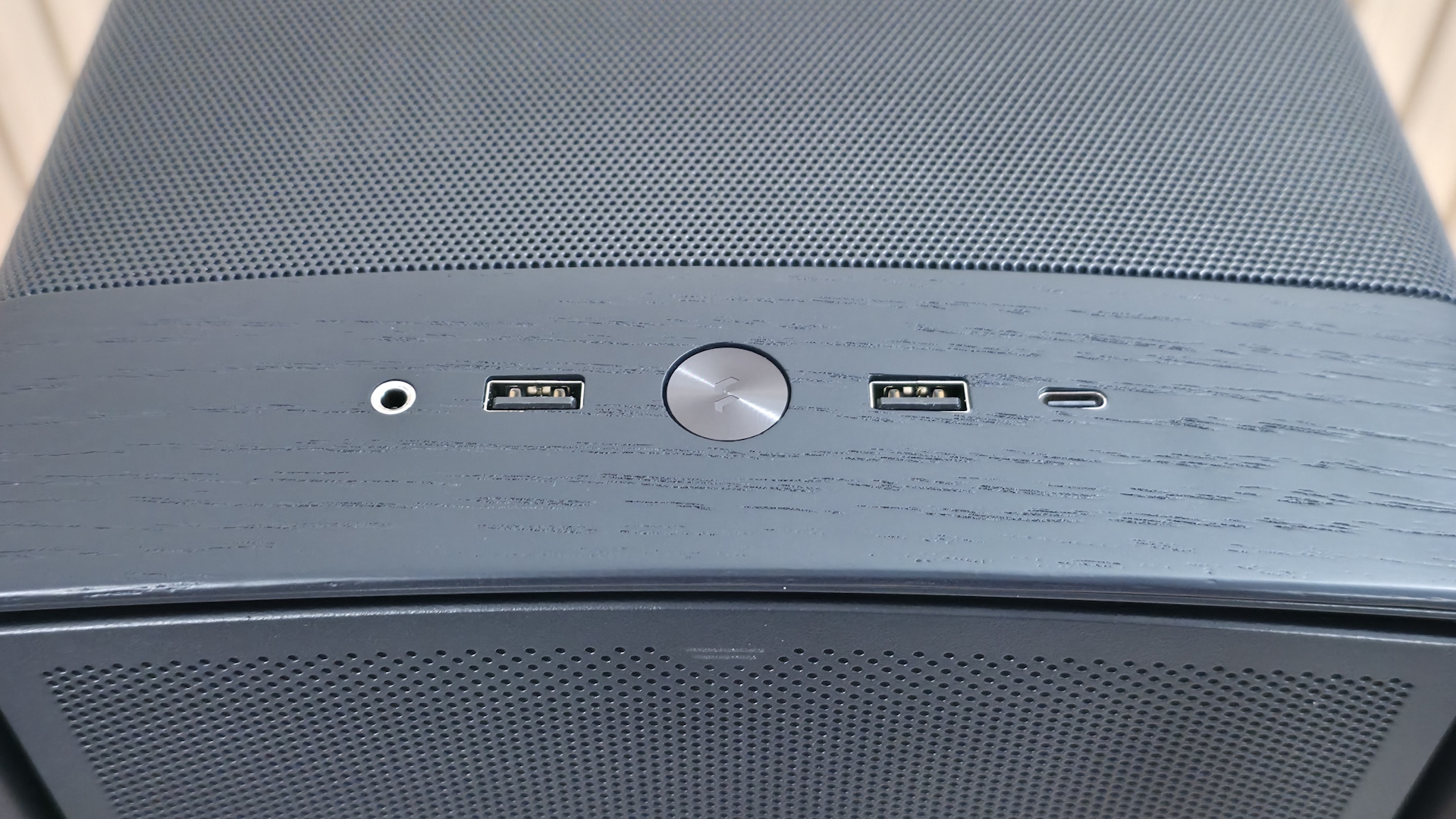
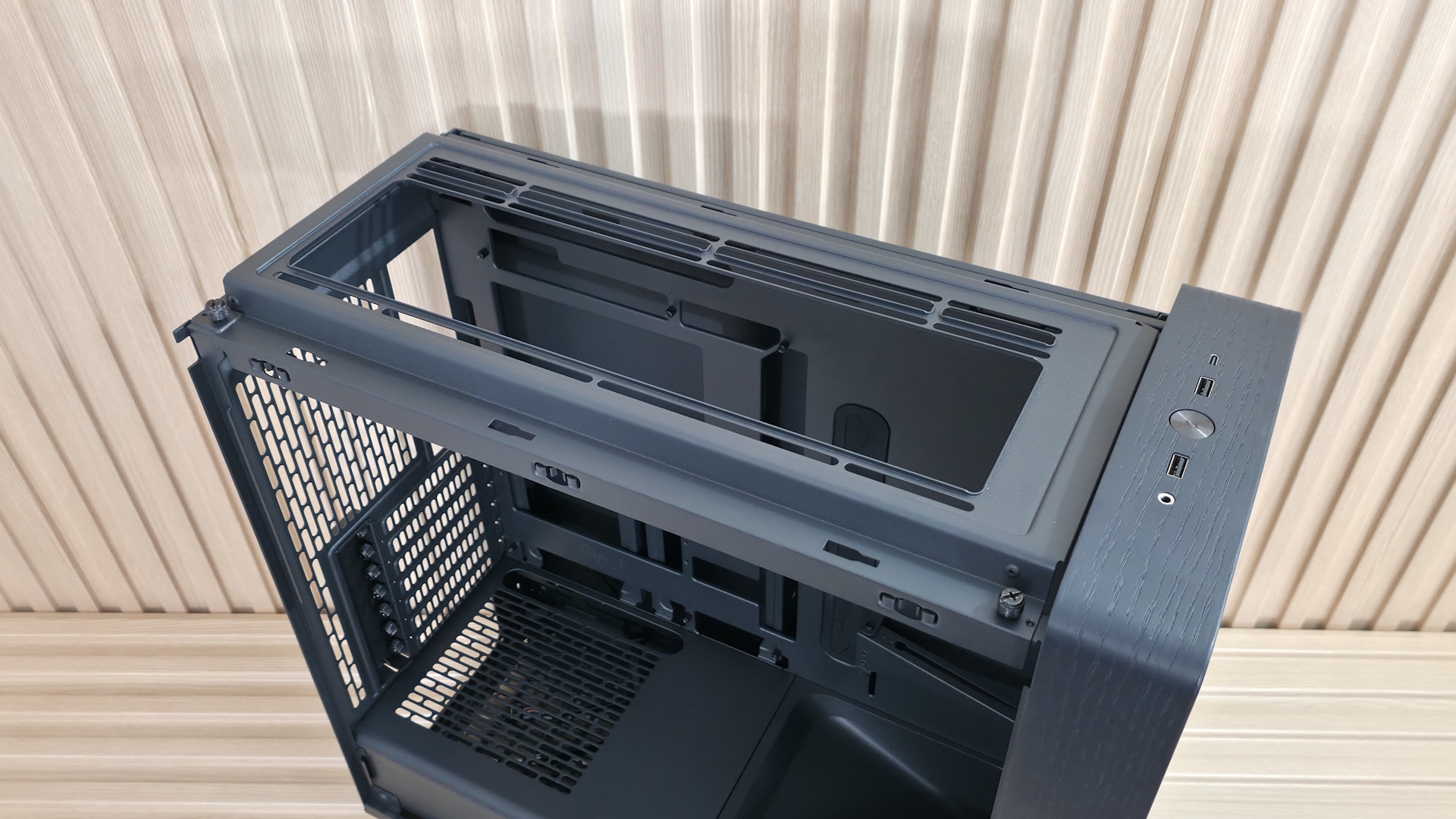
Positioned along the top and front edges for easy reach, the Summit’s front panel offers a familiar but capable I/O area. It has three USB ports: a USB 3.2 Gen 2×2 (20 Gbps) Type-C port and a pair of 5 Gbps Type-A ports. Centered among them all is a black, dime-sized power button. On the left is your 3.5mm combo audio jack. I do like that it has a 20 Gbps Type-C port, but again, fairly standard front IO.
▶️ Internal Features
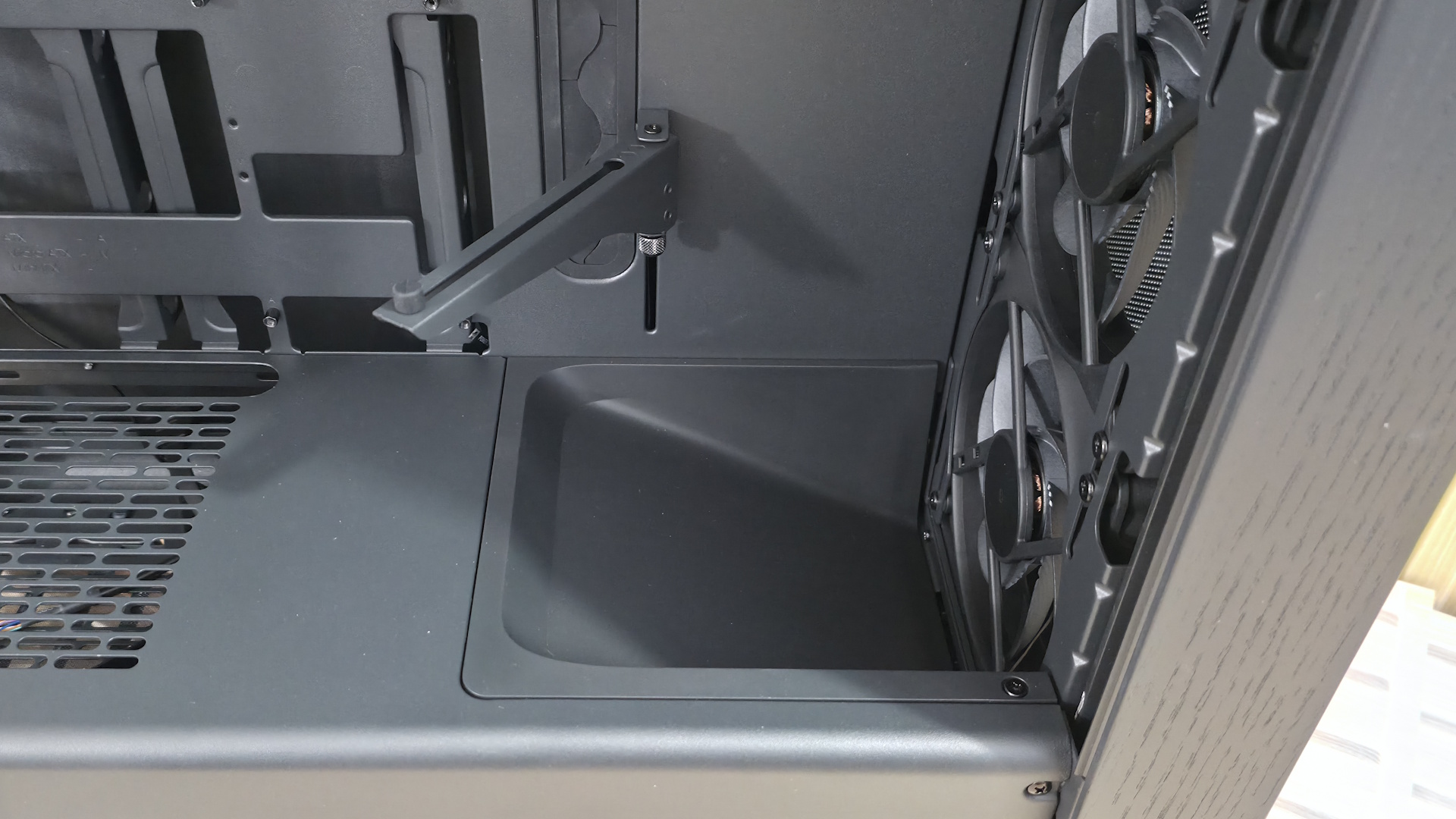
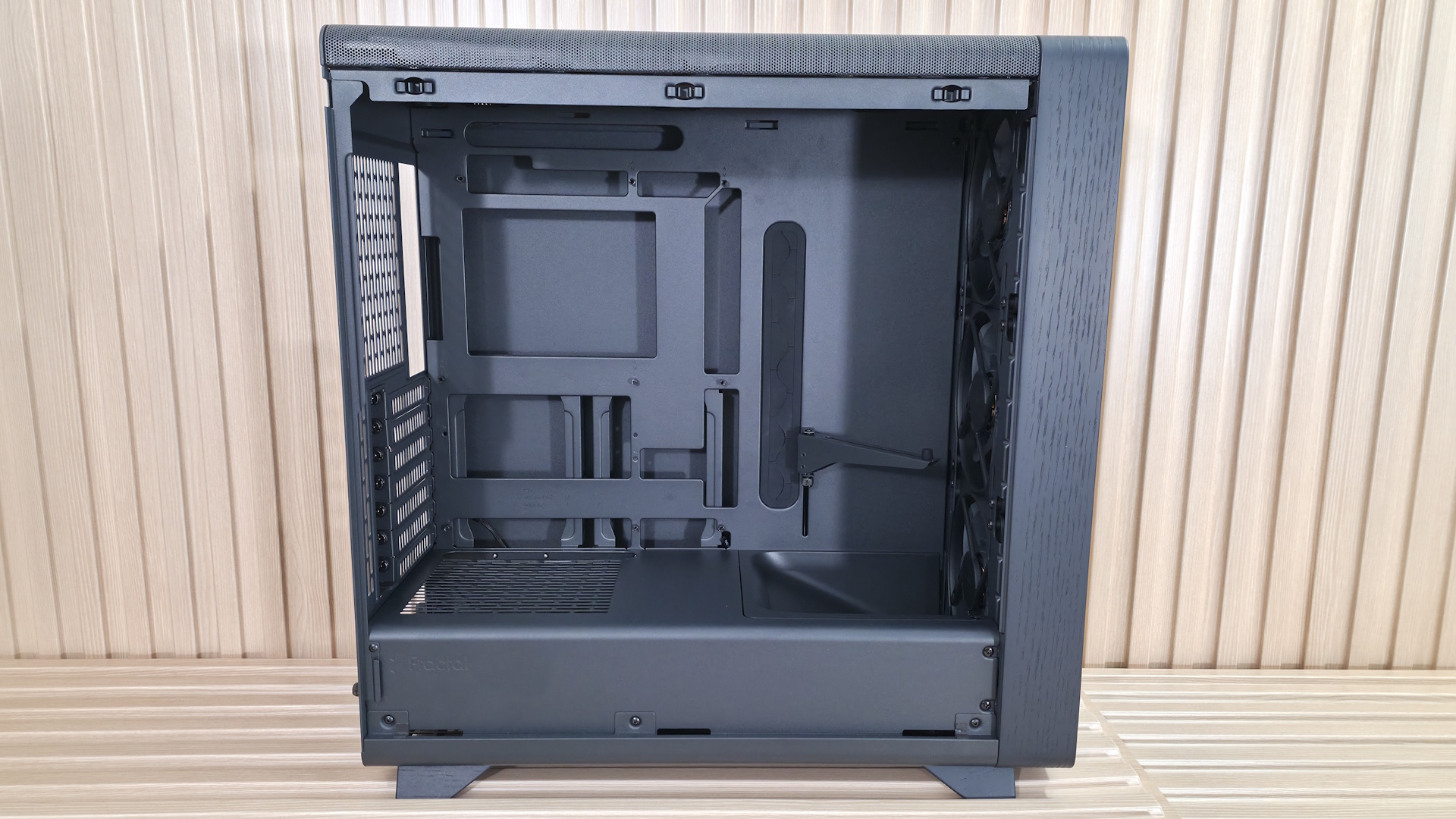
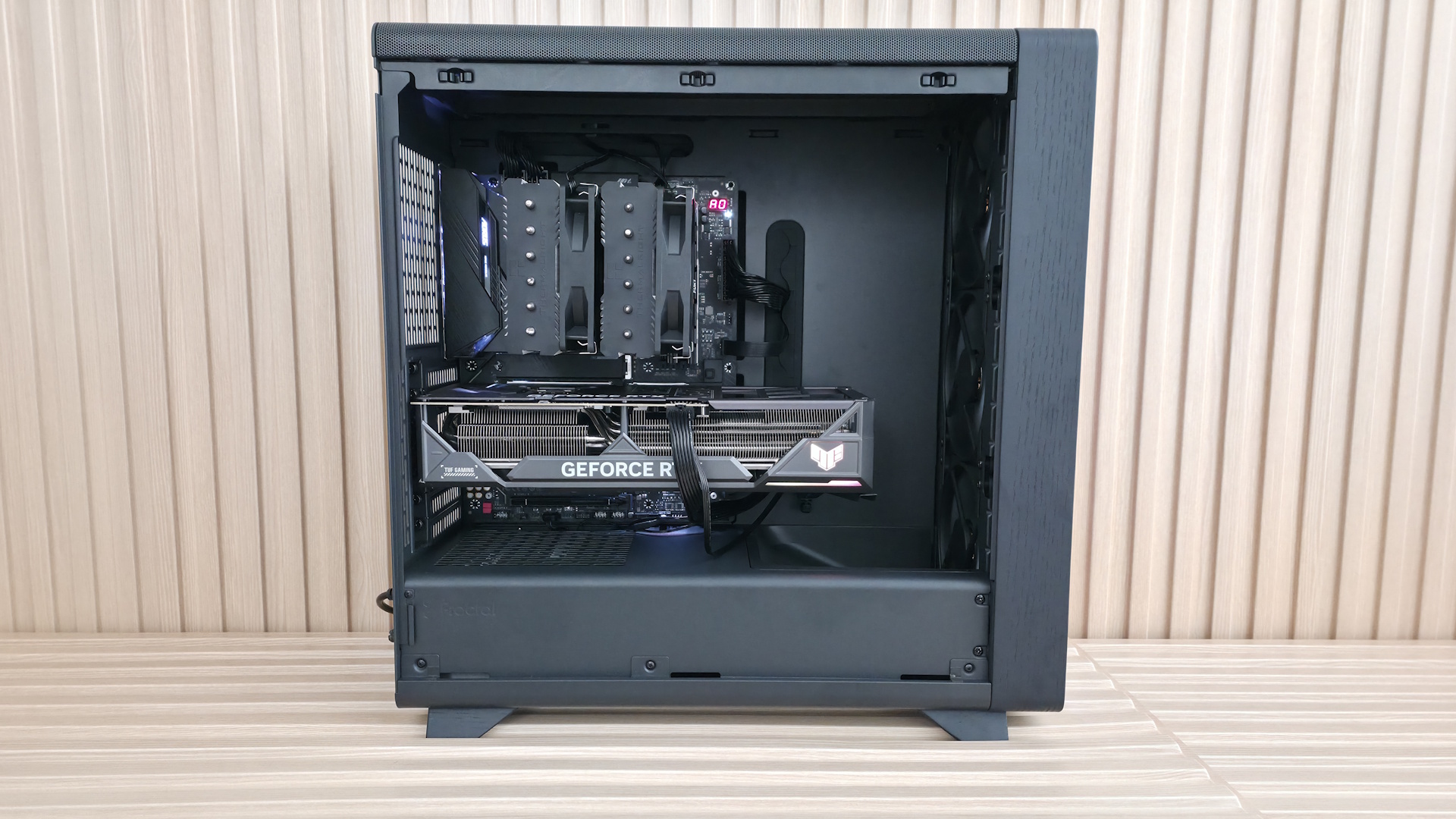
Inside the case are two separate chambers. One is for the power supply and cables; the other is for the major components. Also here is the front air guide that moves air directly towards the video card. Above that is another value-add feature: an integrated support bracket for the video card mounted to the motherboard tray. Two screws let it move a couple of inches up or down to support any installed graphics card. Unlike the Define One, the Summit’s rear wire management clips don’t get in the way of the screws for adjustments.
The motherboard tray itself has plenty of cutouts. The largest one behind the socket is great for accessing the rear of the motherboard and mounting your cooling solution while the board is in the case. The rest are there for cable management (top or bottom) and to support rear-connect motherboards like Asus BTF, Gigabyte Stealth, and MSI Project Zero boards. A large black grommet for hiding wires runs vertically to the right of the motherboard. This grommet pleasingly didn’t come out of its spot easily, as many others do.
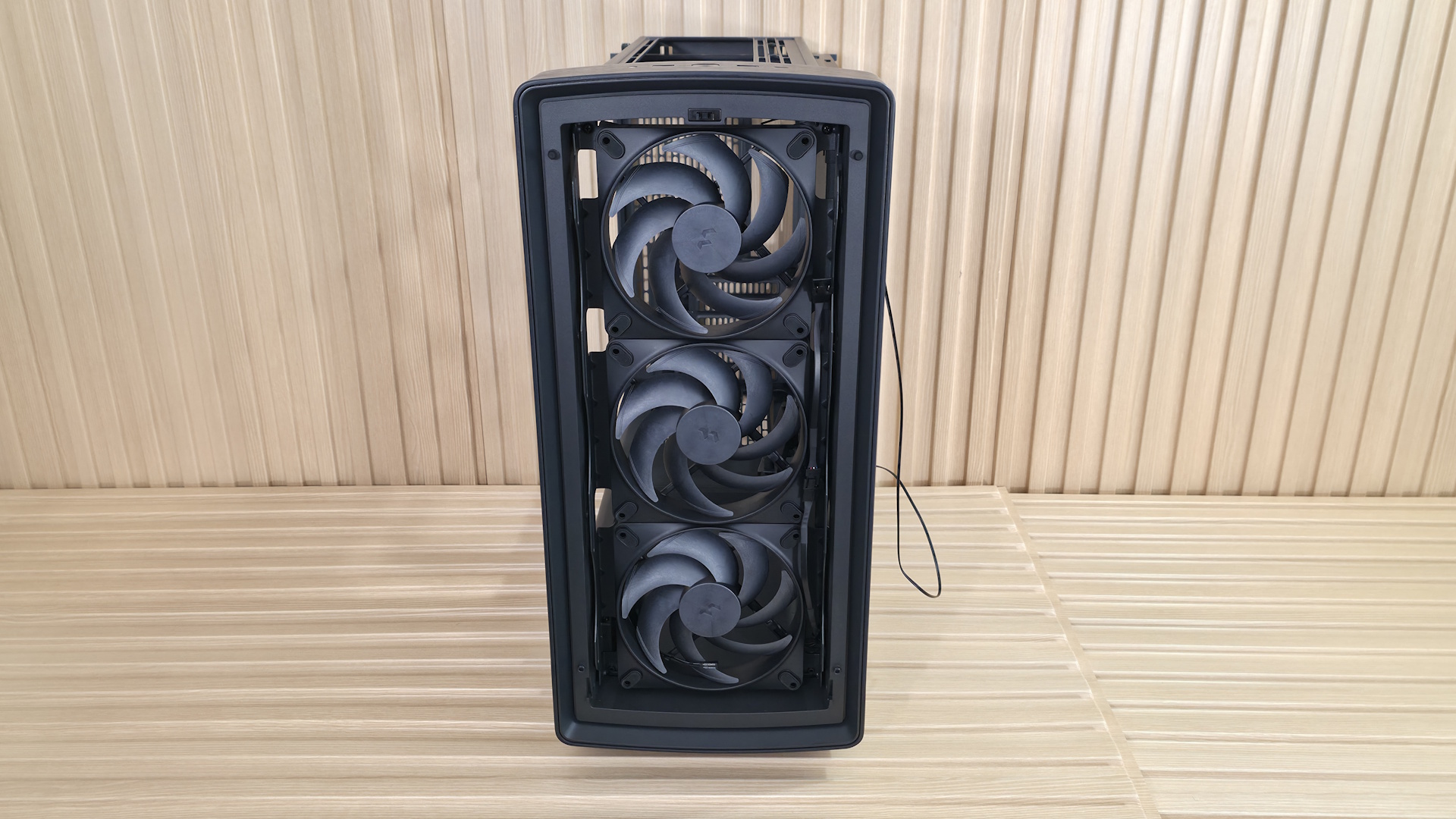
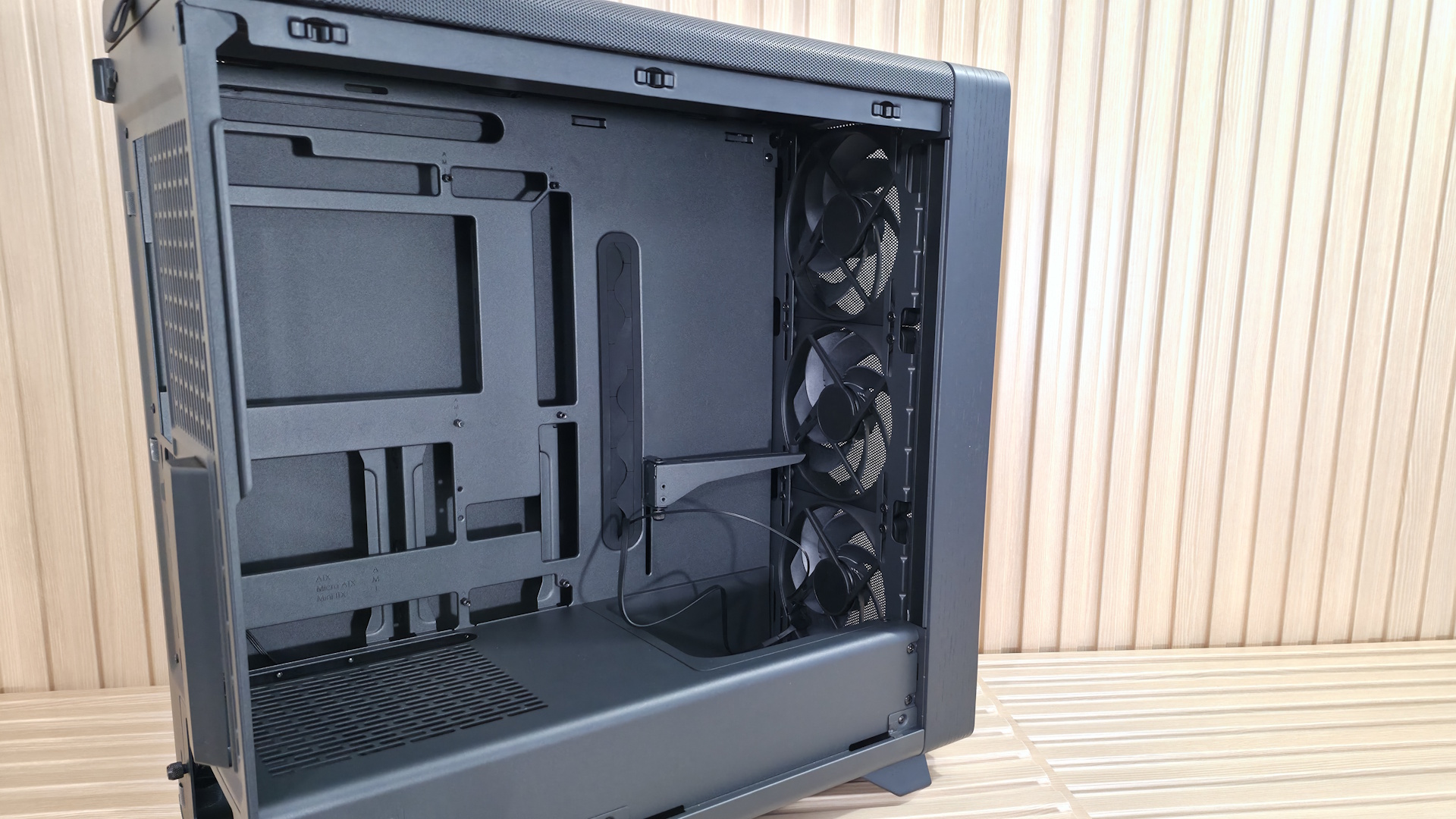
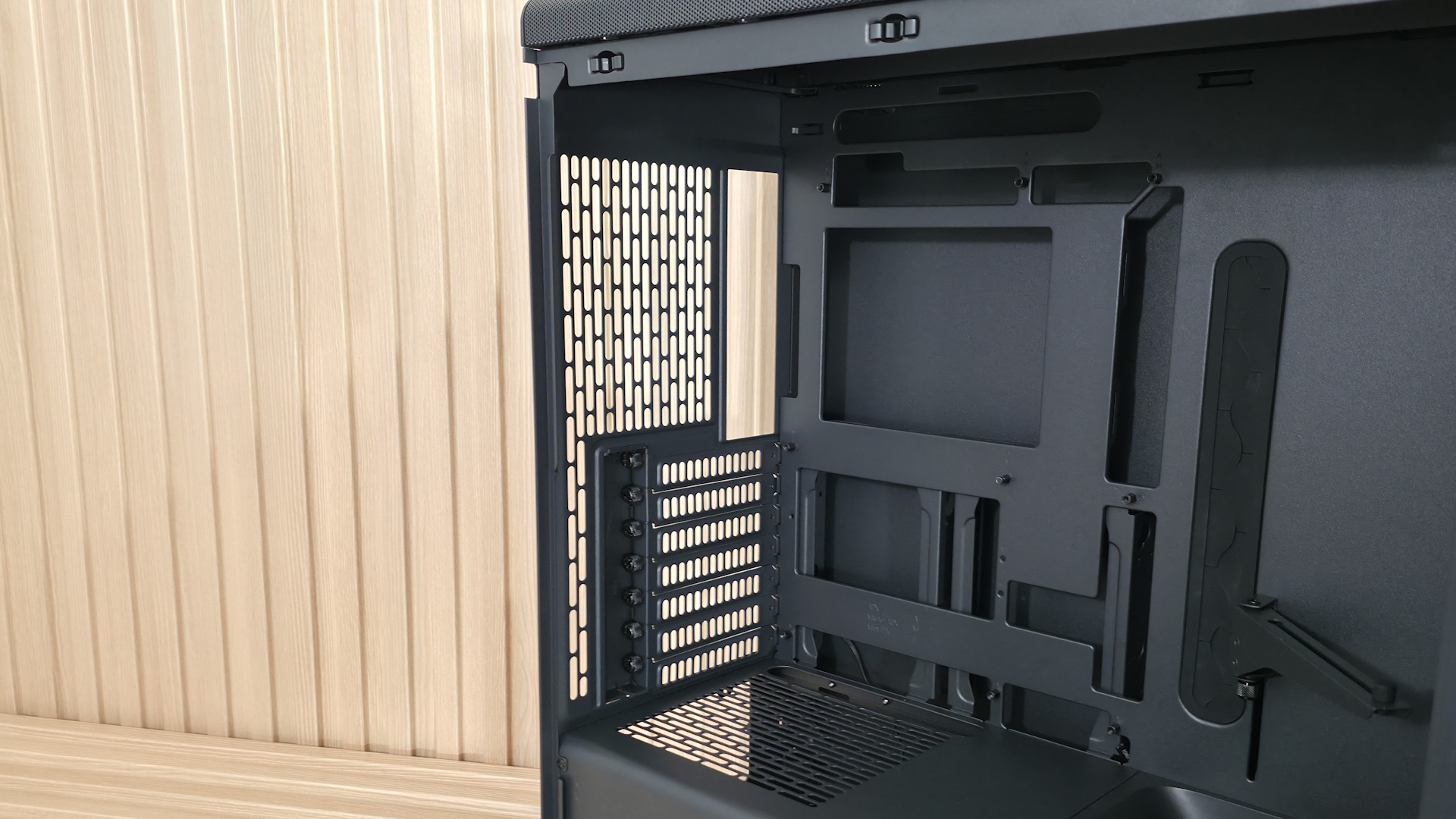
Looking at the front from the inside, we get a better view of the pre-installed Momentum 14 fans and the removable front fan brackets. You can mount a 3×120 mm radiator here, with a maximum length of 405 mm and 30 mm thick if you keep the air guide (435 mm and thicker radiators, up to 65 mm, if you remove it), or it fits 280/240/140/120mm radiators. There are plenty of options, but make sure you know your radiator size so you know what you need to remove, if anything.
Looking at the ceiling of the case from the inside, we see the removable top bracket, held in by two screws. The top holds up to two 140mm fans or a 280mm radiator. You have around 60mm or so before the radiator/fan combo covers the top of the motherboard, so you don’t have to worry too much about fitment or covering the top of your motherboard if you choose to use a radiator in this space. At the rear of the case, we spy the 120mm fan mounting location and the seven available expansion slots.
On the bottom rear, we can see the power supply chamber, along with space to route cables for any headers located along the bottom of the motherboard. The bottom chamber is vented, but won’t radiate a ton of heat, as the power supply gets cool air from the filtered intake on the bottom.
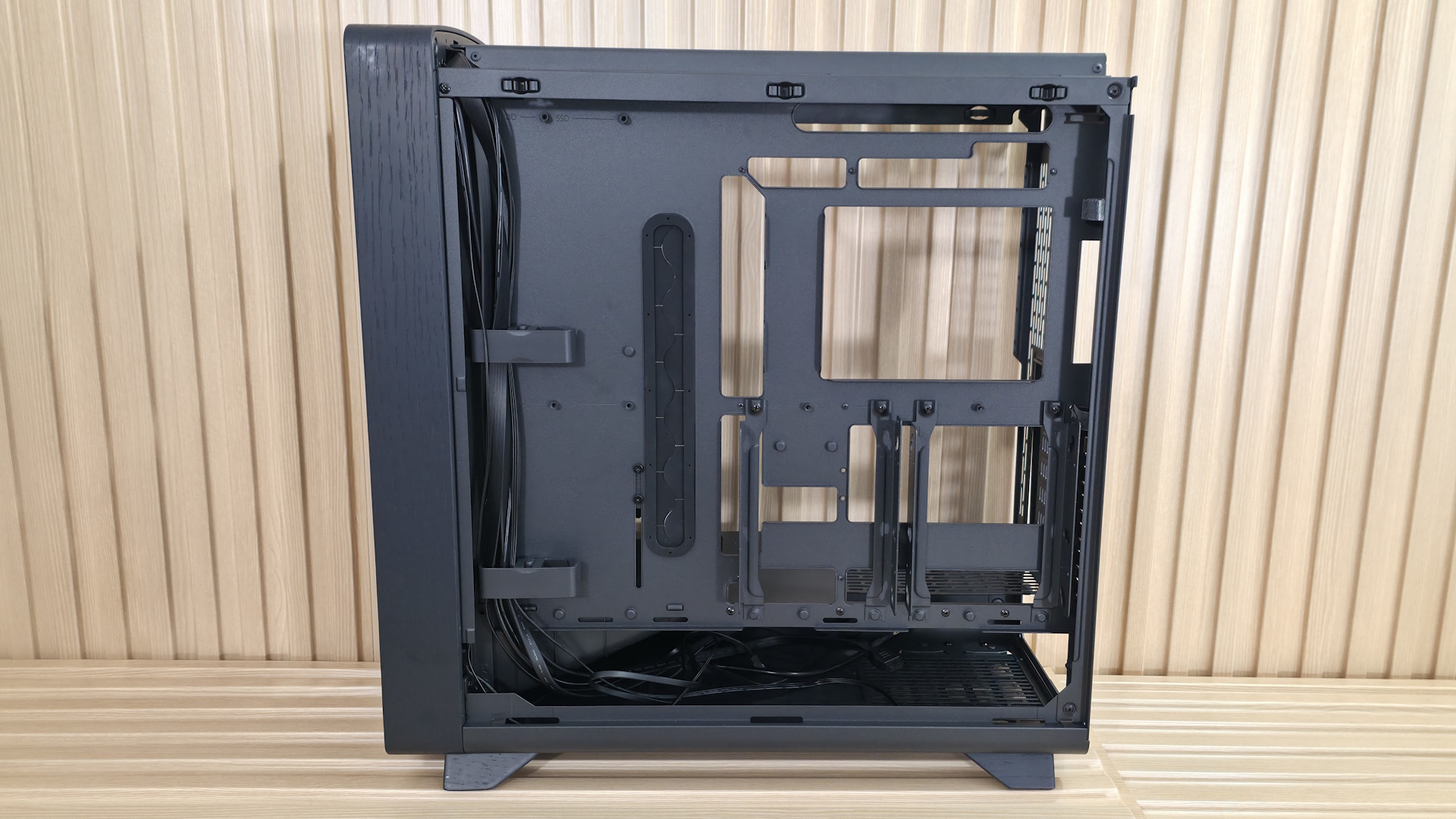
Looking behind the motherboard panel, here again we see the difference between cheap cases that cut corners and one that doesn’t. First, there’s 34mm between the motherboard tray and the back panel for cables – plenty of space to aimlessly pack your cables in, like me, without a bulging panel. Also here are the cable management features. On the left are two plastic clamps that extend out and click back in, along with pre-installed Velcro in the suggested channels.
On the rear of the case are more Velcro straps to route cables, like your 8-pin EPS for the CPU, cleanly up the back. A keen eye also spots the two 2.5/3.5-inch drive mounts behind the motherboard. You can fit two 3.5-inch drives, one in each mount location, or four 2.5-inch drives (two in each mounting location). The case fits six 2.5-inch drives total, with the other mounting areas hidden on the floor, under the front air guide.
The Fractal Summit is a good-looking chassis. The Blackout Ambience colorway we have for review doesn’t stand out among others except for the front RGB feature, but the others that show off the wood do and really do scream premium, if only for the real wood aesthetic. From how the panels pop off to the internal layout, it’s obvious some thought went into making the Summit a build-friendly experience, not just a collection of specs to tick on a sheet.
Test equipment, method, and results
|
CPU |
Intel Core Ultra 7 270K Plus |
|
CPU Cooler |
Thermalright Peerless Assassin 120 SE |
|
System Fans |
Pre-installed (if needed, Cooler Master Masterfan M120) |
|
Motherboard |
Gigabyte Z890 Aorus Elite Wifi7 Plus |
|
GPU |
Asus TUF RTX 4080 |
|
PSU |
Montech Century II 1050W |
Our thermal tests are presented to give you more information about the product’s performance, but aren’t intended as the sole basis for judging the chassis. The style, price, features, and noise levels of a case should also be considered, and we all have different preferences. What I might like in a case, you might not, and that’s OK. Our goal with these reviews is to give everyone, regardless of their preferences, enough information to decide whether a case is right for them.
To get heat into the system, we stress the CPU with Cinebench R26 (multi-threaded test) and the video card with Furmark 2 (1080p). CPU and GPU tests run concurrently for 30 minutes, allowing the air-cooled system to reach saturation and stabilize over that period. We then let the system idle for 15 minutes, adjust the fans to 100%, and test again.
Noise-normalized (42dBA) Maximum thermal Performance
This set of tests is designed to appeal to those who love quiet PCs, with both system fans and the CPU fan noise normalized to 42 dBA. Consider this a measure of the case’s thermal efficiency when noise levels are set to run quietly. It is audible, but just (at least for my old ears).
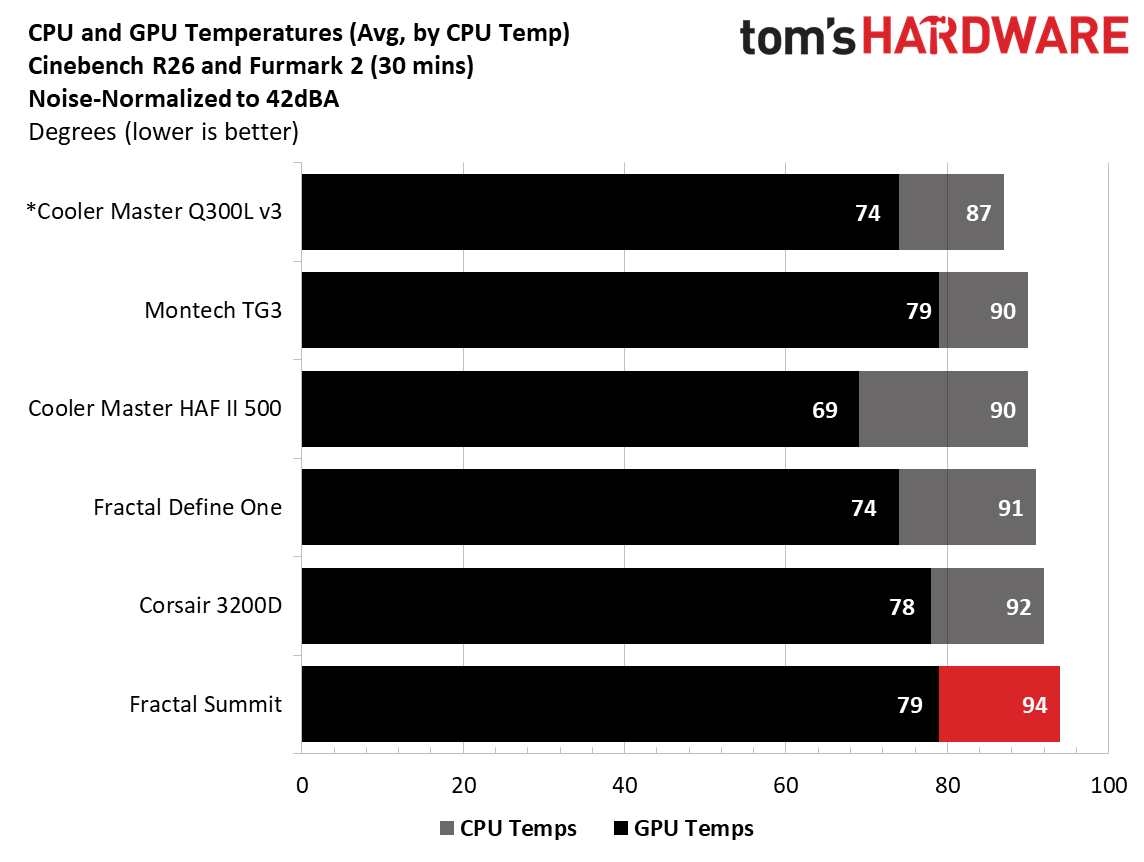
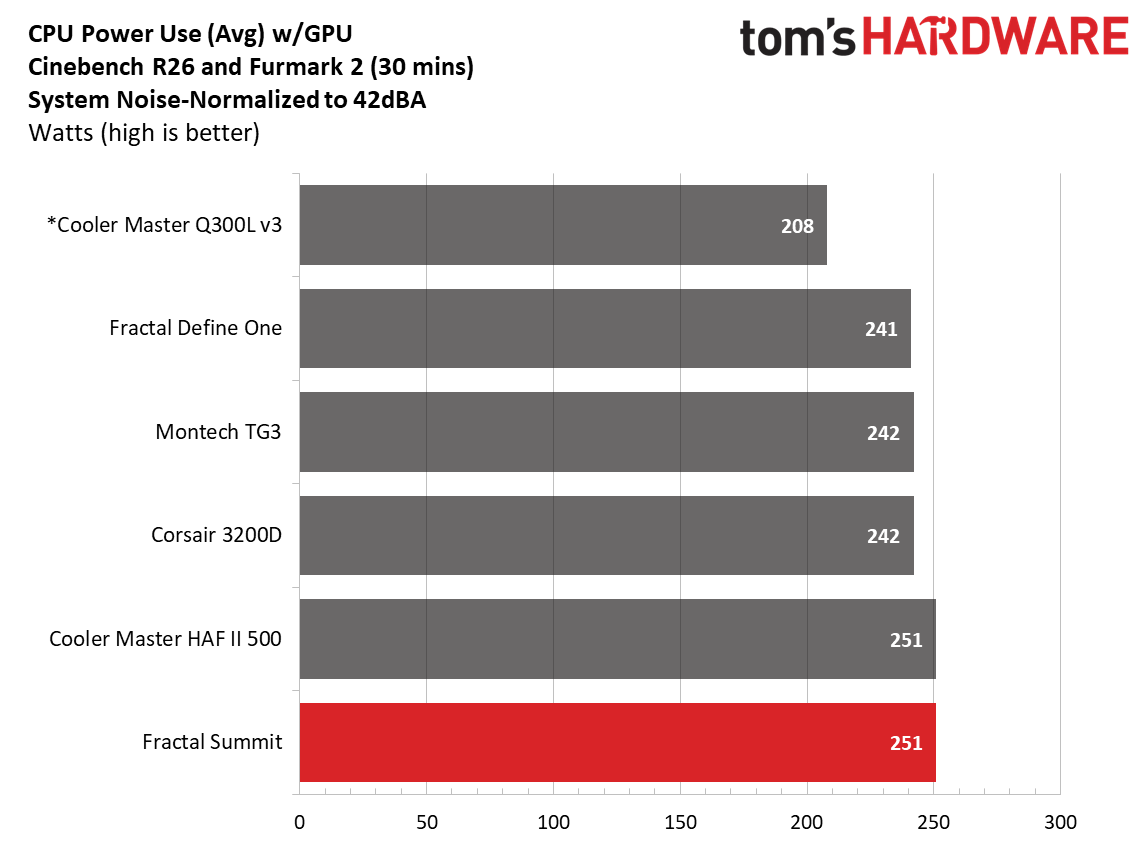
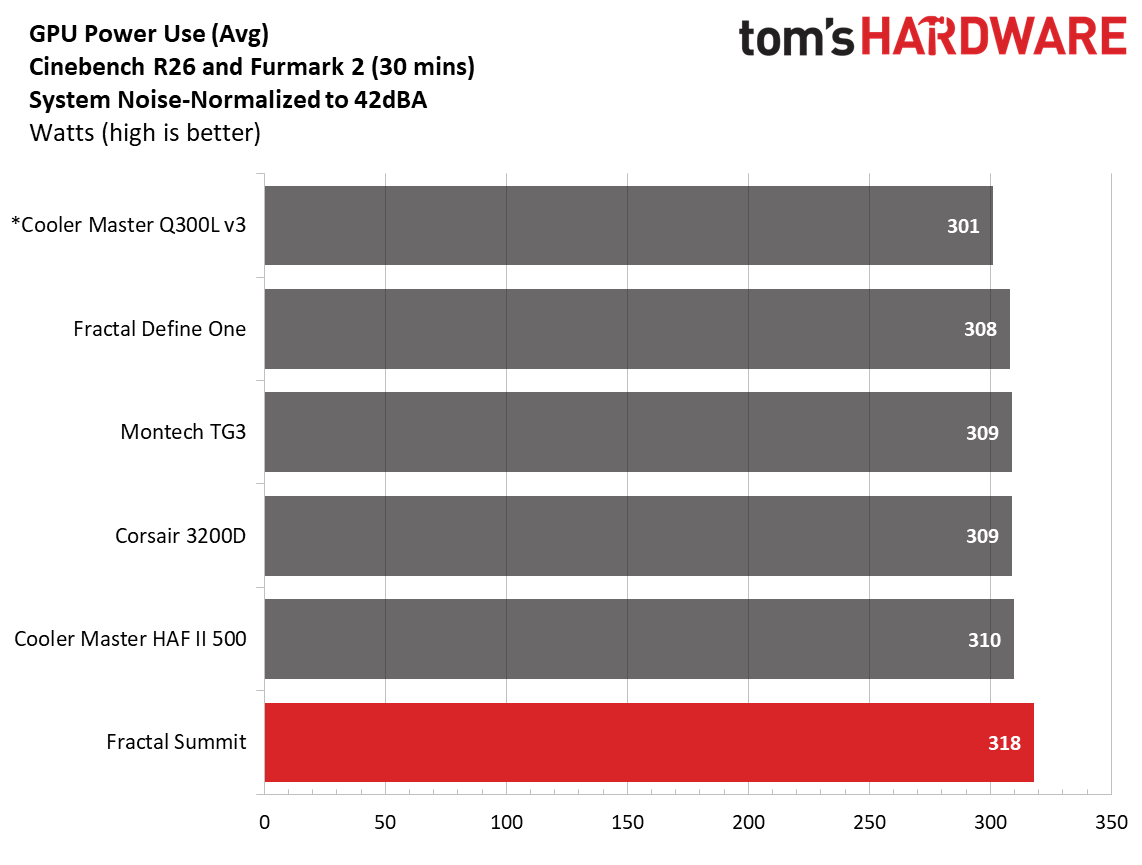
Noise-normalized performance landed in the middle of our CPU results, averaging 94 degrees Celsius in our testing. Surprisingly, it was the hottest of our tested cases in this set of results. The video card, even with the front air guide, was also the warmest in our noise-normalized data sets. All because we lowered the fan speeds a bit to reach 42 dBA.
Maximum thermal performance – fans at full speed
Our noise-normalized results are designed for folks who prefer silence, but what if you don’t mind additional noise and just care about maximum performance, or maybe you have to run things at high settings to keep high-powered devices cool? This testing is for you. Obviously, when you add fans or an AIO up top, things will change a bit, but this gives you a great idea of ‘out-of-the-box’ performance, noise be damned.
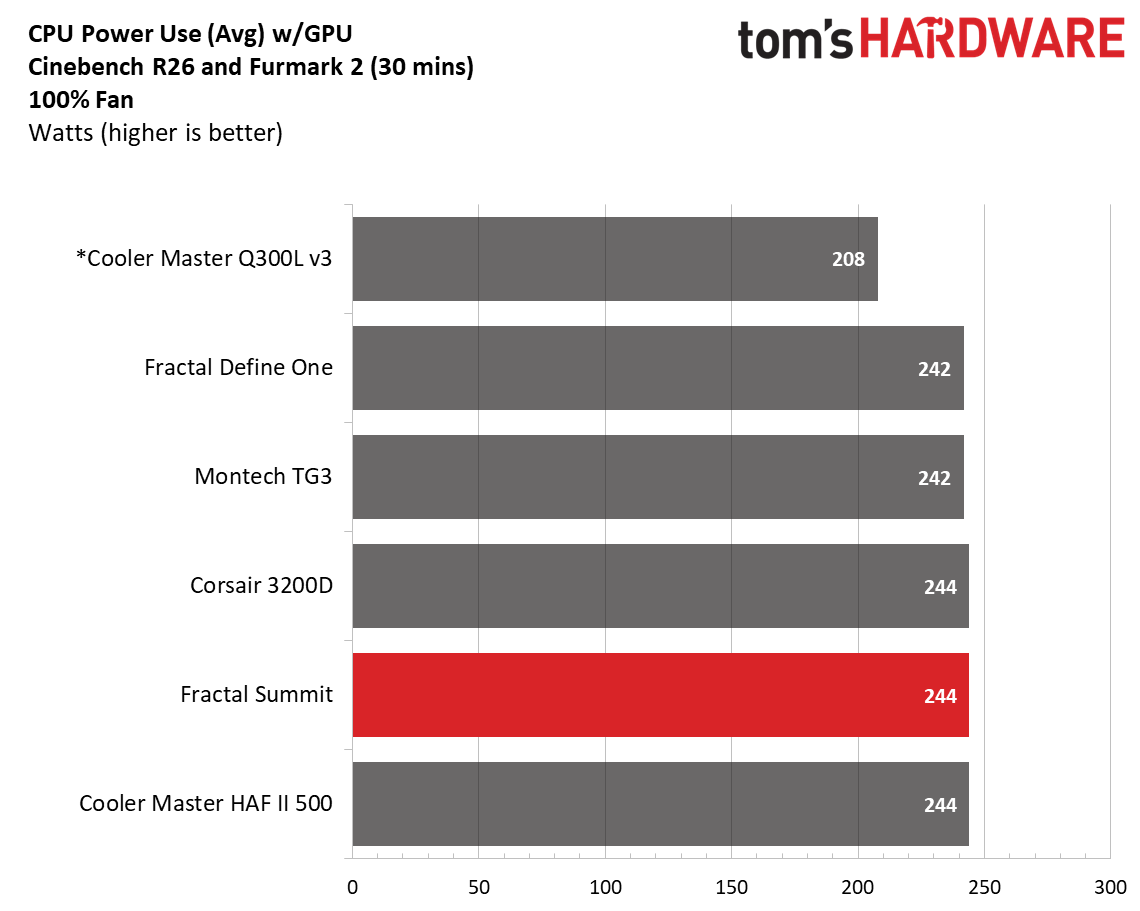
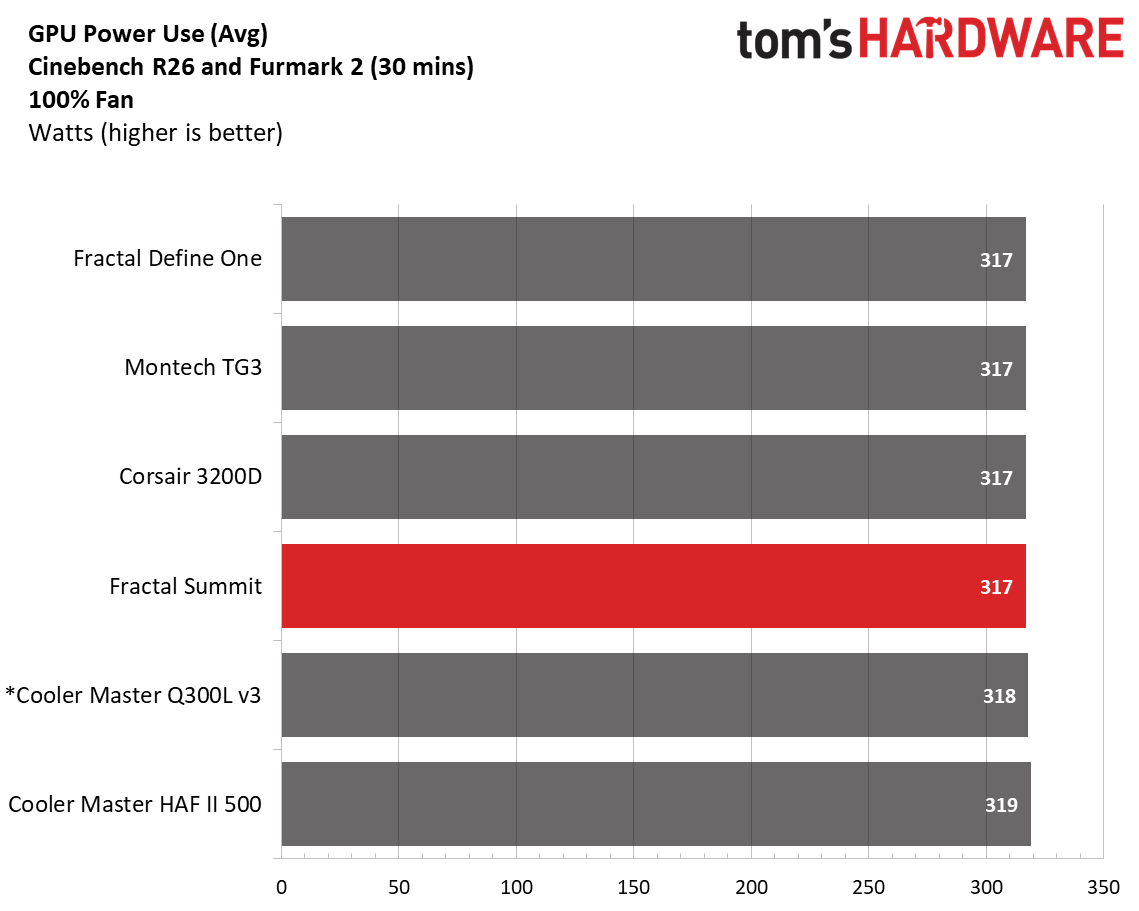
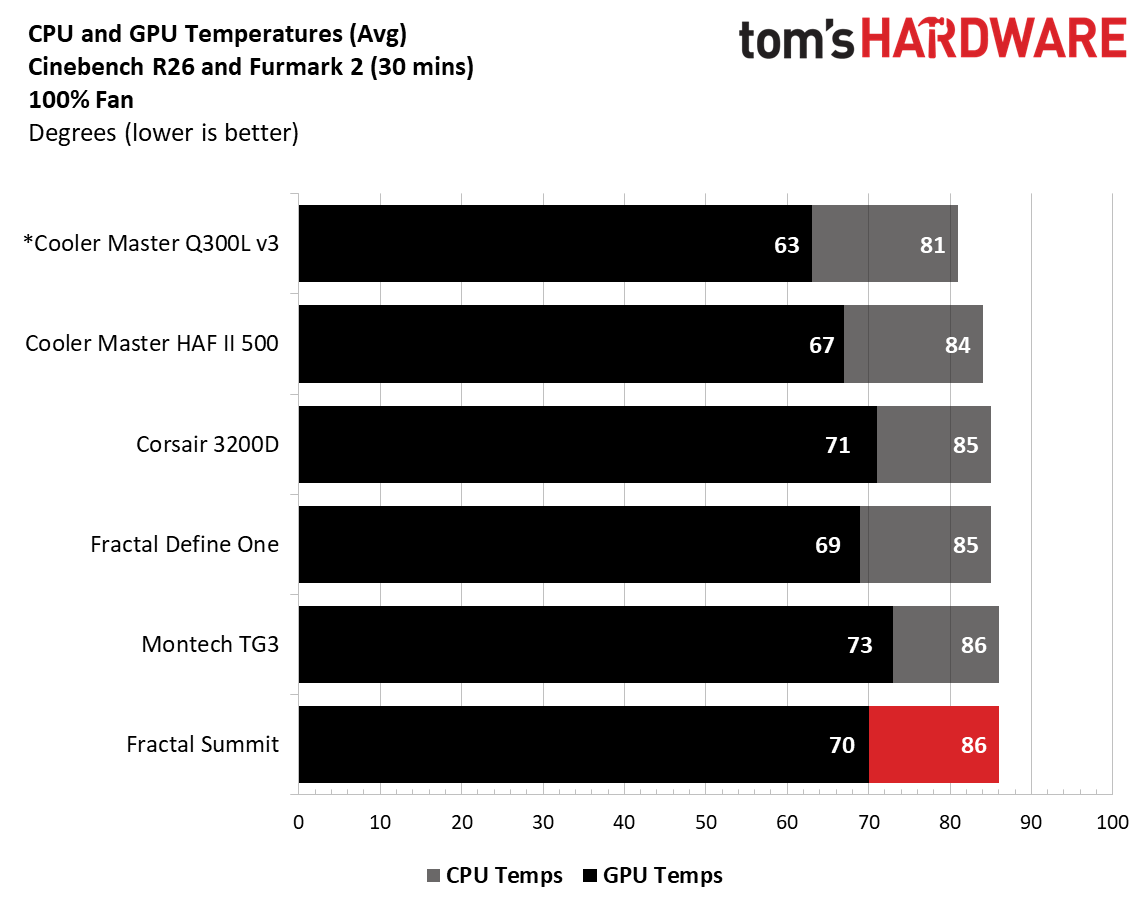
After cranking all the fans to 100%, temperatures dropped five degrees Celsius on the CPU and a notable nine on the video card, showing the benefits of the air guide. Once you populate the top of the chassis with fans or an AIO to get more air out, results will improve. That said, these aren’t poor results, as the case keeps our high-end processor and video card running below their throttling temperatures in a worst-case scenario.
Maximum Noise Levels
We measure the noise levels with a sound meter from one meter away from the computer case, with the pre-installed fans running at their maximum RPM. If a case does not have enough included fans for airflow (intake and exhaust) as configured, we add a Cooler Master M120 ARGB, since we expect most users will add at least one more fan in situations like these.
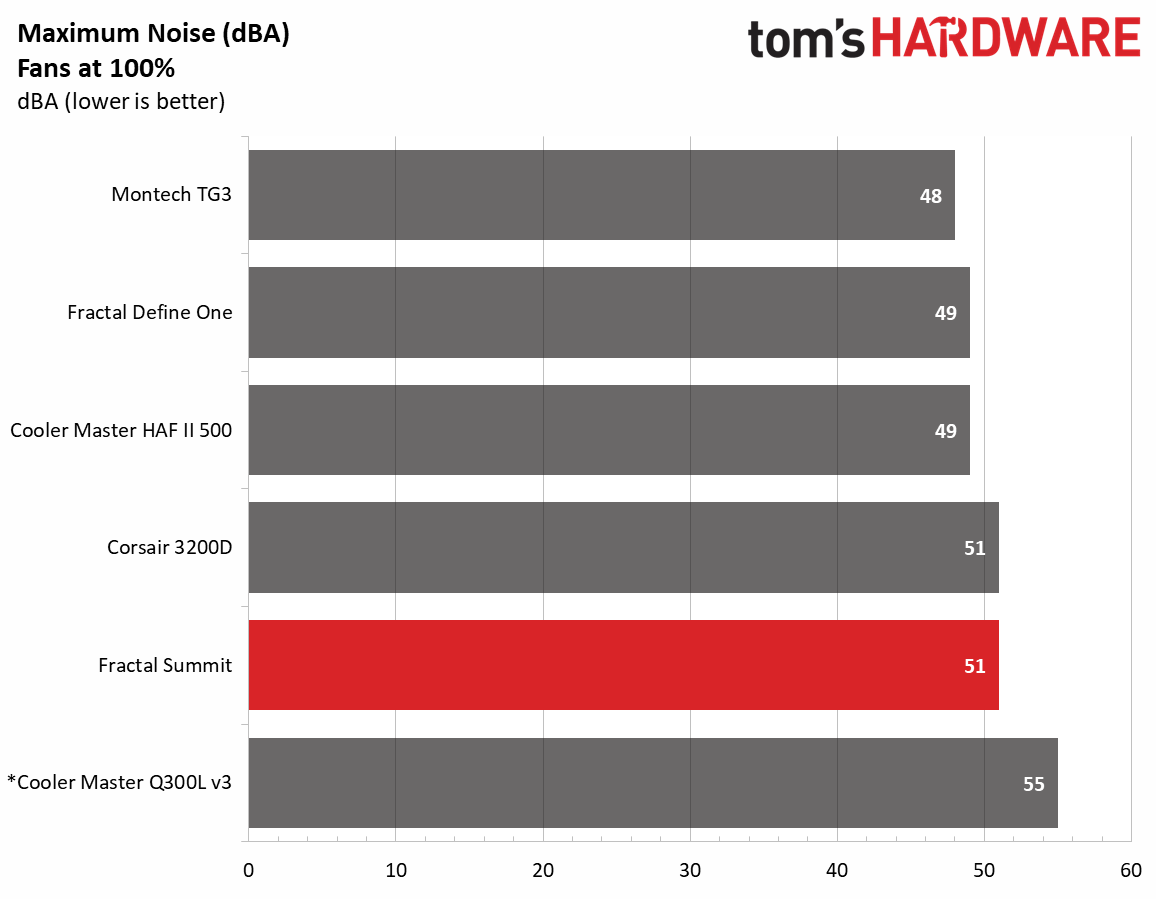
The loudest this case gets in our configuration was only 51 dBA, just 9 dBA above our baseline threshold, and a middling result among our current data points. The Momentum 14 fans didn’t generate any harsh tones or vibrations, even though Fractal didn’t mention vibration-dampening. With the open front and lack of sound-dampening materials, the case ran a bit louder than the Define One, but not enough to be worrisome.
Conclusion
The Fractal Summit is a good-looking chassis, no matter which colorway you choose. The Blackout Ambience colorway we tested doesn’t stand out much looks-wise, outside of the cool front RGB feature. However, the Chalk White and Black versions that do show off the wood really give off premium case vibes that will fit in with your office decor. Like the Define One, Fractal put some real thought into making this an easy case to build in, too.
Thermally, the Summit was a bit of a mixed bag. You’d think the open-face design would improve upon the more closed-off Define One, but it ran warmer in our noise-normalized testing, as we needed to slow the fans down slightly to meet our 42 dBA threshold. It did close the gap when we increased the fan speed, though. I have no worries the Summit can handle the most powerful of components when fully populated, but it’s worth knowing if thermals are a priority.
Priced at $169.99 for the non-ARGB versions and $199.99 for the Ambience Blackout, the Summit is priced fairly for what you get. It doesn’t earn a place on our best cases list, but on looks, build quality, and everyday usability, the Summit is well worth considering if you’re after a premium mid-tower chassis.