

I gave ChatGPT access to Apple Messages. Then it took control of my Mac
One of the ways for ChatGPT to escape the chatbox is with plugins, and a just-released plugin that lets ChatGPT tap into Apple’s Messages app is — unsurprisingly — getting a lot of attention.
Available now in the ChatGPT plugins directory (it’s in the Public section, or you can just search for it), the new tool lets the ChatGPT app for Mac search conversations in the Messages app, give you summaries of your current messages, and even draft replies and send them, either with or without your permission.
For now, ChatGPT’s Apple Messages plugin only works on the ChatGPT app for Mac (sorry, Windows users), and it runs directly on your Mac. The plugin doesn’t work on the mobile version of ChatGPT (or at least not yet), and it can’t be accessed remotely.
Now, this kind of “search for and send messages” ability is nothing new; ChatGPT has long had a similar plugin for Gmail that can search your inbox as well as send Gmail messages on your behalf. So if the idea of ChatGPT of reading and sending messages to your contacts is unnerving, just know it’s been happening for awhile.
Still, while testing ChatGPT’s Apple Messages plugin, I got an unsettling surprise involving a different and even more powerful ChatGPT feature. I’ll get to that in a moment.
Installing ChatGPT’s Apple Messages plugin involves giving the ChatGPT app permission to send messages, access your contacts, and — gulp — full disk access to your system, which it needs in order to search conversations in the messages app. If you’re balking at the idea of giving ChatGPT full disk access to your Mac, that’s a wise instinct. I went ahead and click Allow because, well, that’s what I’m here for, right?
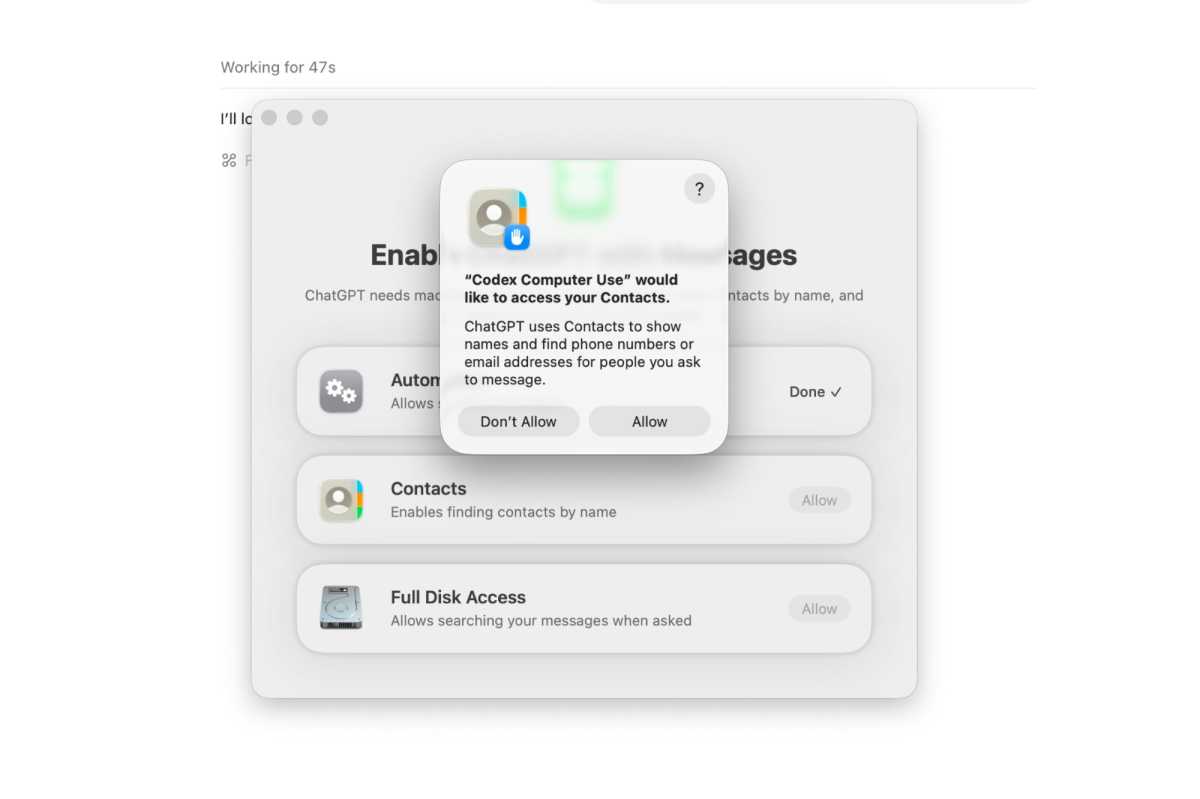
You’ll need to give ChatGPT some wide-ranging permissions before installing the Apple Messages pluging.
Ben Patterson/Foundry
Having granted those fairly extensive permissions to the Messages app (again, I’m not suggestion you do this yourself), I began some light testing. “Tell me about my most recent conversations,” I prompted, and ChatGPT dutifully summarized six of my recent chat threads, including a few with family members as well as one from Verizon and another from Roto-Rooter (they came to fix a leaky drain earlier this week).
I also tried testing the Messages plugin’s ability to send messages, asking ChatGPT to send my wife a “this is a test” message. ChatGPT thought for a moment, and then a model popped up at the bottom of the screen with a draft message and a “Send this to … “ prompt. I clicked Continue, and boom — the message was sent.
By default, ChatGPT will run a draft by you before sending any message via the Messages plugin. There’s also an “Always allow sending to this chat” option that OpenAI recommends leaving off, unless you want ChatGPT firing off messages to your contacts before getting a chance to review them.
I also asked the Messages plugin to search for spam messages that I could safely delete, and it quickly popped up a series of conversations, from political fundraising texts and investment pitches to random newsletters and marketing messages.
Without giving it too much thought, I then asked ChatGPT to go ahead and delete those messages, and here’s where the “uh, what’s happening?” surprise began.
You see, the Messages plugin for ChatGPT can scan your messages and send them, but it can’t delete your messages. But since I’d asked ChatGPT for just that — to delete those spam messages — it went about looking for another way to do so.
Suddenly, I saw screenshots of the actual Messages app in the ChatGPT interface, and I watched as ChatGPT took control of the Messages window and began browsing through my conversation threads on its own.
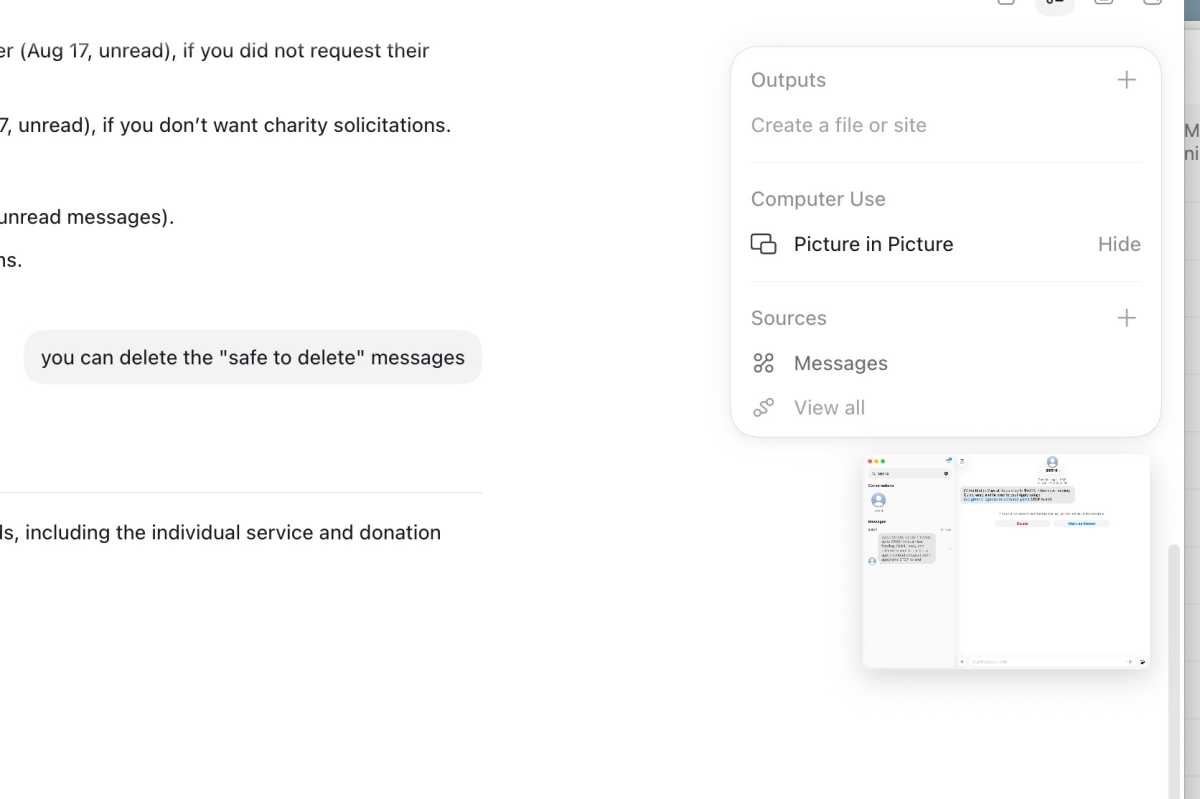
You can see a thumbnail on the right of ChatGPT controlling the actual Messages app on my Mac.
Ben Patterson/Foundry
When it found the spam conversations, it used my Mac’s mouse pointer to click the Delete button, thus fulfilling my request.
Uh, what just happened?
Just to be clear, ChatGPT didn’t break out of its bounds or do anything unauthorized here. Instead, it took advantage of the “computer use” abilities I’d granted it for a previous test — abilities that I’d forgotten to rescind once the test was over.
So while I was surprised and unsettled when ChatGPT briefly took control of my Mac, it was only doing what I’d previously given it permission to do.
Minor though it was, the episode serves as a grim reminder of one of the greatest dangers of AI: the unintended consequences of seemingly benign AI requests.
The consequences in this case were no big deal, but if I made this mistake and I’m (supposedly) an experienced and careful ChatGPT user, well … it makes you wonder.

