
Optery review: A free scan showed how exposed my personal data really was
At a glance
Expert’s Rating
Pros
- Clear dashboard with profile screenshots and broker links
- Useful free scan and Exposure Report
- Strong privacy standards
Cons
- Dashboard “View” links are not guaranteed matches
- Like all data-removal services, verification is difficult at scale
Our Verdict
Optery gives users a clear, useful look at where their personal information is exposed online, but its real cleanup value depends on upgrading to a paid plan and trusting its removal process.
Price When Reviewed
This value will show the geolocated pricing text for product undefined
Best Pricing Today
Best Prices Today: Optery
Price comparison from over 24,000 stores worldwide
Price comparison from Backmarket
Most people don’t know how many data brokers have built profiles on them until a service like Optery shows them the list. Names, addresses, phone numbers, and other personal details can end up scattered across people-search sites, public records, and data-broker databases. Removing that information yourself is possible, but it can mean chasing dozens—or hundreds—of opt-out forms, confirmation emails, and follow-up requests.
Optery tries to turn that messy opt-out process into something more organized and trackable. It scans data-broker and people-search sites for exposed personal information, shows users where their profiles may appear, and provides tools for requesting removals.
What Optery does
Optery’s basic job is simple: Find where your personal information is showing up online, then help you get it removed. After you create an account and enter enough profile details for Optery to identify likely matches, the service scans data brokers and people-search sites for exposed records.
The main dashboard is organized around three scan areas: Primary Scan, Custom Scan, and Expanded Reach. Primary Scan is the default check for exposed profiles. Custom Scans let users run more targeted checks, such as a specific name and city-state combination, or a custom scan of Google search results. Expanded Reach extends paid-plan removals to broker sources that may not publish profiles openly or meet Optery’s usual verification standards.
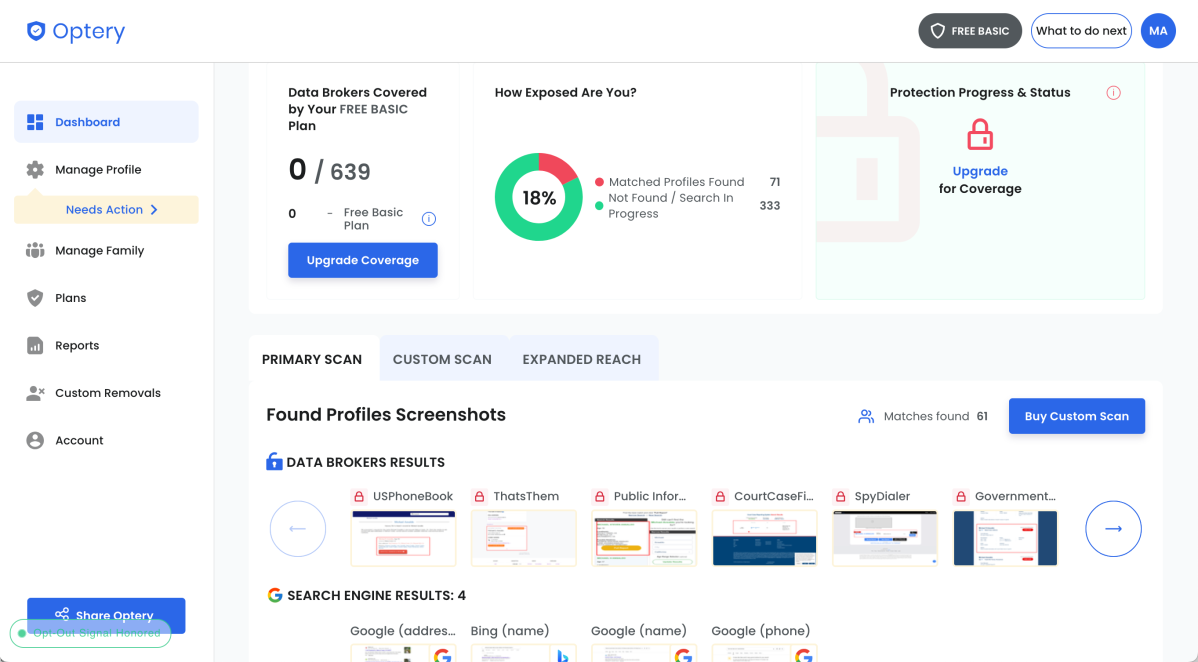
Optery’s dashboard shows how many possible matches it found and displays screenshot evidence from data brokers and search engines.
Michael Ansaldo/Foundry
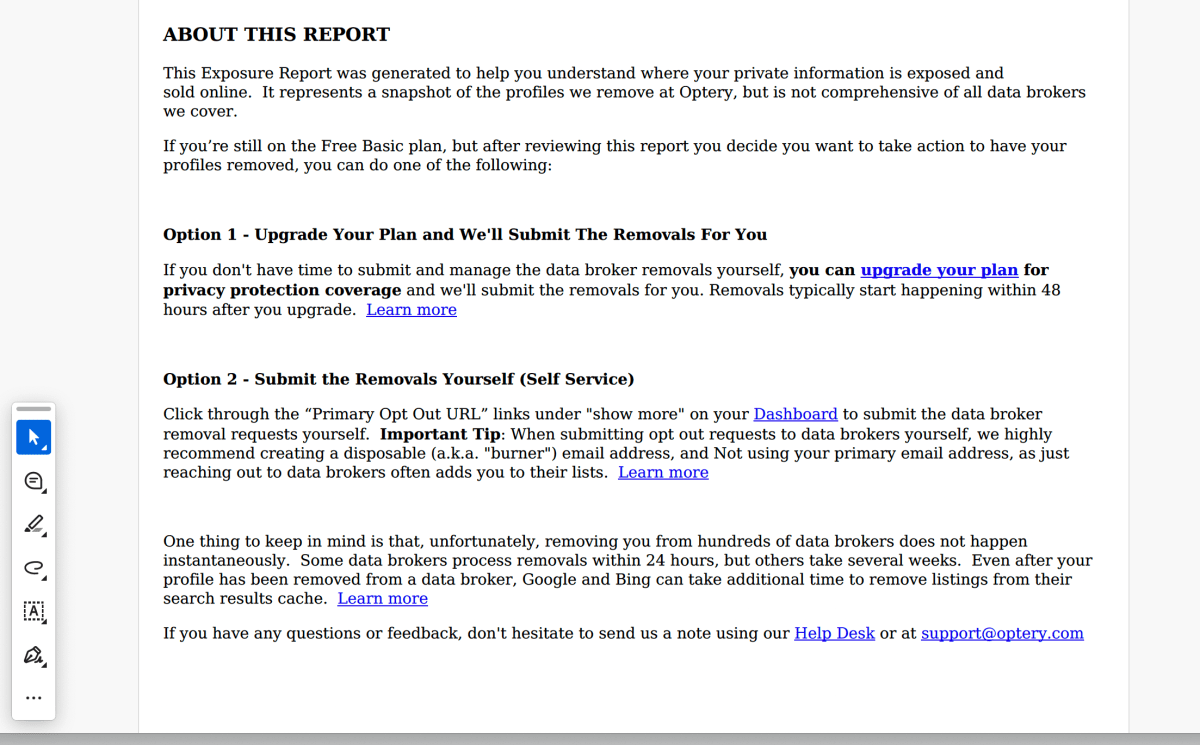
Optery also generates a downloadable Exposure Report. This gives users a snapshot of the matched profiles Optery found, including screenshots. The report turns an otherwise abstract privacy problem into something visible: broker names, profile pages, and exposed details you can inspect.
What happens next depends on the plan. Free users can investigate profiles and submit opt-out requests themselves. Paid subscribers can have Optery submit removals, track progress, and follow up with brokers on their behalf. Higher tiers add broader broker coverage, human-assisted opt-outs, custom removal requests, before-and-after screenshots, Expanded Reach, and outdated-content removal submissions to Google and Bing.
Plans and pricing
Optery has a Free Basic plan, plus three personal paid plans: Core, Extended, and Ultimate.
Core is the paid plan most people should consider first. It costs $3.99 per month, or $39 per year, and adds automated removals from 367+ sites, monthly scans, opt-out progress reporting, and automatic opt-outs from newly supported brokers.
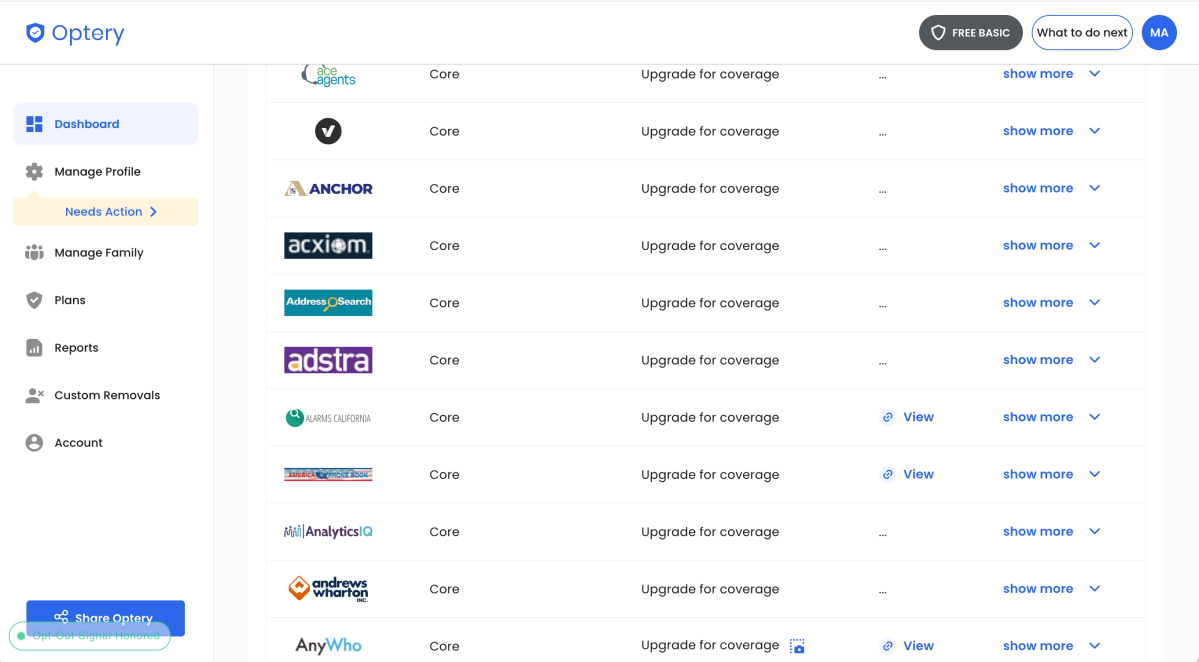
Optery’s broker list shows which sites are covered by each plan and which removals require an upgrade.
Michael Ansaldo/Foundry
Extended costs $14.99 per month, or $149 per year, and raises coverage to 545+ sites. It also adds unlimited name variations, unlimited past cities and states, human-assisted opt-outs, and before-and-after removal reports every 90 days.
Ultimate costs $24.99 per month, or $249 per year, and covers 641+ sites. It adds unlimited custom removal requests, Google and Bing outdated-content removal submissions, and priority email support.
Family discounts are available, starting at 20 percent off when two family members have paid plans.
Getting started with Optery
Getting started with Optery is straightforward, though it requires handing over enough personal information for the service to identify you accurately. During signup, Optery asks for the usual account details along with information such as your state or region, city, year of birth, optional month and day of birth, and middle name. The more information you supply, the better, since Optery needs enough detail to tell you apart from people with similar names and avoid filling your dashboard with bad matches.
Optery says it queues the Exposure Report scan for about 20 minutes after signup so users can add more profile details, then typically delivers the report within about an hour. Users can also postpone the initial scan for up to 24 hours. In my case, the scan finished in about 35 minutes.
Optery is a strong option because it gives you a meaningful look at the problem before asking you to pay for the fix.
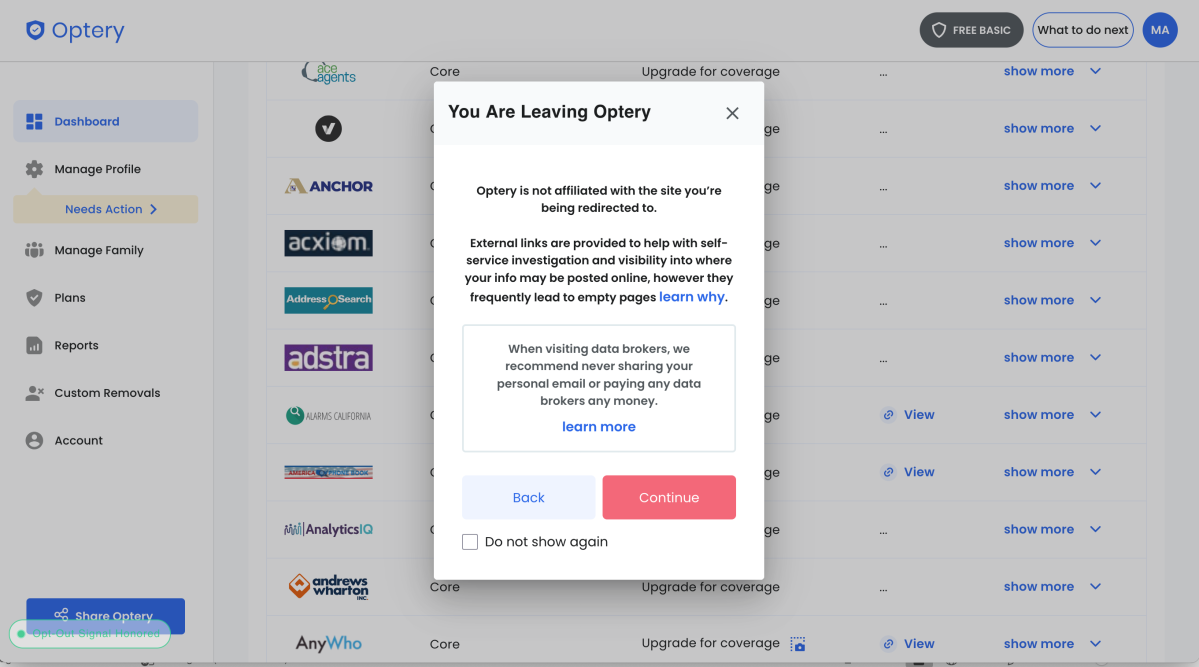
Optery warns users before sending them to an external data-broker site and recommends using a burner email for self-service removals.
Michael Ansaldo/Foundry
What Optery found in testing
The scan results came back with two different levels of detail.
In the dashboard, Optery listed 404 sites that may expose personal information. That number is useful for getting a sense of the scale, but it should not be read as 404 confirmed exposures. Optery’s own help material says its “View” links are a best initial attempt to point users toward possible broker pages. A link may lead to your profile, someone else with a similar name, or a dead page.
The Exposure Report was more concrete. My report found 61 matched profiles and included screenshots from individual sites. The profiles included the kinds of details people-search sites commonly collect: names, ages, or birthdate clues, current and past locations, phone numbers, relatives, and snippets that connect those details together. Optery also divides the found profiles by the paid plan that covers them, which makes the upgrade path obvious.
I found the report more useful than a simple broker count. A plain list of broker names can feel abstract; seeing profile pages with personal details boxed in red makes the exposure easier to understand and harder to shrug off.
The next step is to decide how to tackle the problem: Upgrade and let Optery submit removals, or use the dashboard’s opt-out links and do the work yourself. For DIY removals, Optery recommends using a burner email address, since contacting data brokers directly can add you to their lists.
Privacy and trust
When you use a data-removal service, you’re handing over many of the same personal details you want removed from broker sites, so the service needs to explain what it collects, why it needs it, and how it protects it.
Optery does a solid job on that front. Its help material says it does not sell or rent customer personal information to third parties. It also says its products run on AWS infrastructure in the United States, with TLS used for data in transit, AES-256 encryption for data at rest, MFA and 2FA support, access controls, and SOC 2 security controls.
Michael Ansaldo/Foundry
Optery also names third-party vendors that it uses for things such as analytics, support, email, payments, and business operations, which is more useful than a vague “we take privacy seriously” statement.
To handle some removals, Optery may ask paid users to grant a Limited Power of Attorney. Optery says some data brokers require proof that the service is authorized to submit opt-out requests on a user’s behalf. The authorization is optional, can be revoked, and is limited to data-rights and opt-out requests, not broader legal, financial, or personal matters.
What to expect from paid data removal
After I upgraded to Optery’s Ultimate plan, the service moved from discovery to active removal. The dashboard began tracking broker-by-broker removal status, with labels such as Removed, Submitted, Not Found, Pending, and In Progress.
The dashboard also added a Maximize Removals section that flags missing information that some brokers may require before accepting opt-out requests. In my account, Optery asked for a ZIP code, street address, and Limited Power of Attorney, and showed how many brokers each item affected.
Don’t expect the process to be instant. Under my Ultimate plan, I received monthly removal-progress emails, and after two months, the latest update showed 179 records marked removed, 75 not found, 55 pending, and 90 still in progress. The reality is that data removal can take weeks, and even then, search engines may continue showing cached results for a while, and some broker profiles can reappear over time.
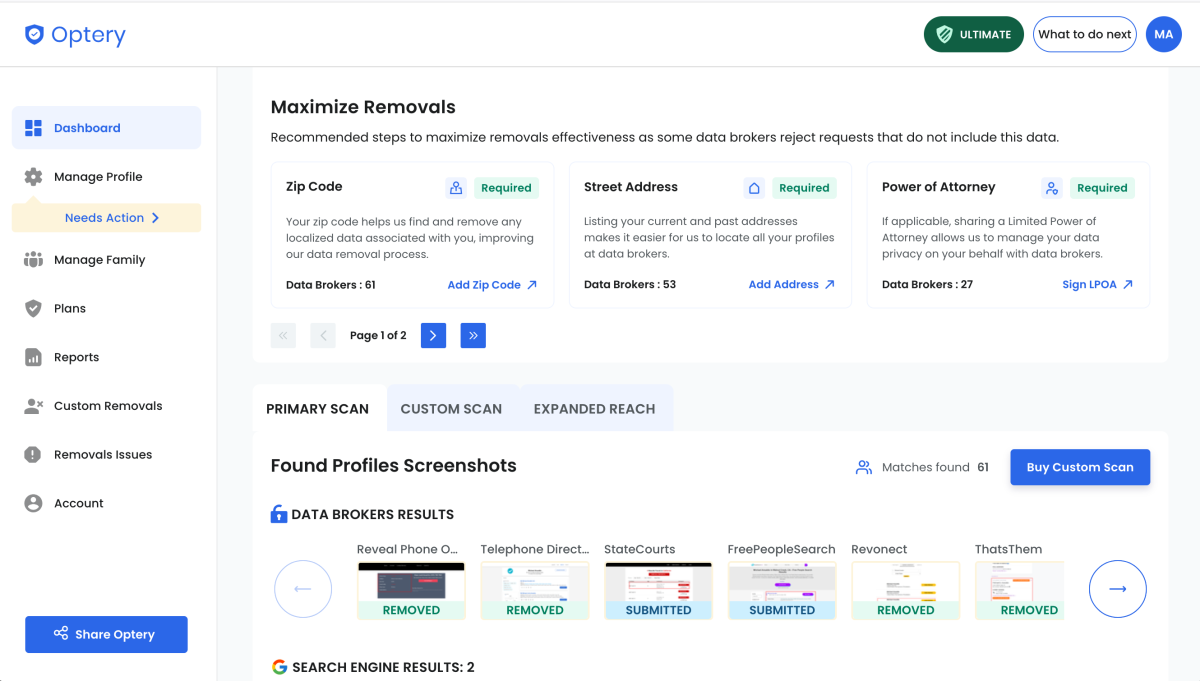
Optery’s paid dashboard tracks removal progress and flags missing details that may improve opt-out success, such as a ZIP code, street address, or Limited Power of Attorney.
Michael Ansaldo/Foundry
It’s a good idea to double-check any data-removal service’s work and Optery made this easier than it otherwise would be. Each removed profile includes a direct link back to the original broker site, which made verifying removal easier than trying to recreate each search myself. The results were mixed. Some matched profiles were no longer visible at the linked pages, while others appeared only partially cleaned up.
Some of that was caused by my own profile setup. When I created my Optery account, I had entered my two most recent addresses, but no addresses going back more than 15 years, which limited how well the service could match and target older listings. But the removals I checked also revealed a messier problem: Records for people with the same name can expose related information even when they are not cleanly “your” profile. In my case, one listing appeared to mix my details with my late father’s, who had the same name, and another record for him named me, my sister, and my mother as relatives. So even when a matched profile is removed or reduced, related family records can still leave a trail back to you.
It is a reminder of the uncomfortable tradeoff behind data-removal services: To get your personal information off broker sites, you may have to give the removal service more of it first. I’ll be fine-tuning my Optery profile with a longer address history and other identifying details to see whether that improves matching and removal accuracy.
Is Optery worth it?
Optery is a strong option for seeing where your personal information is exposed because it gives you a meaningful look at the problem before asking you to pay for the fix. Manual opt-outs are tedious, and Optery’s Core plan is affordable enough that automated removal doesn’t require a big financial leap. Extended and Ultimate are better fits for people who want wider coverage, human-assisted opt-outs, custom removal requests, and help cleaning up stale Google and Bing results.
The paid-removal process isn’t perfect, and users should still check sensitive listings themselves. But Optery makes that easier than it could be. For most people, the best move is to start with the free scan, see what it finds, and then decide whether the cleanup is worth outsourcing.