

How Adobe Acrobat makes PDF editing easy
Try out Adobe Acrobat for free today!
If you regularly work with PDF files, then you’ll know how important they are in the modern world. Whether it’s contracts that need to be signed, reports to be amended, forms that require filling out or that all important presentation, PDFs are a cornerstone of professional life.
It can be surprising then that many people try to edit them with basic, free software that makes the process harder and more complicated. Formatting issues, problems moving from one device platform to another, and restrictive tools are commonplace, which can leave users frustrated at the time they’re wasting. Well, Adobe Acrobat doesn’t suffer from these issues, as it comes with the latest AI capabilities and a comprehensive set of features that make the tasks simple and efficient. If you’ve struggled with PDFs in the past, that could all be about to change.
Effortless editing with Adobe Acrobat
PDFs are often encountered when there is an online form that needs to be completed. Free editors can allow you to use the existing text fields to enter your responses, but anything beyond that is usually not available. If you want to adjust any of the fields, insert images, or edit the underlying text, you’ll likely need to convert the PDF into a Word document and make those changes there. This, though, often results in messy, unprofessional results, with formatting issues and plenty of other problems – plus, it takes precious time that could be spent on more important duties.
Since Adobe invented the PDF format, its tools make working with forms a breeze. With Acrobat’s PDF editing tools, you can modify the whole page, change text or refine the document structure all with easy-to-use tools that take minutes to understand. Images are also handled with the same confidence, allowing you to resize or reposition existing ones or replace them altogether without the page losing its shape. No need for converting into another format, everything just works in the PDF itself.
Adobe
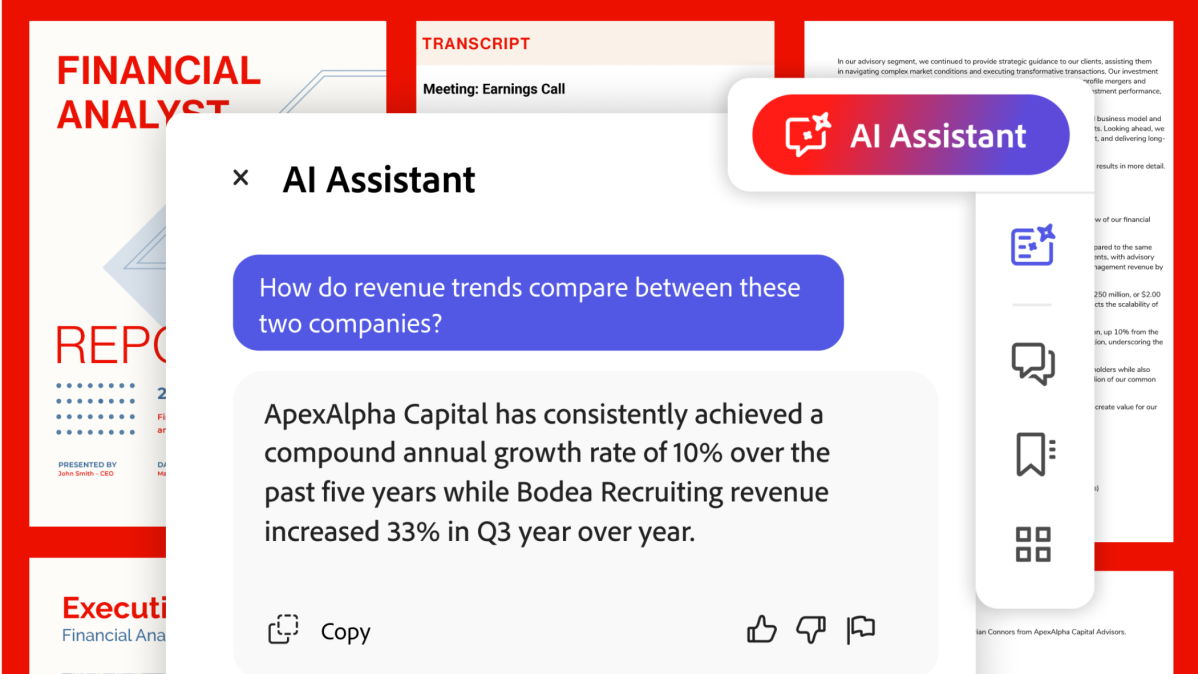
Not a fan of digging through menus and tools? Acrobat AI Assistant is built for you. Simply describe what you want to do — no navigating tools or menus required — and AI Assistant will identify the relevant fields and make the changes for you automatically. For actions like deleting or extracting pages, AI Assistant will confirm before applying the changes, so you stay in control. And with Adobe PDFs, edits are non-destructive, so you can undo any of them with the simple press of a button.
The Safer Way to Sign and Share PDFs
If you’re working on a project or document that needs to be signed off by multiple parties, then you’ll know that managing this can quickly become something of a nightmare. Ensuring that everyone agrees can end up with various emails, messages or other routes of communication which have the potential to miss something or cause confusion. It’s also not always possible to know that everyone is looking at the most up-to-date version of the document.
Adobe Acrobat streamlines this by giving you the ability to collect e-signatures and track responses directly to a document, avoiding any room for errors. There’s also no need for respondents to be sent to a third-party signing platform as everything is kept within the document, so you always know who has signed off or made comments, while ensuring a single version of the document is being used.
PDFs can also be compressed to make them easier to share, plus the cross-device nature of Adobe Acrobat means that the documents will render correctly on desktop, mobile or web-based devices, even when being edited. Simple, safe, efficient.

Adobe
Try Adobe Acrobat for free
If you want to test drive the Adobe Acrobat suite to see how it’s AI-powered tools can help ease your PDF woes, then there’s a 7-day free trial available to get you started.
After that, you can sign up for an annual subscription at only $24.99 p/m, which includes the complete set of PDF tools, PDF Spaces, Acrobat AI Assistant, plus Adobe Express Premium. If you work with PDFs regularly, having all of this in one plan could make your life a lot easier, and that’s money well spent.

